
This vulnerable machine is located at https://www.vulnhub.com/entry/hogwarts-dobby,597/. The goal of this box seems to be getting root.
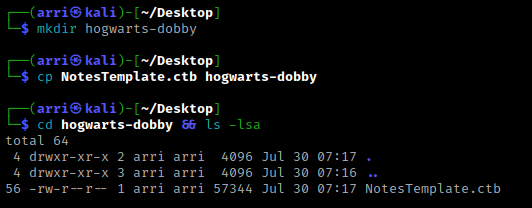
What I like to do first is create a directory for this box (mkdir hogwarts-dobby) & copy over a preset for taking notes.
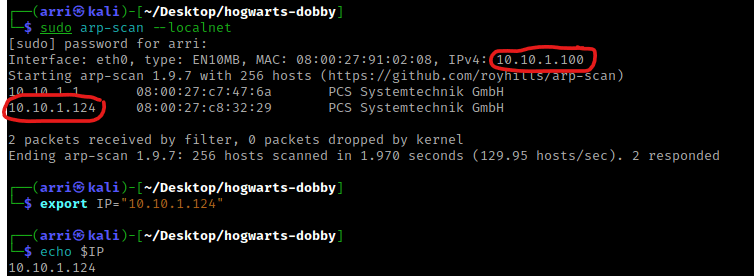
Once I finish this, I check my IP and the IP of the “Dobby” machine using sudo arp-scan --localnet. My IP is the one circled at the top, and the box is the other one that is circled. Once I figure out the box’s IP, I then set an IP variable using export IP="10.10.1.123". The set IP variable can always be checked by using echo $IP.
I then nmaped the target using the IP variable I set up to look at what ports are open using sudo nmap -p- -sC -sV $IP --open. “-p-“ is for scanning all ports; “-sC” is for default NSE scripts; “-sV” is for service versions; and “–open” is for filtering for only open ports. It should return that port 80 (http) is open.

I saw a hash after Draco’s name and decided to use the BurpSuite’s Decoder. This hash is base64, which can be told from the equal sign at the end. Once decoded, it gives a message “too easy no? Potter”

I put “Potter” in my notes incase it could be a possible credential. I then decided to go to the website. It seemed to bring up a normal Apache page. I then viewed the page source and saw that it mentioned “/alohomora”.

I then went to “/alohomora” and viewed the page source. The only thing that was on this page was that Draco’s password is his house. I am a fan of the Harry Potter series, so I googled “Draco’s home” and got the answer of “Malfoy Manor”, when it was actually much more basic than that and I had overthought it.
This is where I spent hours going down rabbit holes that led nowhere because I did not think of the obvious. After all of the shenanigans, I re-searched “Draco’s house” and got the obvious answer of which house from Wikipedia, shm.

I then wanted to check for more directories on this site, so I used export URL="http://10.10.1.124:80/" and then the command dirb $URL. This comes up “/index.html” (the normal webpage), “/log”, “/phpinfo.php”, and a 403 (Forbidden) for “/server-status”.

I then decided to go to “/log” and viewed the page source to make sure I did not miss anything. The only thing that came up was this password and the hint of “/DiagonAlley”.

I took this password and thought it might be a hash, so I tried decoding it using Burp’s Decoder in base64. This returned a password that I wrote down in my notes.

I then went to “/DiagonAlley” and noticed it brought up a page that seemed like a blog-like site. I viewed the page source on this to see if there was anything hidden, which there was not.
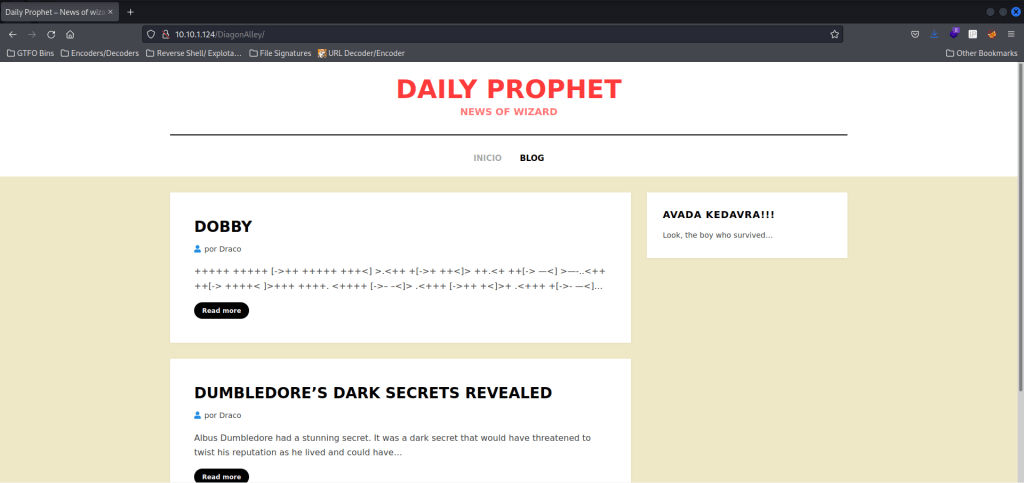
I looked around the page and noticed at the bottom of the page it mentioned it was a “WordPress” site!

I did look around some more and decided to take note of the “Dobby” page in case I could not get into the WordPress site. I then tried going to the default WordPress login page by going to “wp-login.php” (after the “/DiagonAlley”) and found the login page.
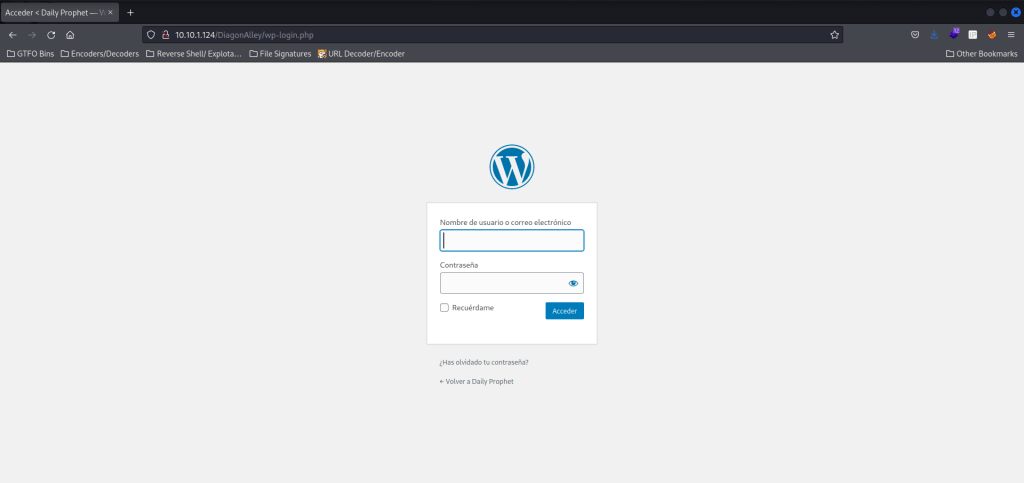
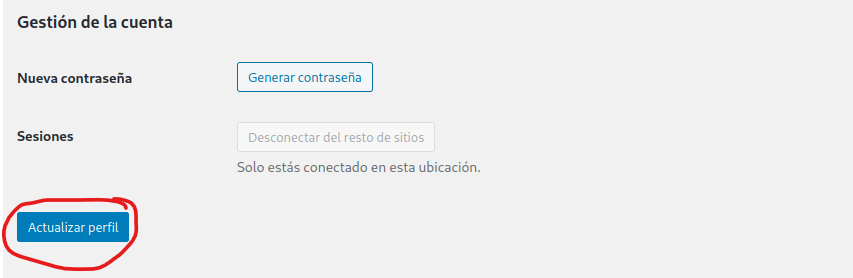
I tried logging in with “draco” and then the password as his house, and it worked! I then clicked the button that was circled below, and I was logged in.

My first step was to change the site to be in English so I could understand what I was doing more. I hovered my mouse over Draco in the upper right and clicked on “Editar”. I then went down to “Idioma” and clicked on the dropdown and then selected English. I saved the changes by scrolling down and clicking on the button circled in red below.
The site was now in English! I decided I was going to try uploading a file that should be accepted by going to the “Media Library”, clicking “Add new”, selecting a file, and then I uploaded a “.png” file. I looked at where it went to by clicking on it (see below circled in red).
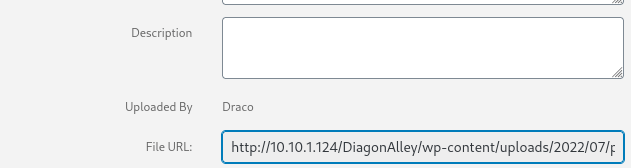
Now that I knew it would be uploaded in “/DiagonAlley/wp-content/uploads/2022/07/” I went back to the website and then went to “Plugins”. I then clicked on “Add Plugins” and then on “Upload New”. I selected a php reverse shell file from Pentest Monkey (https://github.com/pentestmonkey/php-reverse-shell/blob/master/php-reverse-shell.php) that I changed to have my IP and port 4444 by changing the files in the bottom right (see circled area below) to be all files. Once it was opened, I hit “Install Now”.

I then went to the path I found out about earlier and saw that it was there. I did not click on it yet because I still had to open a listening shell.

I went back to my terminal and started a listening shell using nc -nvlp 4444. I opened the browser again and clicked on the “.php” shell. I looked back at my terminal and I had a shell opened.

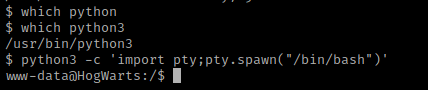
My next step was to get a more bash-looking shell by finding out if python was on the box using which python and which python3. Since python3 was on the machine, I then used python3 -c 'import pty;pty.spawn("/bin/bash")' to get the shell I wanted.
I then went to the home directory and listed the contents using cd /home && ls -lsa. From there I saw that “dobby” was a user. I used cd dobby && ls -lsa and saw that there was a “flag1.txt”.

I tried switching to dobby using the other password I got from decoding, and it worked without any colons.

I then tried to cat flag1.txt, but it did not work because there was no cat command on the system. I then tried using head flag1.txt and it worked. I then looked around in dobby’s directories a bit more and did not find much. I also tried using sudo -l to see if dobby had any sudo permissions, however dobby did not have any.

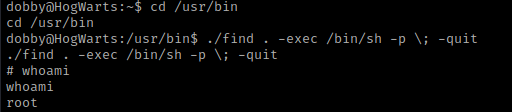
I then decided to search for suids using find / -perm -u=s -type f 2>/dev/null. In this list /usr/bin/find shows up. I looked up “SUID find exploit” on google and came across a GTFO bins exploit for this SUID (https://gtfobins.github.io/gtfobins/find/).

I navigated to the same directory as find using cd /usr/bin and then used the command for “SUID”, ./find . -exec /bin/sh -p \; -quit. I then did whoami to verify that I was root.
I then navigated to root using cd /root && ls -lsa. I saw “proof.txt” and the I used head proof.txt. This did not print out the complete document, so I then used head -n 100 proof.txt (“-n” is for the number of lines, in this case I specified 100). This gave the root flag!

The box is now complete!




 CyberArri
Leave a comment