
This vulnerable machine is located at https://www.vulnhub.com/entry/basic-pentesting-1,216/.
I added this box to the OSCP prep list, even though it is not on TJ null’s list, it does have some of the same characteristics of other machines on the list.
What I like to do first is create a directory for this box (mkdir basicpentest1) and open something so I can take notes.

Once I finished this, I checked my IP and the IP of the “Basic Pentesting” machine using sudo arp-scan --localnet. My IP is the one at the top (10.10.1.136), and the box is the second one on the list (10.10.1.161). Once I figure out the box’s IP, I then set an IP variable using export IP="10.10.1.161". The set IP variable can always be checked by using echo $IP.

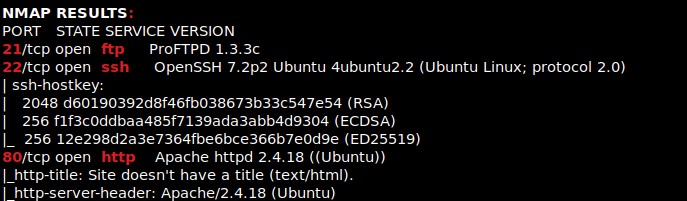
I then nmaped the target using the IP variable I set up to look at what ports are open using sudo nmap -p- -sC -sV $IP --open. “-p-“ is for scanning all ports; “-sC” is for default NSE scripts; “-sV” is for service versions; and “–open” is for filtering for only open ports. It should return that the following ports are open: 21 (ftp), 22 (ssh), and 80 (http).
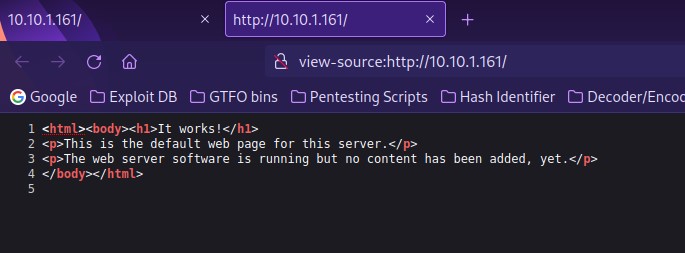
The first thing I always like to do when I notice http (80) as a port is open a browser and go to the website. On this page, there was not much at all. I looked at the page source to make sure that I did not miss anything (there was nothing there either).
I tried going to a “/robots.txt” (since it is common for websites to have one), but one did not exist. From here I decided to try to enumerate for possible directories on the website. I used the command gobuster dir -u http://$IP -w /usr/share/seclists/Discovery/Web-Content/raft-large-directories.txt -t 100 -e.
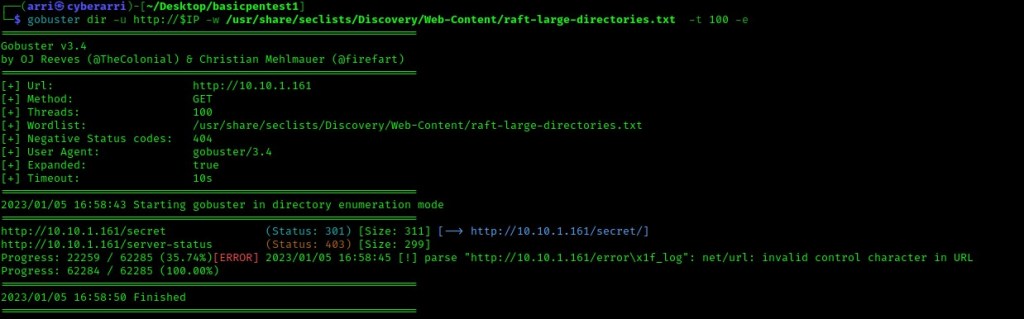
This brought up the directory “/secret/”, which I then went to on the website. This brought up a WordPress website.

When I tried to click around, I got the error shown below because it was linked to another domain name.

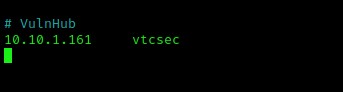
I decided to add the IP and the “/etc/hosts” file using sudo nano /etc/hosts. I then added the line “10.10.1.161(tab)vtcsec”. Note, replace the IP with your box’s IP and then change “(tab)” to be a tab. The entry I made can be seen below.
I refreshed the page and it now worked. The first thing I noticed was that the “Hello world!” post was made by a user named “admin”.

I scrolled down and under the “Meta” section, there was a section that said “Log in”. I clicked on this and it brought me to a login page.

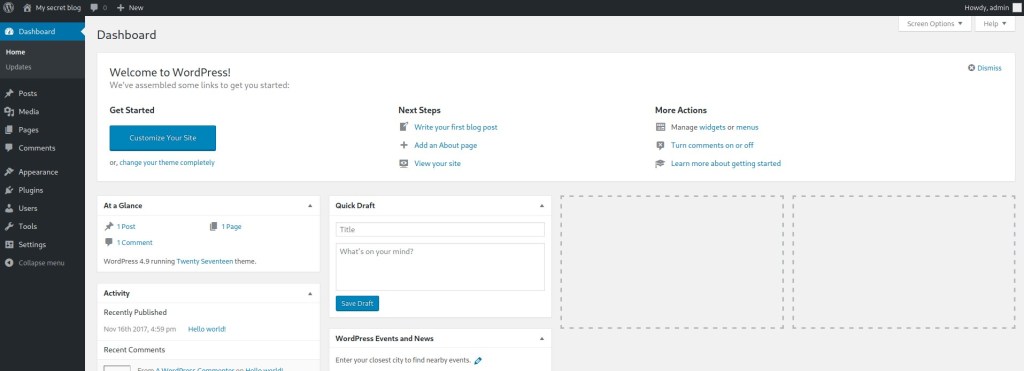
I decided to try default credentials on this page. I used “admin” as the username and “admin” as the password and it worked!
I went to “Media” and then “Add New” to see if it was possible for me to upload a reverse shell. I used this code and altered it to contain my IP and the port 4444 (it says “CHANGE THIS” next to it). I then clicked on “Try the browser uploader instead” (circled below).

My next step was to try uploading this, however it did not work when I tried it. It said that the file type is not permitted for security reasons. I attempted to intercept the request with Burp and alter the upload, which in the end, ended up being unsuccessful.

I then went to “Appearance” and then “Editor”. I then clicked on the “Archives” and pasted the code in. I ensured that my IP and port were correct before continuing.

I hit update at the bottom and then navigated went back to my terminal and started a listening shell using nc -nvlp 4444.

I went to “10.10.1.161/secret/wp-content/themes/twentyseventeen/archive.php” in the browser. This seemed to load infinitely, but I went back to my terminal and I had a shell!

From here, I decided to look and see if python was on the machine to get a more stable shell. I used which python and python was on the system. I then used python -c 'import pty;pty.spawn("/bin/bash")'.

I then looked around a bit through some world-writable directories as part of my post-enumeration steps. I then looked at the “/etc/passwd” file using ls -lsa /etc/passwd and I noticed that it had read and write permissions for the others group.

I then used the command echo 'cyberarri:$1$SjqrkS08$C.gNf7z9v41honP.yqaR31:0:0:Arri:/home/cyberarri:/bin/bash' >> /etc/passwd to get myself a user, a password hash (of “password”, root UID, root GID, say who it was, set a home directory, and get a /bin/bash shell. The password hash can be obtained from using the command openssl passwd -1 <password> in a terminal on the local machine. From here, I used su cyberarri and then the password “password” and I was now in! I verified who I was using id and whoami.

Since this is a boot2root machine, there are no flags because the objective is to gain root. The box is now complete!




 CyberArri
Leave a comment